.svg)
7 aplicações de gestão do tempo para aumentar a produtividade em 2026
Ever feel like your to-do list is growing faster than you can check things off? You’re welcome. In today’s fast-paced world, staying on top of tasks, meetings, and deadlines can feel impossible.
That’s where time management apps step in as your secret weapon. The right tool doesn’t just organize your day, it can change how you work, prioritize, and connect with your team—whether you’re leading a crew onsite, managing projects remotely, or keeping your family on track.
In this guide, you’ll discover 7 top-rated time management apps for 2026. We’ll break down their best features, pricing, and why they work for different productivity needs. Ready to finally get ahead? Let’s dive in.
What should you look for in a time management app in 2026?
Choosing the right time management apps in 2026 is more than downloading the latest software. The right tool can completely reshape how you organize, prioritize, and collaborate, whether you’re managing a global team or your own daily tasks. Let’s break down what matters most when picking a solution that fits your needs.
Why are modern time management apps essential for productivity?
The world of work is changing rapidly. Remote and hybrid models are now the norm, and digital collaboration is expected. Businesses and individuals rely on time management apps to juggle meetings, projects, and priorities across time zones.
What sets modern tools apart? Automation, multilingual support, and true cross-platform syncing are now non-negotiable. According to recent Time Management Statistics 2025, 60% of teams use at least two productivity tools every day. This highlights a growing need for seamless integration, smart notifications, and visual task management.
Productivity experts like Dr. Elaine Parker note that “AI and intuitive design are now essential for reducing friction and boosting focus.” In short, today’s time management apps must help you cut through noise, automate routine tasks, and keep everyone on the same page.
What key features set the best apps apart?
Not all time management apps are created equal. The best options offer:
- AI-powered scheduling: Automatically prioritize tasks and adjust for changing deadlines
- Smart reminders and analytics: Personalized nudges and usage insights
- Real-time collaboration: Shared lists, file sharing, seamless calendar integration
- Multilingual interfaces: Break language barriers for diverse, global teams
- Mobile-first design: Access your tasks anywhere, even offline
- Security and privacy: Protect sensitive data and control ownership
Here’s a quick comparison of what to look for in time management tools:
|
Recurso |
Por que isso é importante |
|---|---|
|
Agendamento por IA |
Saves time, adapts to changes |
|
Collaboration tools |
Keeps teams aligned and accountable |
|
Multilingual support |
Enables effective communication |
|
Mobile/offline access |
Ensures productivity on the go |
|
Security/privacy |
Safeguards business and personal information |
Prioritize features that solve your real problems, not just flashy add-ons.
How do you choose the right app for your workflow?
Start by assessing your unique needs. Are you managing a large team, or working solo? Do you face language barriers, or need specialized integrations? List your must-have features before exploring the options.
Consider:
- Team size and industry: Construction managers may need robust scheduling and multilingual support, while freelancers might prioritize flexibility and analytics.
- Feature priorities: Separate essentials from nice-to-haves, focusing on what boosts your daily productivity.
- Pricing models: Weigh free vs premium plans, and check for hidden costs.
- User onboarding and support: Smooth setup and responsive help are key for adoption.
For example, a construction manager might select a visual, multilingual app to coordinate on-site teams, while a remote freelancer may prefer a lightweight tool with strong analytics. The best time management apps fit seamlessly into your workflow and help you reclaim lost hours.
Which are the 7 best time management apps to boost productivity in 2026?
Struggling to find the right tool to organize your day or lead your team? The explosion of time management apps in 2026 means there’s truly something for every workflow, team dynamic, and personal habit. Below, you’ll find a curated list of top-rated time management apps, each designed to fit unique productivity challenges—whether you’re managing a multilingual crew, tracking your focus, or just trying to keep your family in sync.
Explore each app’s standout features, pricing, and the scenarios where they shine. You’ll see how these tools can help streamline your work, foster collaboration, and ensure nothing slips through the cracks.
Tasa: Multilingual team & task management
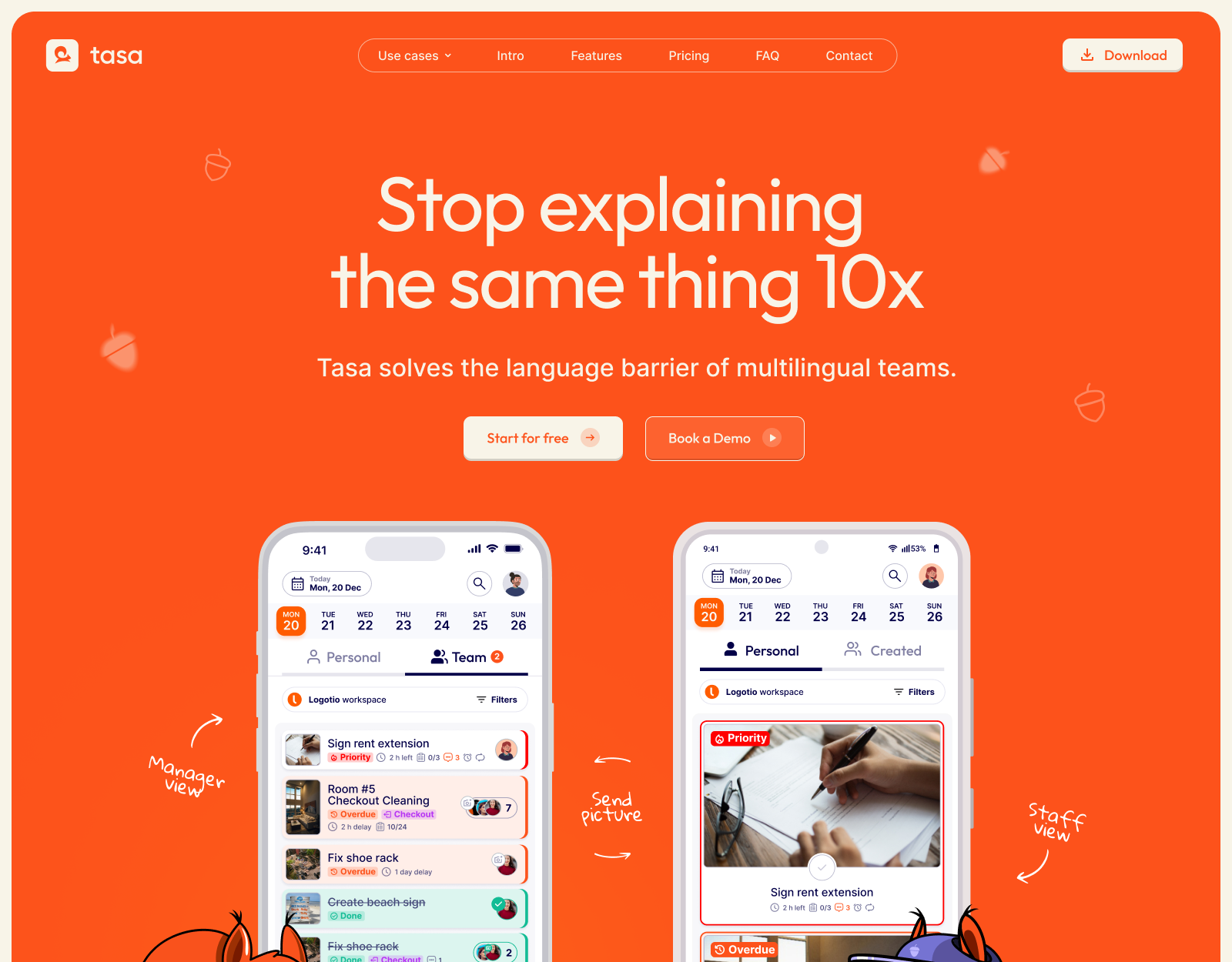
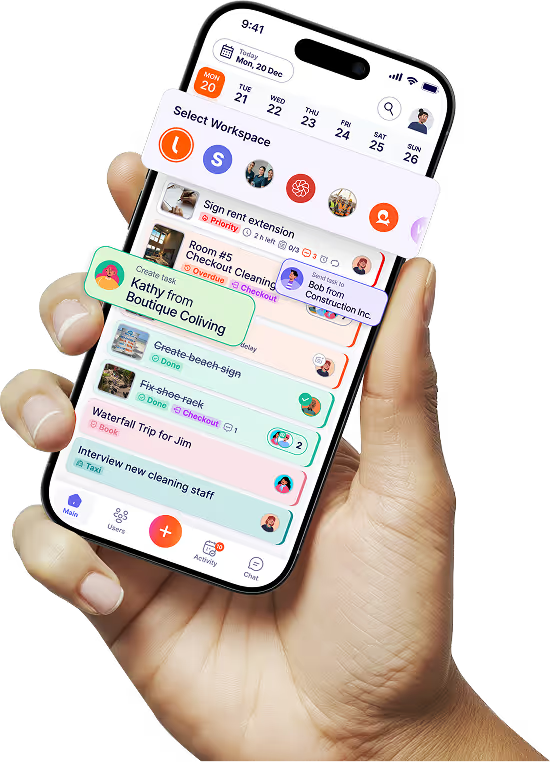
Tasa stands out among time management apps by solving a pain point that most tools ignore: language and literacy barriers in modern teams. With visual task assignment, instant AI-powered translation, and QR-code onboarding, Tasa empowers managers to coordinate multicultural teams without friction.
- Pricing: Free for individuals; Team Work plan $8/user/month; Enterprise custom pricing
- Core Features: Picture-based task assignment, real-time AI translation, cross-team management, QR-code onboarding, simplified views for non-tech users
- Key Benefits: Bridges language gaps, saves 2+ hours daily for managers, delivers a 33% boost in team collaboration
- Target Audience: Expats, multicultural teams, hospitality, construction, property managers, families
- Pros: Empowers non-literate/non-native staff, visual confirmations, robust notifications
- Cons: Niche focus, advanced features best for business users
Use case: Imagine an expat business owner coordinating a cleaning crew with members from five nationalities. With Tasa, everyone gets tasks in their own language, with visual cues for clarity. For more ideas on various ways to use Tasa to boost productivity, see Tasa use cases.
Notion Calendar: All-in-one planning for individuals and teams
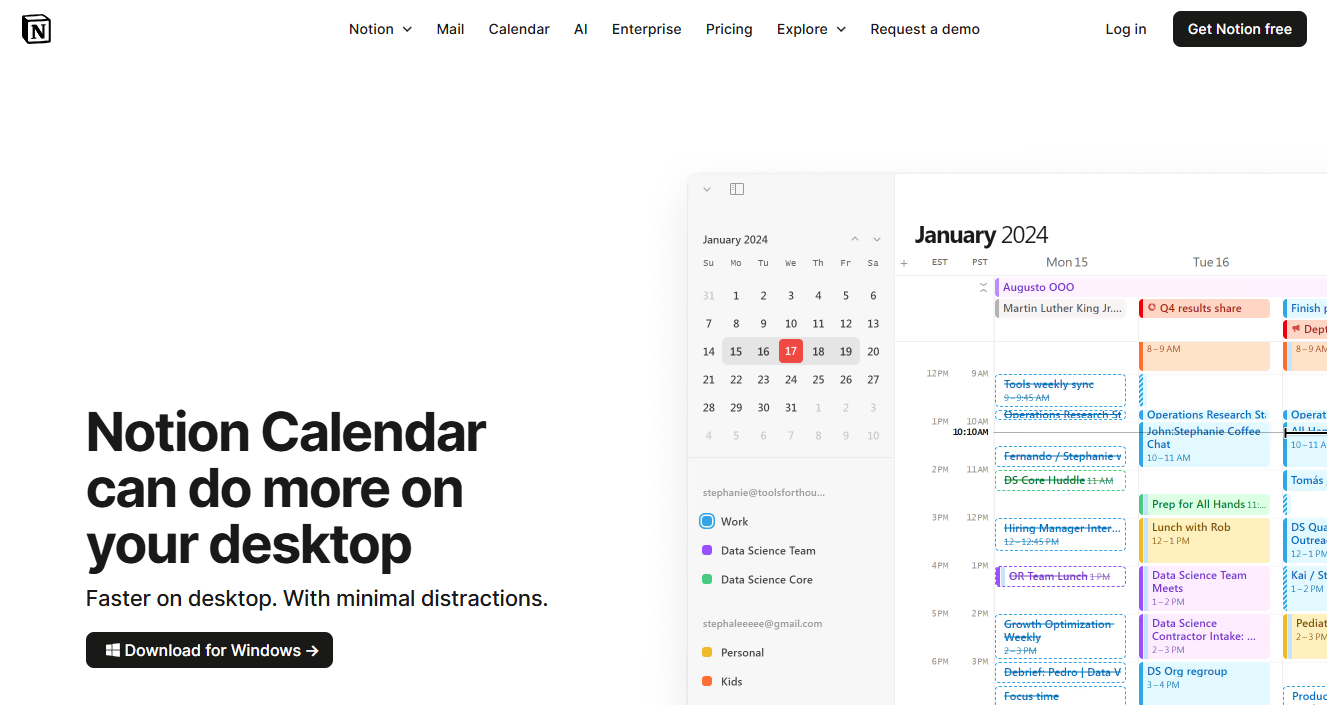
Notion Calendar is the Swiss Army knife of time management apps, bringing together tasks, events, and notes in one seamless interface. Its deep integration with Notion’s workspace means your calendar and projects can finally live together.
- Pricing: Free for individuals; Plus plan $10/month
- Core Features: Calendar blocking, seamless Notion integration, event/task sync
- Key Benefits: Combines notes, tasks, and scheduling in one place
- Target Audience: Students, knowledge workers, project managers
- Pros: Customizable workflows, strong integration ecosystem
- Cons: Learning curve for beginners, best with Notion workspace
Use case: A university student tracks assignments, meetings, and club events in a single dashboard, reducing the risk of double-booking and forgotten deadlines.
RescueTime: Automated time tracking & focus analytics
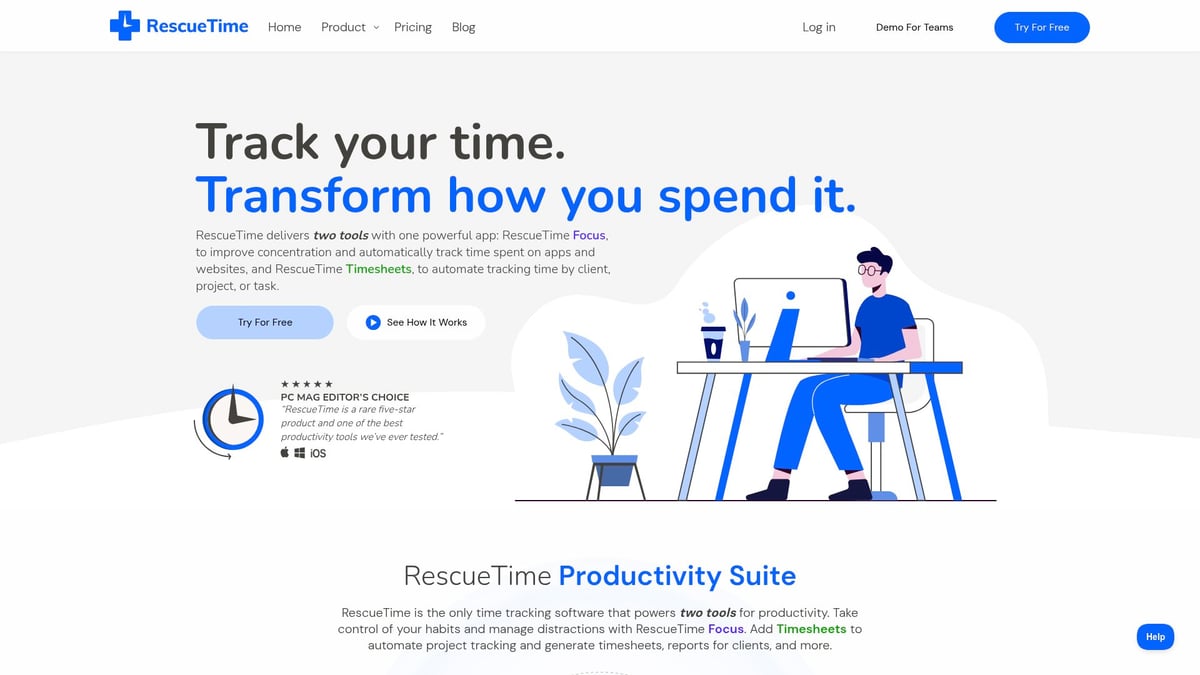
RescueTime takes a hands-off approach to time management apps by automatically tracking your activities and providing deep insights into your focus patterns. It helps you spot time drains and develop better work habits.
- Pricing: Free basic; Premium $12/month
- Core Features: Automatic activity tracking, productivity reports, goal setting, distraction blocking
- Key Benefits: Identifies time drains, builds awareness of digital habits
- Target Audience: Remote workers, freelancers, students, anyone seeking accountability
- Pros: Powerful insights, passive tracking, customizable alerts
- Cons: Limited manual input, privacy concerns for some users
Use case: A freelancer uncovers frequent context-switching between apps and restructures their day for more focused deep work sessions.
Microsoft To Do: Simple, collaborative task lists
Microsoft To Do is the go-to option for those seeking straightforward, collaborative time management apps that sync across all devices. Its integration with Microsoft 365 and Outlook makes it a natural fit for professionals and families alike.
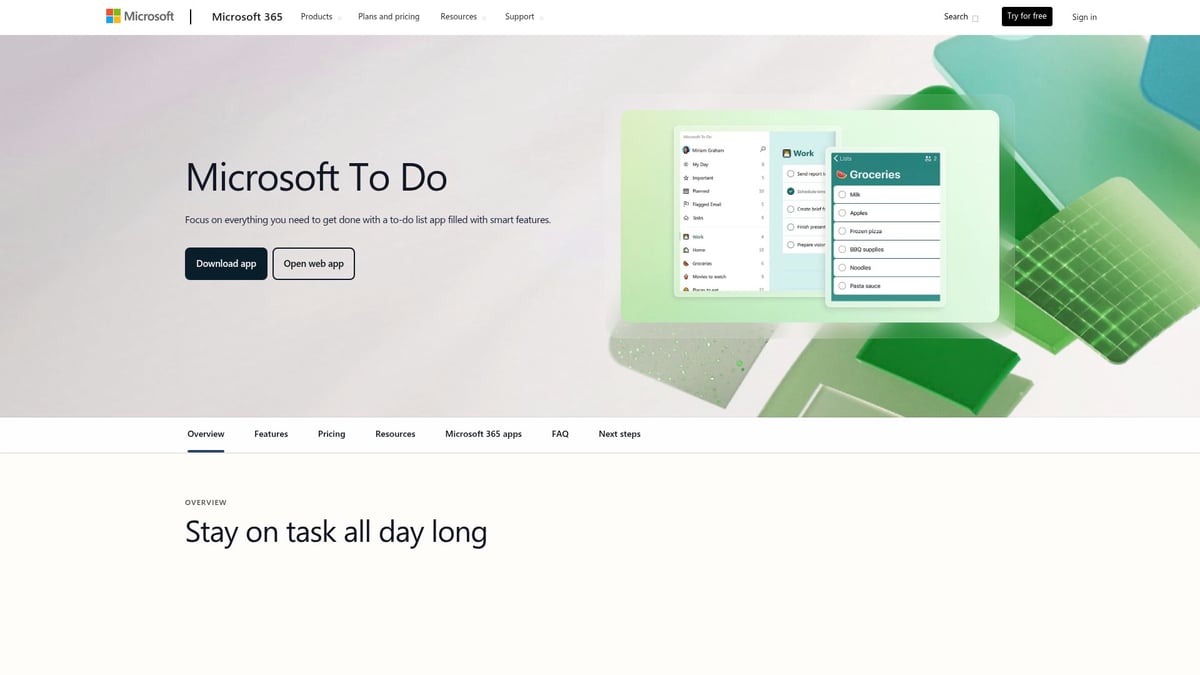
- Pricing: Free
- Core Features: Task breakdown, due dates, reminders, shared lists, cloud sync
- Key Benefits: Intuitive, integrates with Outlook and Microsoft 365
- Target Audience: Professionals, students, small teams, families
- Pros: Cross-device access, collaborative, easy onboarding
- Cons: Fewer advanced features, limited project management tools
Use case: A family uses shared lists to organize chores and appointments, ensuring everyone stays on track, whether on mobile or desktop.
Remember The Milk: Smart reminders for busy lives
Remember The Milk is one of the most flexible time management apps, famous for its fast input, smart reminders, and offline access. It’s a favorite for those who need a reliable, no-nonsense task manager.

- Pricing: Free basic; Pro $39.99/year
- Core Features: Task lists, smart reminders, tagging, sharing, offline access
- Key Benefits: Flexible, works across devices, strong reminder system
- Target Audience: Busy professionals, students, anyone needing reliable reminders
- Pros: Fast input, integrations (Gmail, Evernote), robust mobile app
- Cons: UI feels dated to some, advanced features require Pro
Use case: An entrepreneur juggles meetings, travel, and daily admin with reminders that pop up wherever they are, keeping nothing forgotten.
Brain Focus Productivity Timer: Pomodoro for deep work
For those who thrive on time-blocking and Pomodoro, Brain Focus Productivity Timer is a lightweight yet powerful choice among time management apps. It helps users maintain focus and avoid burnout.

- Pricing: Free with in-app purchases
- Core Features: Pomodoro timer, customizable session/break lengths, stats tracking
- Key Benefits: Encourages focused work, reduces burnout, simple interface
- Target Audience: Students, remote workers, anyone practicing time-blocking
- Pros: Lightweight, distraction-free, visual progress tracking
- Cons: Limited collaboration, Android-focused
Use case: A student uses the timer to stay disciplined during study sessions, balancing work and break time for optimal retention.
Portal: One-stop campus & schedule manager
Portal is purpose-built for University of Waterloo students, acting as a centralized hub for class schedules, deadlines, and campus news. While not as broad as other time management apps, its tailored approach reduces stress and missed deadlines.

- Pricing: Free (for University of Waterloo students)
- Core Features: Class schedules, exam dates, campus news, deadline reminders
- Key Benefits: Centralizes academic life, reduces missed deadlines
- Target Audience: University students (especially Waterloo), academic staff
- Pros: Tailored to student needs, integrates with school systems
- Cons: Limited to Waterloo, not for general use
Use case: A new student manages classes, assignments, and events in one spot, avoiding last-minute scrambles.
Comparison table of top 7 time management apps
|
Aplicação |
Ideal para |
Principais características |
Preços |
Unique Strength |
|---|---|---|---|---|
|
Tasa |
Multilingual teams |
Visual tasks, AI translation, QR onboarding |
Free/$8+/custom |
Language/literacy bridge |
|
Notion Calendar |
Knowledge workers |
Calendar/tasks/notes, deep integration |
Free/$10 |
All-in-one workspace |
|
RescueTime |
Focus optimization |
Auto tracking, analytics, distraction block |
Free/$12 |
Automated insights |
|
Microsoft To Do |
Families, teams |
Shared lists, Outlook sync, reminders |
Grátis |
Simplicity, collaboration |
|
Remember The Milk |
Busy professionals |
Smart reminders, tagging, offline access |
Free/$39.99 |
Fast, flexible reminders |
|
Brain Focus Timer |
Deep work |
Pomodoro, customizable sessions, stats |
Free/IAP |
Distraction-free focus |
|
Portal |
Students (Waterloo) |
Schedules, deadlines, campus news |
Grátis |
Academic life hub
|
With so many time management apps to choose from, focus on the one that matches your workflow, team size, and industry needs. The right app is the one you (and your team) will actually use—consistently.
How do these time management apps compare?
Choosing between time management apps is more than picking a checklist tool. The right fit can mean the difference between daily chaos and calm control. Let’s break down how the top contenders stack up, so you can see which solution truly supports your workflow.
What are the key differences and similarities between top time management apps?
Time management apps come in all shapes and sizes. Here’s a quick comparison of the most popular options:
|
Aplicação |
Visual/List |
AI & Analytics |
Collaboration |
Platforms |
Preços |
Unique Strengths |
|---|---|---|---|---|---|---|
| Tasa |
Visual |
Sim |
Forte |
Mobile |
Free, Paid |
Multilingual, QR onboarding |
|
Notion Calendar |
Visual/List |
Sim |
Moderado |
Web, Mobile |
Free, Paid |
Deep Notion integration |
|
RescueTime |
List |
Sim |
Limitado |
Web, Desktop |
Free, Paid |
Automated time tracking |
|
Microsoft To Do |
List |
Não |
Forte |
Web, Mobile |
Grátis |
M365 integration, simplicity |
|
Remember The Milk |
List |
Não |
Moderado |
Web, Mobile |
Free, Paid |
Smart reminders |
|
Brain Focus Timer |
Visual |
Não |
None |
Android |
Free, IAP |
Pomodoro focus |
|
Portal |
Visual/List |
Não |
Limitado |
Web, Mobile |
Free (UW only) |
Academic schedule central |
Visual management apps like Tasa and Notion Calendar help teams see the big picture, breaking language and skill barriers. Others, like Microsoft To Do and Remember The Milk, excel at classic list-based organization.
AI-powered features, such as smart scheduling and analytics, are now a must in modern time management apps, giving users the edge to spot bottlenecks and optimize routines. Collaboration tools set Tasa, Notion Calendar, and Microsoft To Do apart, making them strong choices for teams.
For more on how these tools drive accountability for remote teams, check out apps for accountability in remote teams.
Which app fits your workflow and goals?
So, which time management apps are right for you? Start with your daily reality:
- Multilingual business: Tasa bridges language gaps and simplifies onboarding.
- Student: Portal and Notion Calendar centralize assignments and events.
- Freelancer: RescueTime uncovers digital distractions, while Brain Focus Timer boosts deep work.
- Family organizer: Microsoft To Do makes shared lists effortless.
Key decision factors:
- Team size and industry
- Must-have integrations (calendar, email, task automation)
- Price sensitivity and platform preferences
- Ease of onboarding and support
As Jane Smith, Productivity Consultant, says:
“The best productivity app is the one your team will actually use.”
Visual task management bridges gaps in diverse teams.
Want a deeper dive on managing personal tasks? See our guide to personal tasks in Tasa.
No matter your choice, time management apps are transforming how we work, making productivity more accessible and collaborative for everyone.

What are expert tips for maximizing productivity with time management apps?
Mastering time management apps is about more than just downloading the latest tool. It’s about building habits, setting clear intentions, and using features that genuinely support your workflow. Here’s how you can turn any productivity app into your secret weapon.
How can you get the most out of your chosen app?
Start by defining your goals. Before onboarding your team or setting up personal routines, clarify what you want from your time management apps. Is it fewer missed deadlines, better focus, or seamless collaboration?
Next, customize notifications and reminders to match your actual work rhythm. Overwhelming alerts can cause you to tune out, so tailor them for actionable updates.
- Use built-in analytics to spot bottlenecks and adjust habits.
- Regularly review and refine your task lists or schedules.
- Integrate your time management apps with other tools, like email or chat, for a smoother experience.
Top-performing teams prioritize simplicity. According to the 2025 Work Trend Index Annual Report, teams that adopt clear, user-friendly workflows see higher engagement and accountability.
What common mistakes should you avoid?
Many users fall into the trap of overcomplicating their setup. Too many features or overlapping tools can create confusion instead of clarity.
Ignoring team adoption and training is another common pitfall. If your team isn’t comfortable with your time management apps, productivity will stall.
- Don’t neglect automation or integrations that can streamline repetitive tasks.
- Avoid failing to review progress—schedule regular check-ins.
- Remember, apps are tools, not a cure-all. Combine them with proven strategies like the Pomodoro Technique or the Eisenhower Matrix.
If you work in a complex industry, industry-focused solutions—like those covered in best construction scheduling software can address unique challenges that generic apps might miss.
Visual task management bridges gaps in diverse teams, making collaboration more effective for everyone.
Maximizing your time management apps transforms daily chaos into focused progress. The right habits, combined with the right technology, set you up to achieve more with less stress.
Últimas notícias



Tem dúvidas?
.svg)
Gestão de equipas simplificada.

"Ajuda muito a minha vida pessoal. Posso gerir a minha equipe e o meu trabalho à distância, assim ganho tempo para a maternidade."
