.svg)
Best accountability app for coaches (2026): keep coachees on track without chasing them
If you coach people for a living; whether in business, fitness, mindset, nutrition, or life, you already know your biggest enemy isn’t knowledge.
It’s follow‑through.
Clients leave your sessions motivated, then life happens:
- They skip the daily actions.
- They stop updating you between calls.
- They fall behind, feel ashamed, and quietly disappear.
When that happens, their results suffer and your program’s reputation takes a hit. That’s why “What’s the best accountability app for my coaching clients?” it’s a core part of your coaching offer.
But most accountability apps are either for general habit trackers (built for individuals) or heavy project tools. They don’t fit the coaching reality: many clients, different programs, and the need for simple, visual accountability across days, weeks, and months.
This is where Tasa’s coaching use case comes in.
Why traditional accountability systems fail coaches
Before we talk about the best accountability app setup, it helps to name what’s broken today.
Typical setup:
- You give your client a PDF or Notion checklist.
- You remind them in calls what to do.
- You chase them with DMs to check progress.
- They send screenshots, voice notes, or “I’ll do better next week” messages.
The problems:
- Everything is scattered: WhatsApp, email, notes, Google Docs.
- Clients only see their own tasks, not the group’s momentum.
- There’s no simple, visual proof of whether they actually did the work.
- You spend unpaid time trying to track who is doing what, and when.
For remote or hybrid coaching programs, especially with multilingual or neurodiverse clients, that’s a recipe for dropouts.
What the best accountability app really means for a coach
For coaches, accountability app isn’t: the one with the most features, the shiniest UI, the most complex habit graphs
It’s the one that:
- Makes it easy to assign clear, concrete actions.
- Makes it easy for clients to log completion in seconds.
- Makes progress visible to both you and them (and optionally the whole group).
- Doesn’t require your clients to be “tech people” or productivity geeks.
- Works across different coaching types and program structures.
- Motivate other members to get their schecdule done
Tasa was built exactly with that in mind, and it has a dedicated coach flow
How Tasa works as an accountability app for coaching clients
Think of Tasa as a shared, visual accountability layer that sits between your sessions.
Instead of saying “do the homework”, you:
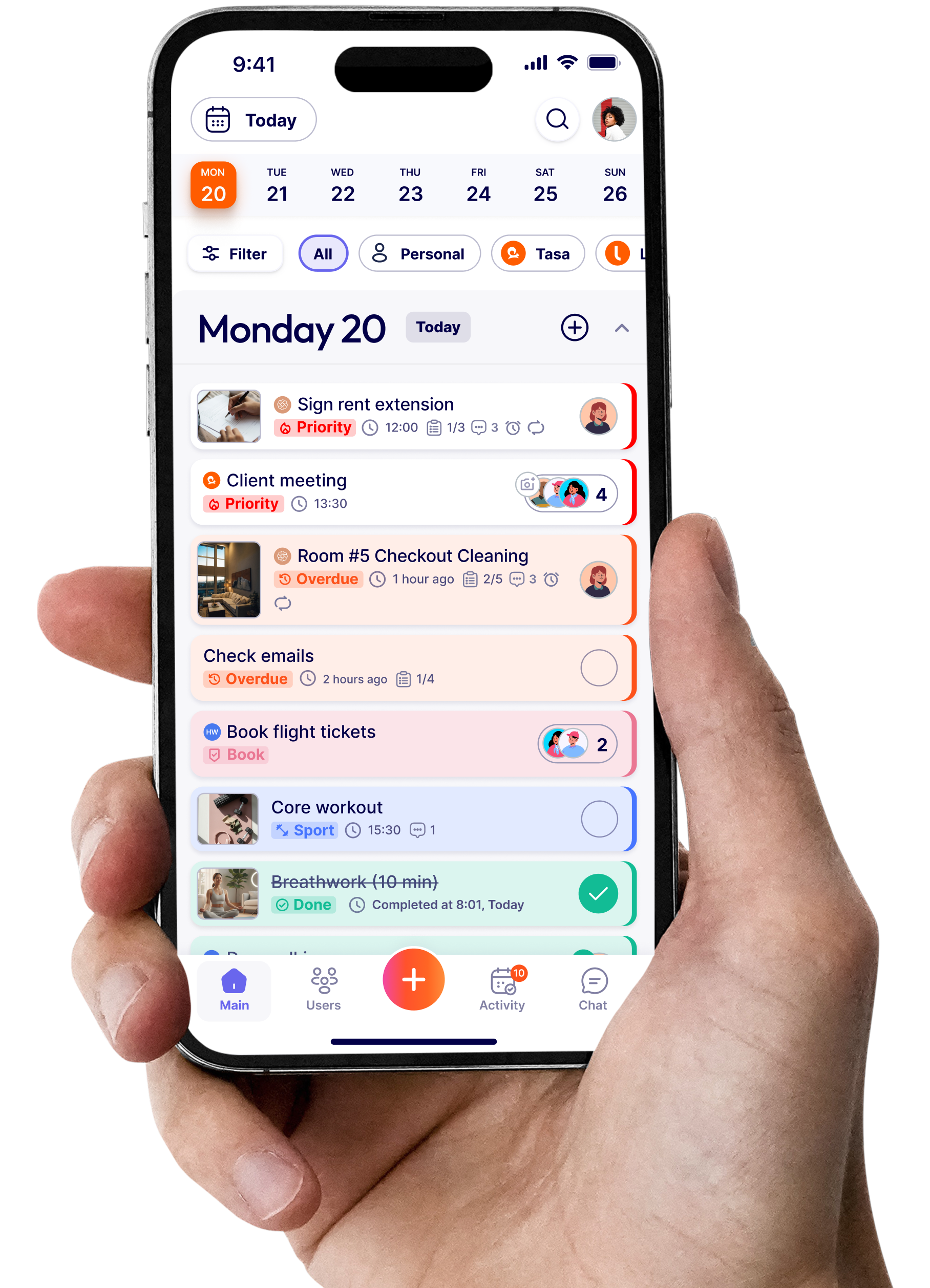
- Create tasks with clear labels and optional pictures.
- Define repeating patterns that fit the program (daily, weekly, custom).
- Ask for photo proof where needed (“send a photo of your completed worksheet / gym session / meal prep”).
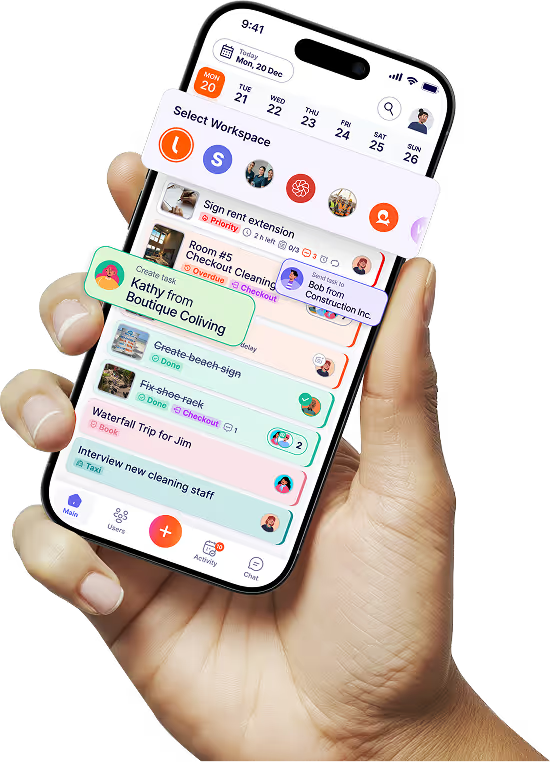
- Let clients see their own tasks and, if you want, their peers’ tasks.
You stay in the coach view. They use a simplified client view.
Let’s break down the core pieces.
Shared accountability: “If they can, I can”
One of Tasa’s most powerful ideas for coaching is group visibility.
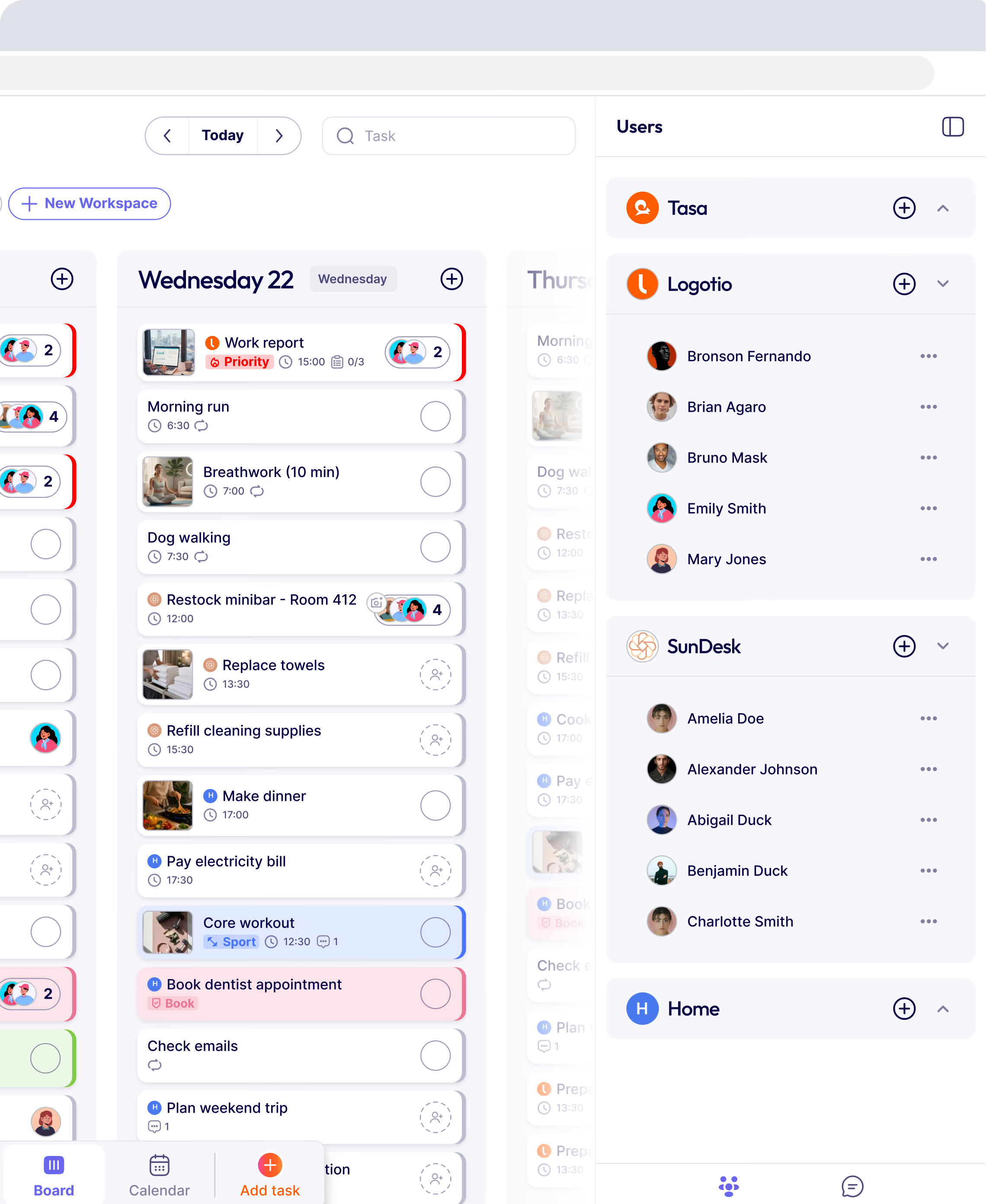
You don’t just see your own tasks in a vacuum. You can see what everyone in your cohort is doing (to the extent you configure it that way).
Practically, that means:
- Client A sees that Client B and C have already completed today’s “10‑minute journaling” or “outreach to 3 prospects”.
- Instead of quietly ghosting, they feel a nudge: “If they can do it, I can too.”
This taps into a well‑studied effect in psychology: humans are strongly motivated by social proof and peer progress.
With Tasa, you don’t have to manually create that dynamic in a Facebook group or Slack channel; it’s built into the task list itself.
Individual repeat patterns: coaching reality
Other habit apps assume simple, repetitive habits (“every day at 7 am”). Coaching reality is often messier:
- Week 1: foundational exercises
- Weeks 2–4: layering new habits
- Specific days for deep work, calls, workouts, content creation
- Rest days, integration days, and heavier “sprint” days
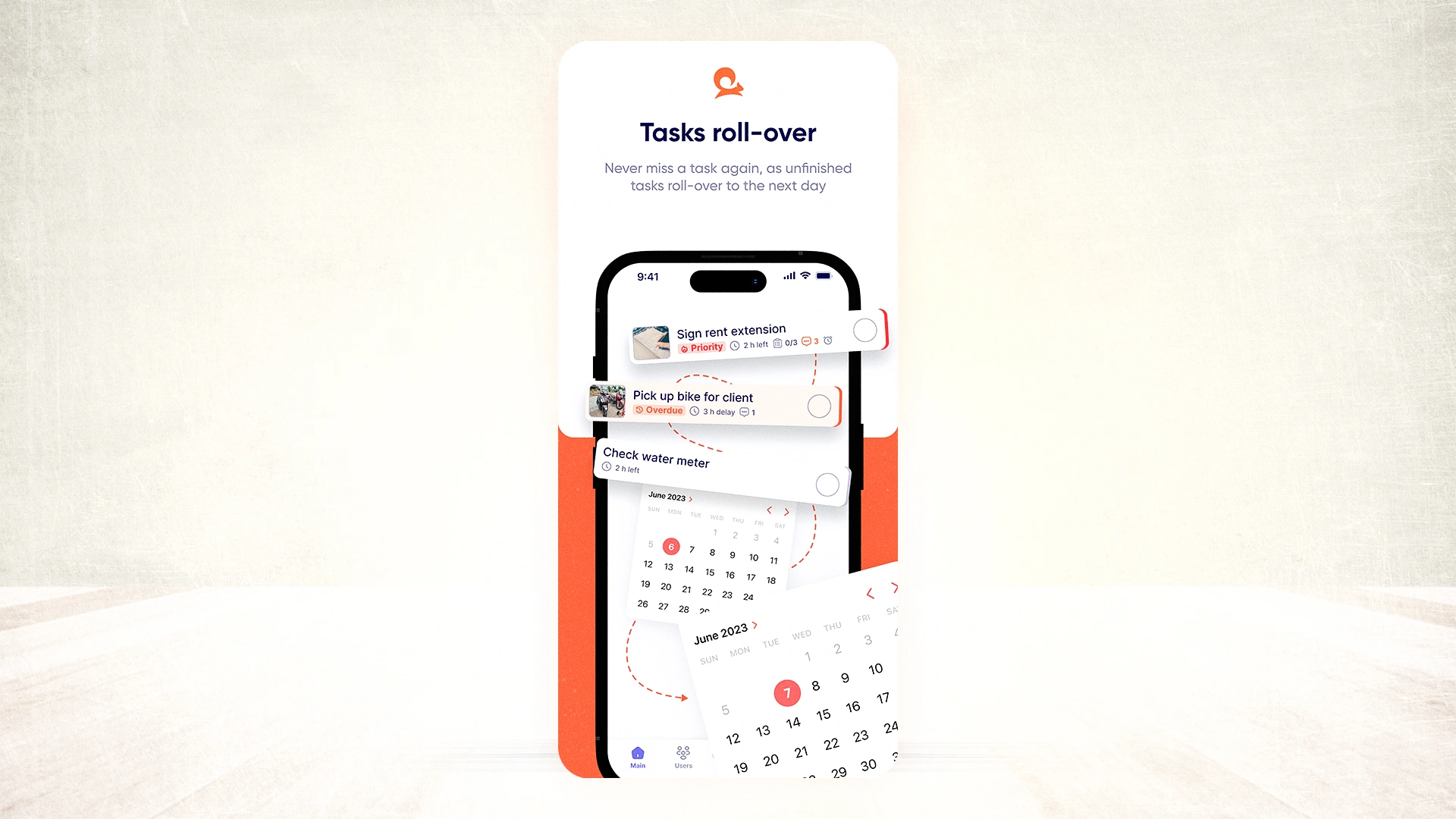
Tasa’s advanced repeat patterns let you model that:
- Different tasks on different days of the week
- Custom cycles for each client or program
- Automatic rollover for missed tasks (so they don’t vanish and create shame; they move to the next day)
This matters if you run, for example:
- 12‑week business accelerators
- 8‑week fitness or nutrition programs
- Ongoing executive or leadership coaching with structured cycles
You create the pattern once per program or cohort; Tasa takes care of delivering it day by day to each client.
Photo proof: visible wins instead of “done”
For many coaching outcomes, a checkbox isn’t enough. “Done” is subjective.
With Tasa, you can require photo confirmation before a task is marked complete:
- Fitness coaching: a photo of post‑workout stats or a quick gym selfie.
- Nutrition coaching: photos of meals or water intake habits.
- Business coaching: screenshot of a sent outreach email, a booked call, or a published post.
- Mindset or life coaching: photos of completed journaling pages, meditation setup, or a walk outside.
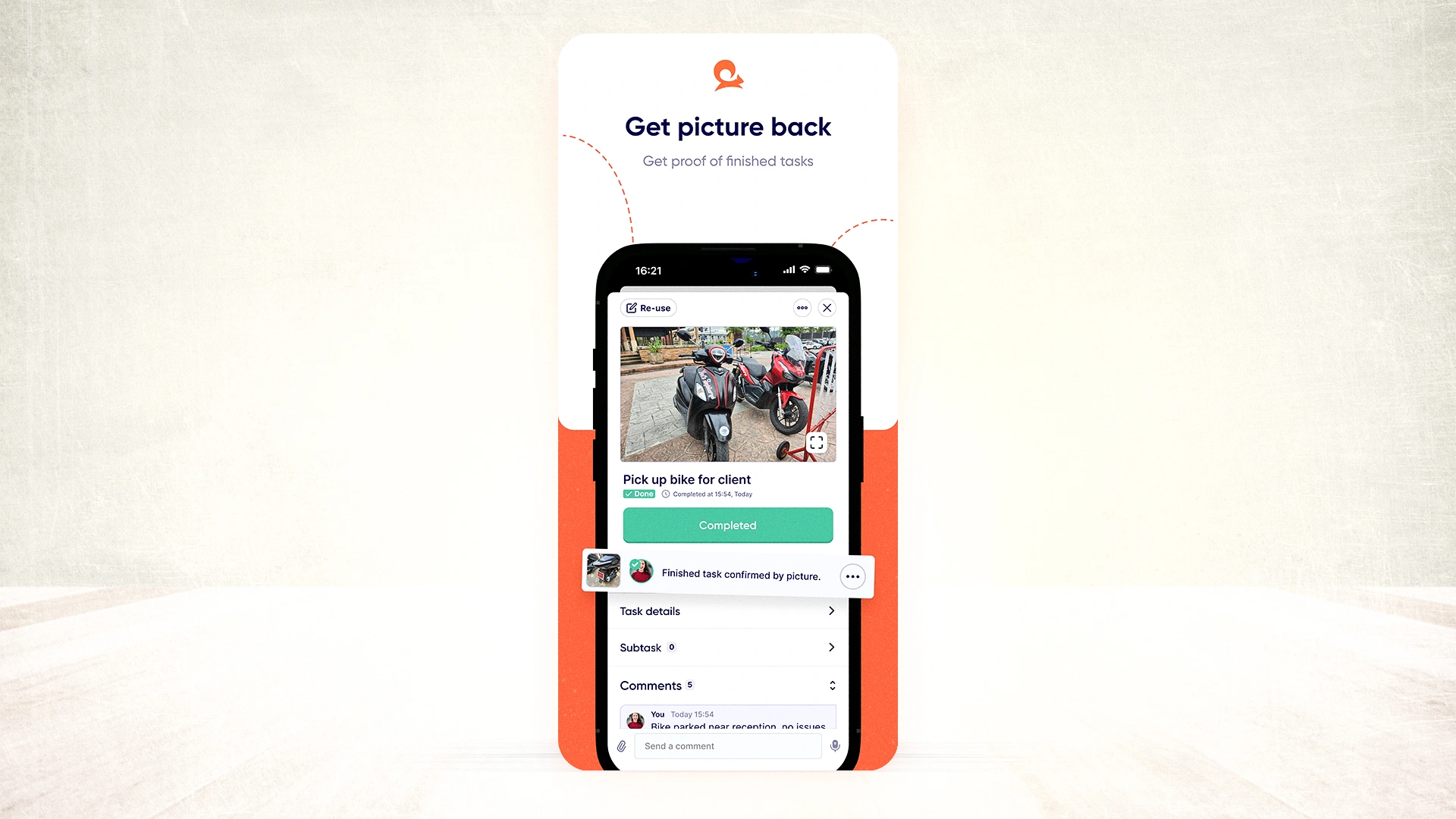
Benefits:
- Clients see their own proof and build an identity of “I’m someone who follows through.”
- You see micro‑proof of progress, not just hear “yeah, I did it.”
- You can give targeted feedback between sessions based on real actions, not vague reports.
See your clients’ wins as they happen. Keep progress transparent in real time, ask for a photo as proof of completed tasks.
Groups, 1:1, or multiple programs in one place
As a coach, you rarely run a single, linear program. You might be juggling:
- A group cohort program
- A couple of high‑touch 1:1 clients
- A shorter challenge or bootcamp
Tasa lets you manage multiple workspaces / groups:
- One workspace per program or cohort
- Optional individual workspaces for 1:1 clients
- You can see across all of them from your admin view
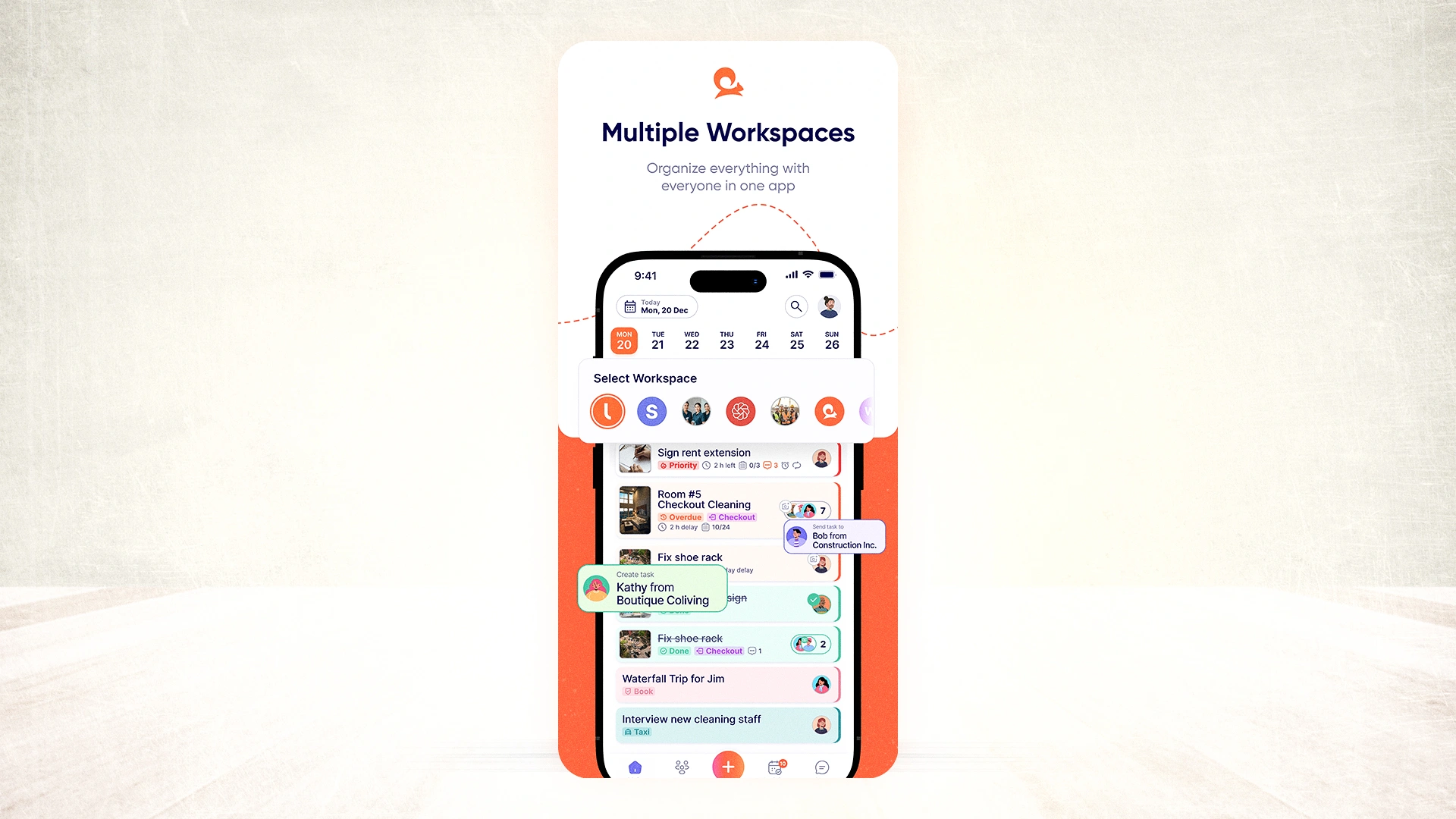
The coaches FAQ on Tasa’s site makes this explicit: “Yes! Tasa allows you to manage multiple groups or one-on-one clients in a single place, so you can monitor progress across all your programs effortlessly.”
Your clients, however, only see what’s relevant to them, in a very simple interface.
Keeping things simple for coachees
Many clients don’t want another complex app. They need:
- Clear “today’s tasks”
- A quick way to check things off
- A way to send proof without friction
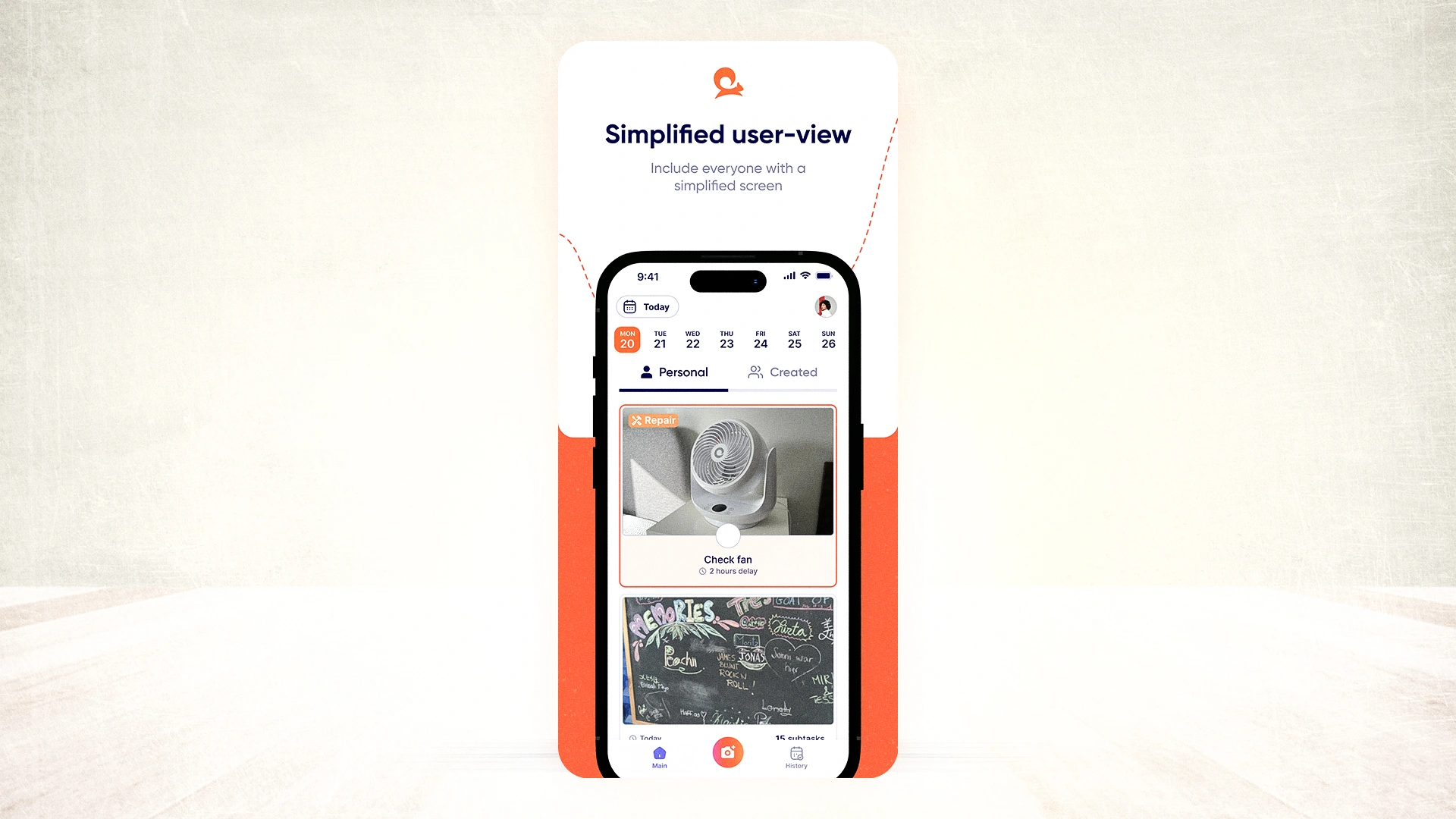
Tasa’s simplified staff view (originally designed for low‑literacy teams) is perfect for coaching too:
- Minimal UI: a list of tasks, each with status and possible photo requirement.
- 14+ interface languages (Arabic, Burmese, English, French, German, Spanish, Indonesian, Italian, Portuguese, Polish, Russian, Thai, Ukrainian, Vietnamese).
- Support for audio, video, and file messages when text isn’t enough.
This matters if you coach:
- Clients in different countries and languages
- Neurodivergent clients who benefit from visual, low‑clutter interfaces
- Busy professionals who don’t have time to learn complex software
Tasa’s mission (“enabling the 1 billion people who struggle with reading and writing”) shows up here in a coaching context: you get an accountability app that doesn’t assume every client loves text and complex dashboards.
How Tasa fits into your coaching model
Here’s a simple way to embed Tasa as the “best accountability app” in your offer.
Step 1 – Map your program into actions
- List the 3–7 daily / weekly actions that actually move the needle (not everything, just the essentials).
- For each, define what a “complete” action looks like (you can use photos later).
Step 2 – Build your patterns in Tasa
- Create a workspace for each program or cohort.
- Add tasks with labels, short instructions, and optional reference images.
- Set repeat patterns that reflect the program structure (e.g., Mon–Fri tasks, weekend reflection, specific days for outreach or workouts).
Step 3 – Onboard clients as “coachees”
- Invites go out; clients get a simple login path.
- Explain: “This app is where your actions live. Between sessions, you’ll tick off tasks and upload quick photos. I’ll see your progress and give feedback.”
Step 4 – Use group accountability
- Decide which tasks are visible across the cohort to harness “If they can, I can” energy.
- Celebrate streaks or wins by mentioning specific completions (you can even screenshot anonymized progress).
Step 5 – Use data in your sessions
- Open Tasa before or during your call.
- Instead of asking “So how did it go?”, you already see who did what and where someone stalled.
- Sessions become about coaching the real blocks, not reconstructing the past week from memory.
This turns Tasa into the backbone of your accountability promise.
Pricing and fit for coaching businesses
Tasa’s pricing structure supports both solo coaches and growing coaching teams:
- Tasa for One: free for personal use (great to test it on yourself or a small pilot group)
- Team Work: per‑user pricing for more advanced collaboration and multiple workspaces
- Enterprise: when you scale into larger, brand‑style coaching organizations
For most independent coaches, starting with a small group on the Team Work plan is usually enough to validate that this is, practically speaking, the best accountability app for your specific audience.
External perspective: why accountability apps matter
Accountability is not a buzzword. Studies on coaching and behavior change consistently show that:
- Regular check‑ins
- Clear goals broken into small actions
- Visible progress
- Social support or observation
all significantly increase the odds of follow‑through, whether in health, productivity, or professional development programs. Coaching institutes and organizations like the International Coaching Federation often highlight accountability structures as a core part of effective coaching, not an optional add‑on.
The app is just the delivery mechanism. What matters is that Tasa makes those elements—micro‑actions, visibility, social proof, proof of work—easy to operationalize at scale, without you drowning in admin.
Why Tasa is the accountability app for coaches
Putting it together:
- It’s built for shared accountability, not just solo habits.
- It’s visual and multilingual, making it inclusive for diverse client bases.
- It supports complex, realistic patterns, not just “every day at 7 pm”.
- It gives you photo‑based proof of action between sessions.
- It centralizes your program tasks, communication, and accountability in one place.
Download Tasa app and create your first picture-based task in sixty seconds.
Latest News

Have questions?
.svg)
Team management, simplified.

“It affects my personal life a lot. I can manage my team and my work remotely, so I have more time being a mother.”