.svg)
Teams workflow management: Keep frontline work smooth without micromanaging
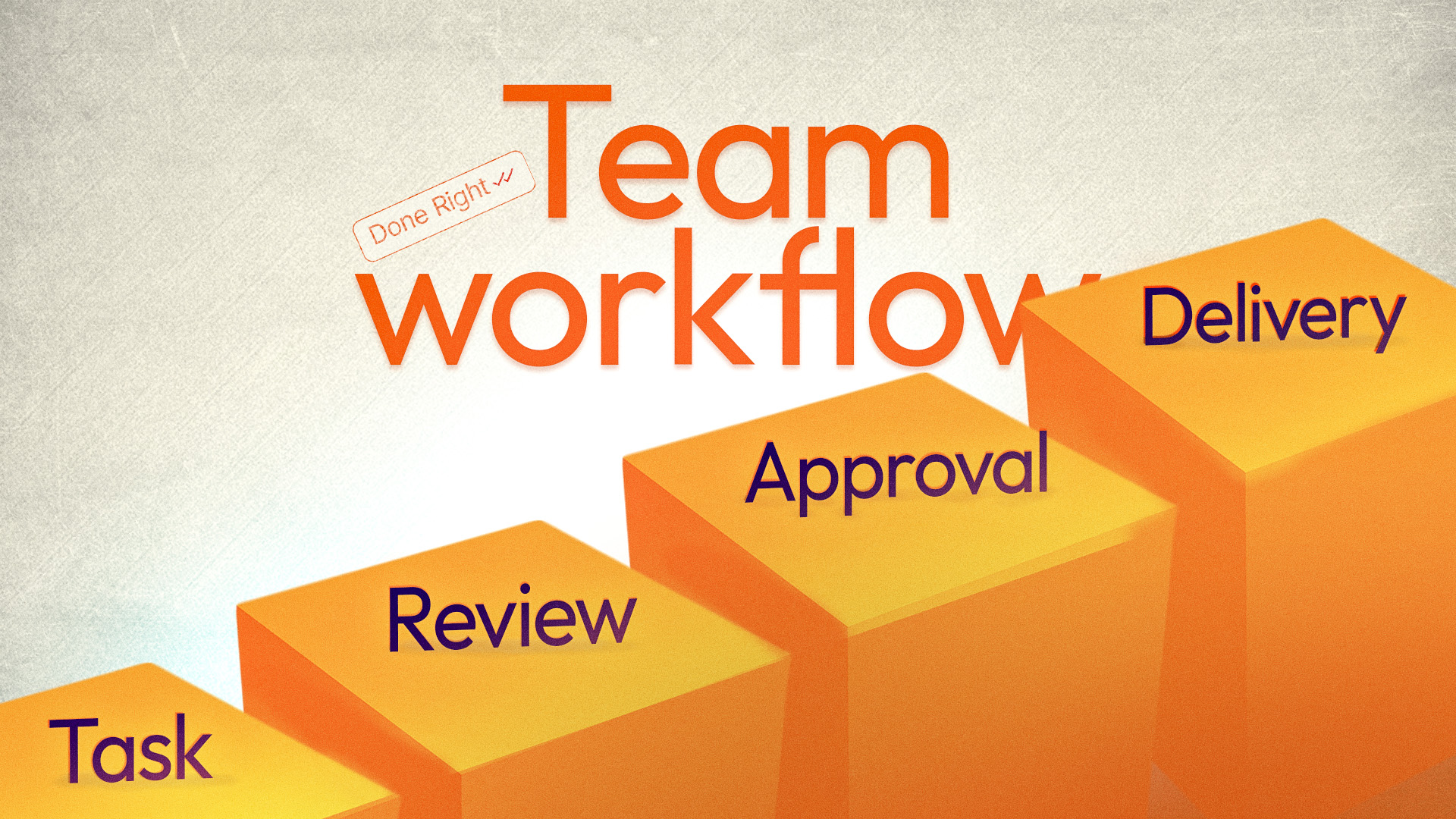
If you own or run a local business, your real headache usually isn’t ideas, it’s execution: rooms that aren’t ready when guests arrive, cleaning jobs where “done” means different things to different people, shops opened late because someone forgot a routine.
Most of that is a teams workflow management problem:
- Your team doesn’t clearly know what should happen, in what order, or to what standard.
- You don’t have a clean way to check what was really done, without being there in person.
This guide focuses on teams workflow management for local and frontline teams. You’ll see how to design simple workflows, plus the best tool to turn plans into real, verifiable daily work.
Key Takeaways:
- Team workflow management is the way work moves through your team from start to finish: who does what, in what order, to what standard, and how completion is verified.
- Frontline workflows fail for predictable reasons: text-only instructions, unclear ownership, no proof of completion, and tools built for desk workers.
- An effective system has five components: map critical workflows, make steps visual, assign ownership and timing, give staff an easy way to follow and report, then monitor and improve weekly.
- Picture-based task systems like Tasa fit frontline teams who don't share a language or strong reading skills; office tools fit teams that live in laptops.
What is teams workflow management?
At a simple level, teams workflow management is the way work moves through your team from start to finish, who does what, in what sequence, how it’s checked, and how problems are handled.
For local and frontline businesses, workflows include daily open and close routines, room turnovers and cleaning sequences, maintenance and safety checks, stocking and merchandising, service delivery steps (e.g., repair visits, pool maintenance rounds).
Good teams workflow management means:
- Everyone knows exactly what to do
- Tasks happen in the right order
- Quality is consistent
- Managers don’t have to chase everything manually
All you need is clear, repeatable steps.
Why teams workflow management is hard in local businesses
Unlike pure office work:
- Frontline staff are on their feet, not sitting at a laptop.
- Some may have limited reading skills or a different first language.
- Everything is time-sensitive (check-ins, deliveries, opening hours).
- Staff turnover means you’re always onboarding someone new.
If your workflow “system” is verbal instructions, a few old paper lists, and lots of WhatsApp messages, you already know the result:
You’ll keep seeing inconsistent standards between people/locations, missed tasks and last‑minute crises, a business that only works when you are physically present.
Core components of effective teams workflow management
Let’s break it into five parts:
1. Map your critical workflows
Start with the few workflows that really matter. For example:
Hospitality / Airbnb:
- Daily open/close for reception
- Room turnover between guests
- Weekly deep clean
Cleaning agency:
- Standard job flow for apartment, office, or villa
- Post‑construction clean routine
Retail / supermarkets:
- Morning open
- Stocking and facing
- Temperature and hygiene checks
- End‑of‑day close
For each workflow, write down: the key steps in order, who usually does them, and what “done right” looks like.
You can do this on paper, in a Google Doc, or a simple whiteboard.
2. Make steps visual (not text‑only)
Words like “clean room” or “prepare shop” are vague.
For local and frontline teams, pictures work better than paragraphs:
- A photo of a properly set up room, not just “clean room”.
- A photo of correctly faced shelves, not just “face stock”.
- A photo of a safe scaffold or tool setup, not just “check safety”.
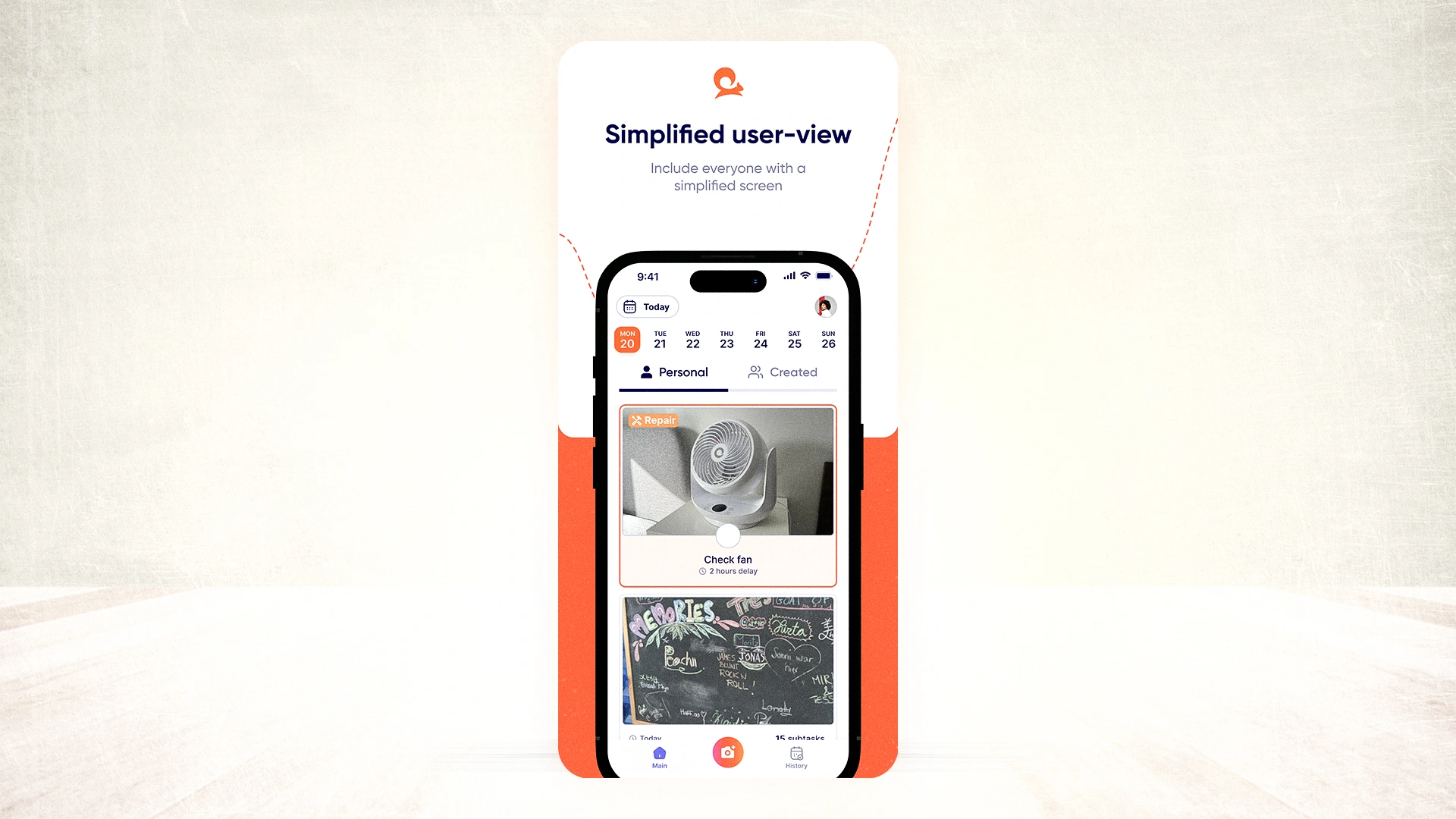
This is where Tasa’s design lines up perfectly:
- Each task can include one or more photos + short text.
- Workers see what outcome is expected, not just a name.
3. Assign ownership and timing
For each workflow, be explicit about who is responsible for each step or group of steps, when it should happen (time of day, before/after something else, per shift).
Examples:
- “Housekeeper A” → rooms 101–110 turnovers, by 2 pm.
- “Cleaner B” → office corridor + bathrooms, between 7–9 am.
- “Store opener” → open workflow, 6–7 am daily, before customers enter.
- “Foreman” → daily safety checklist before crews start work.
Don’t assume “someone will handle it”. Every critical step should have:
- A name or role attached,
- A clear time or trigger.
4. Give staff an easy way to follow and report
This is where many owners fail.
If you expect staff to remember long lists, find instructions buried in a Google Doc, or parse a complicated office-style project tool, mistakes slip in every week.
For frontline/local teams, a good workflow tool must:
- Run on phones
- Be extremely simple to use
- Show only relevant tasks
- Be understandable at a glance
This is exactly where Tasa fits as the workflow execution layer:
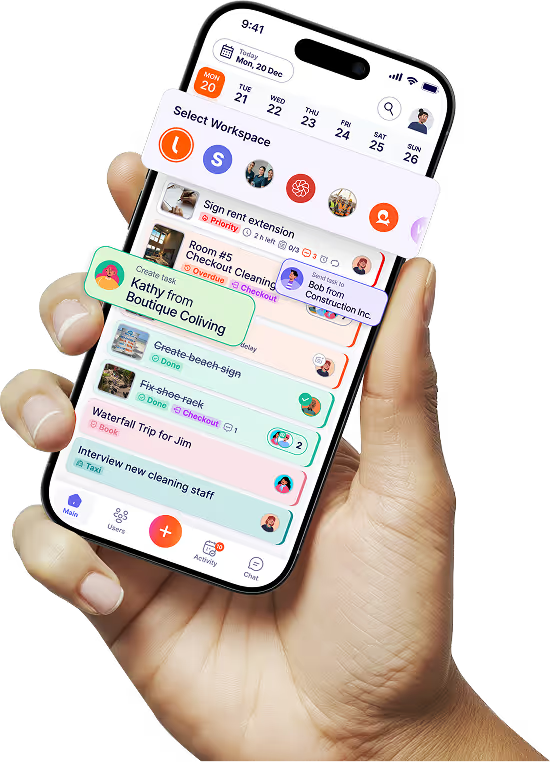
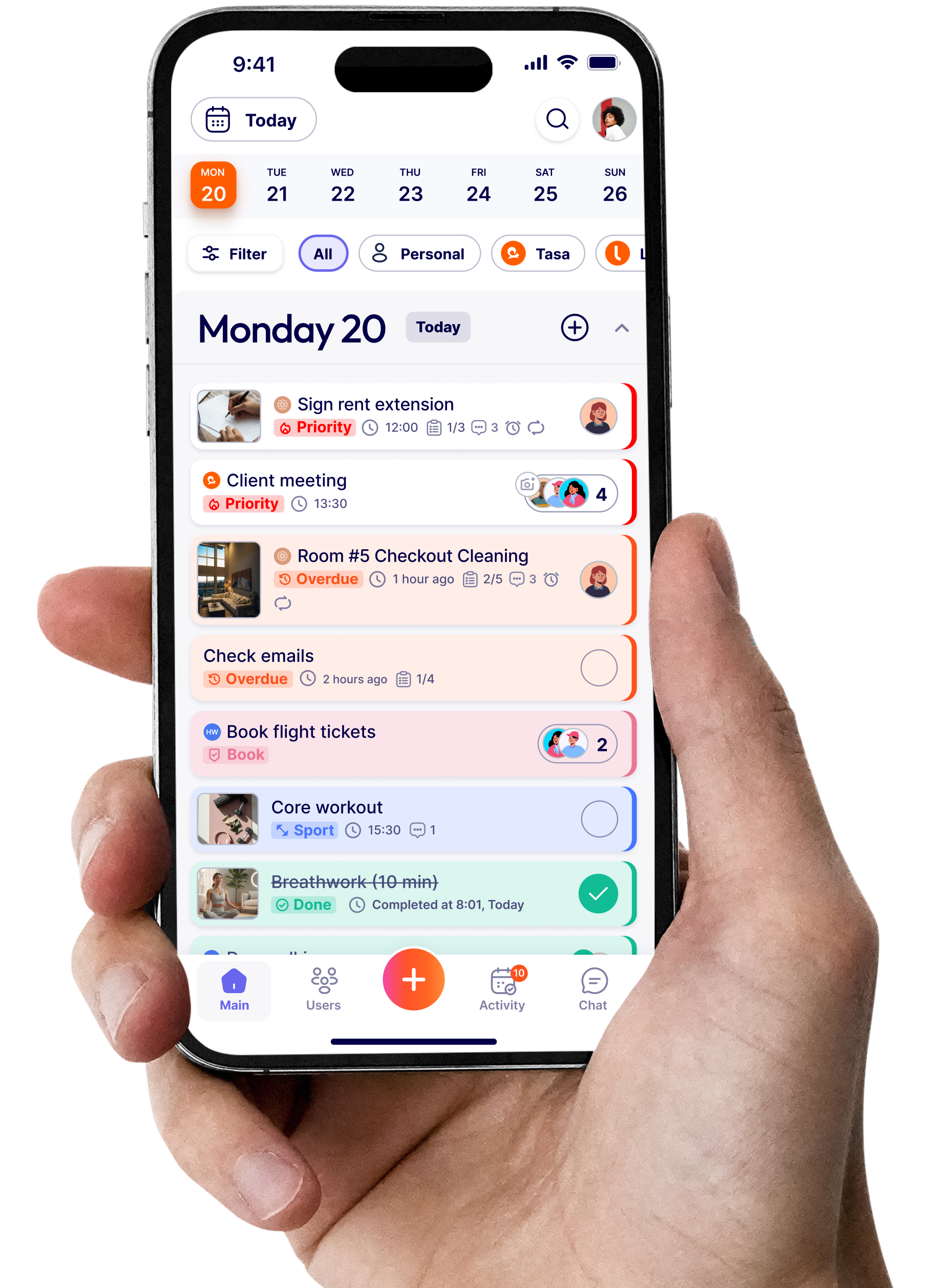
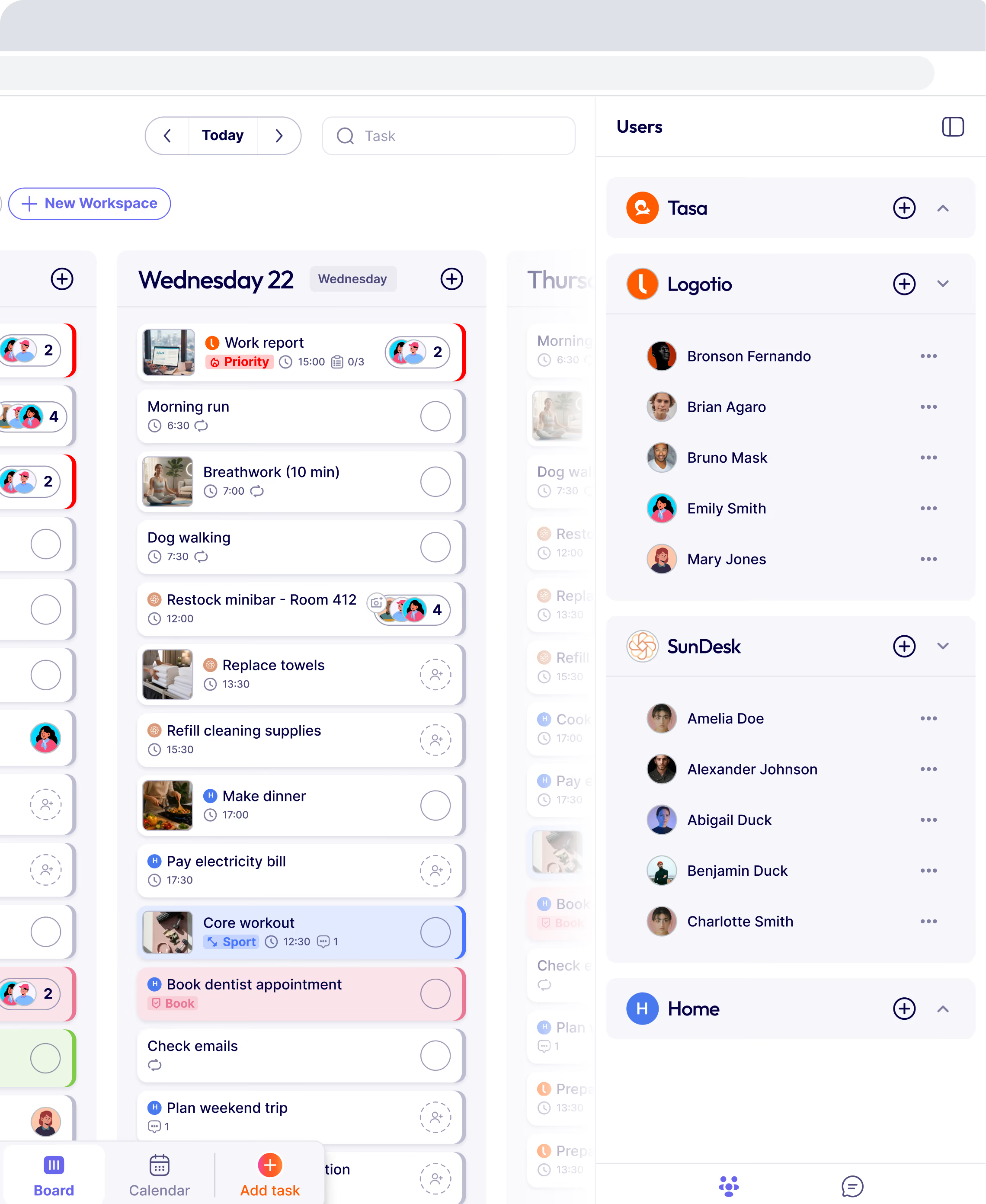
- Staff see today’s tasks on their phone as cards with pictures.
- Tasks repeat automatically on the right days and shifts.
- They can mark tasks complete and upload photo proof.
- Instructions are translated into their preferred language.
5. Monitor, adjust, and improve
Finally, teams workflow management is not “set once, forget forever”.
At least weekly:
- Check if critical workflows are being followed.
- Look at where things are slipping (late tasks, repeated rework).
- Ask staff where steps are confusing or missing.
Then:
- Fix the workflow (add/remove/reorder steps).
- Update the tasks and checklists in your system.
- Communicate changes clearly.
This continuous tuning is what turns workflows into part of your culture.

How Tasa is useful in teams workflow management
Tasa is not a full project management suite or an office collaboration platform. It’s laser-focused on the daily workflows and tasks execution of frontline and local teams.
It’s most useful when:
- Your staff are on their feet (cleaners, hospitality, shop floor, crews).
- They can easily access their phones at work.
- Literacy and language levels vary.
- You need proof that routines and standards are actually followed.
In those cases, Tasa gives you:
Picture-based tasks:
workflows your staff can see and understand immediately
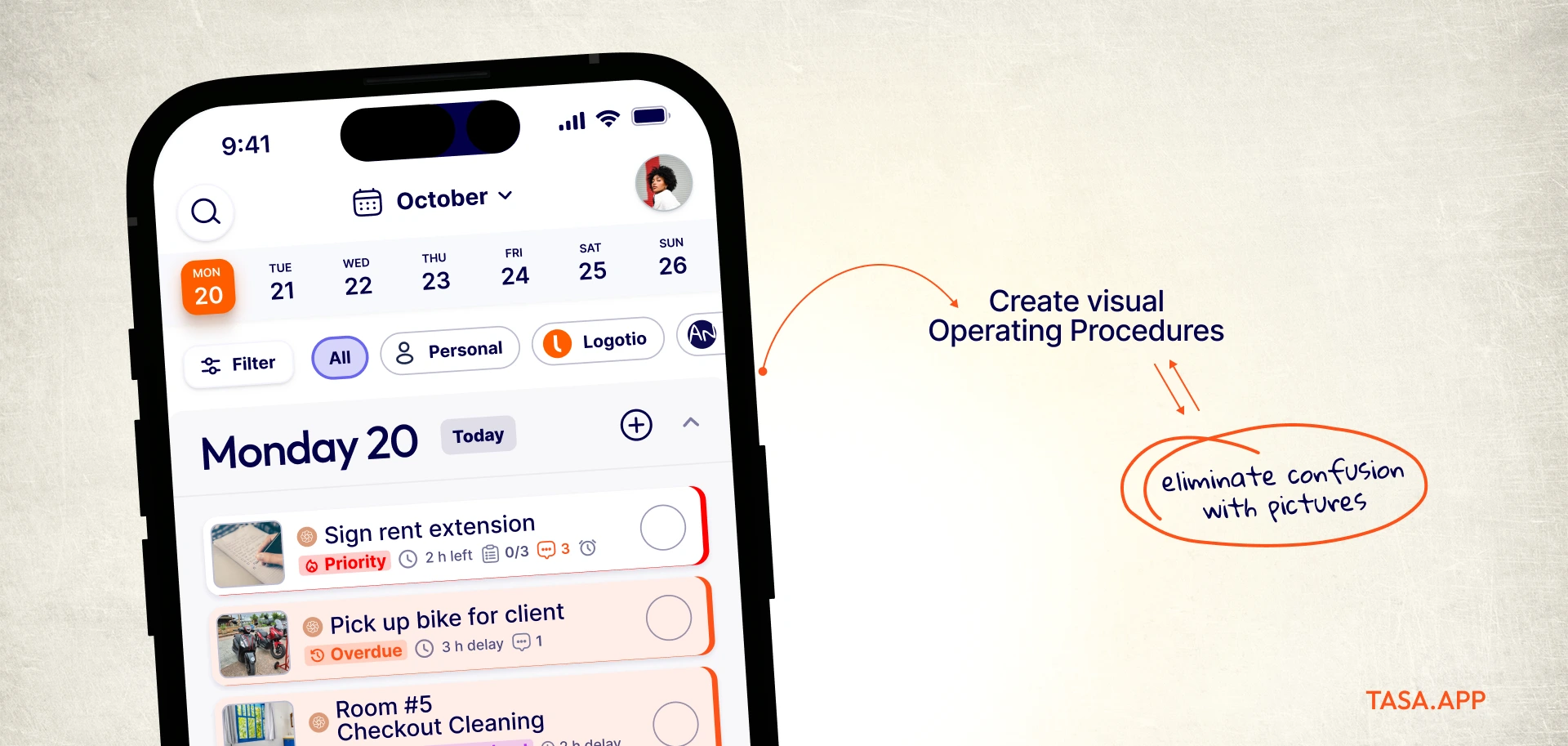
AI translation
Instructions and comments in each worker’s language.
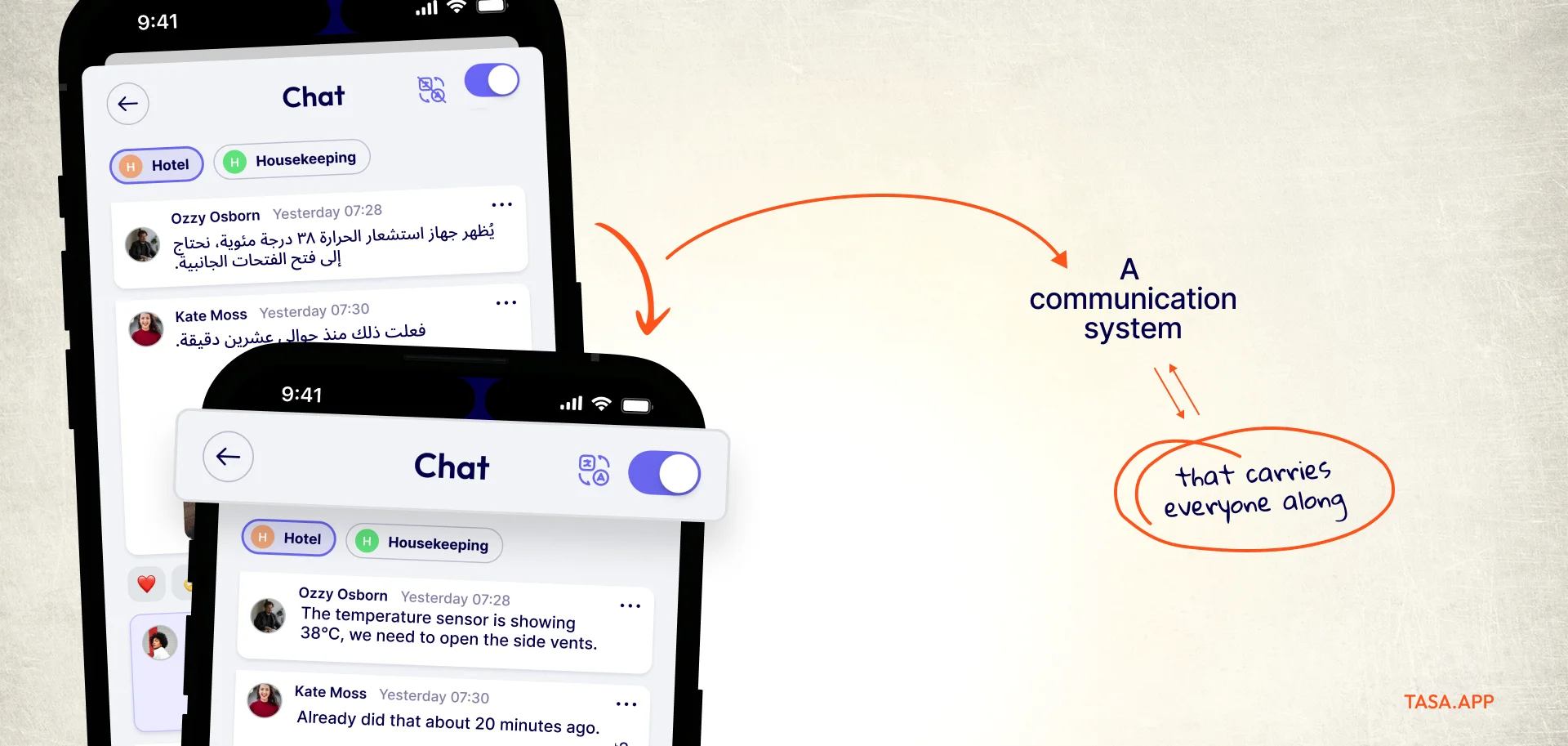
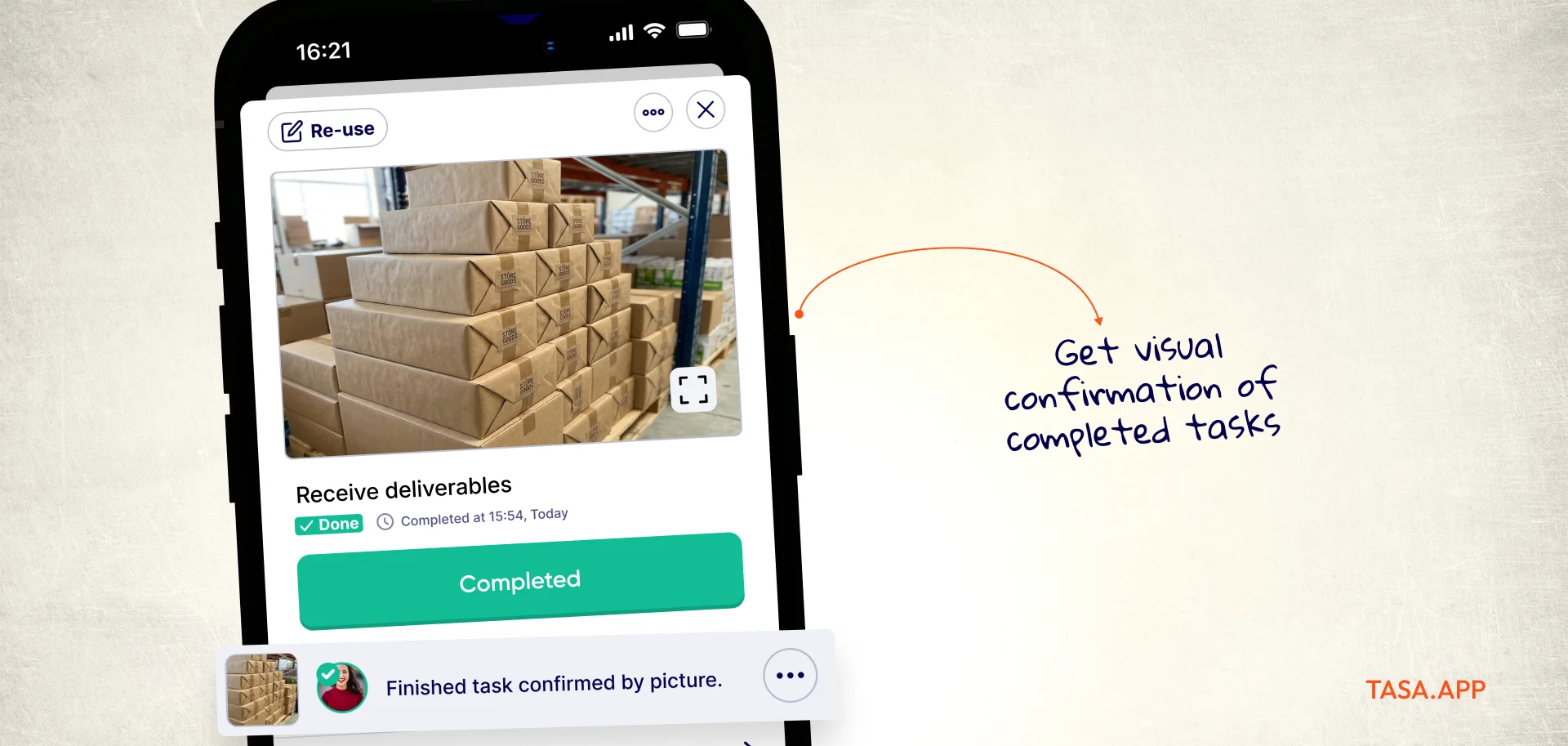
Photo confirmation:
Verifiable completion, important for quality and audits.
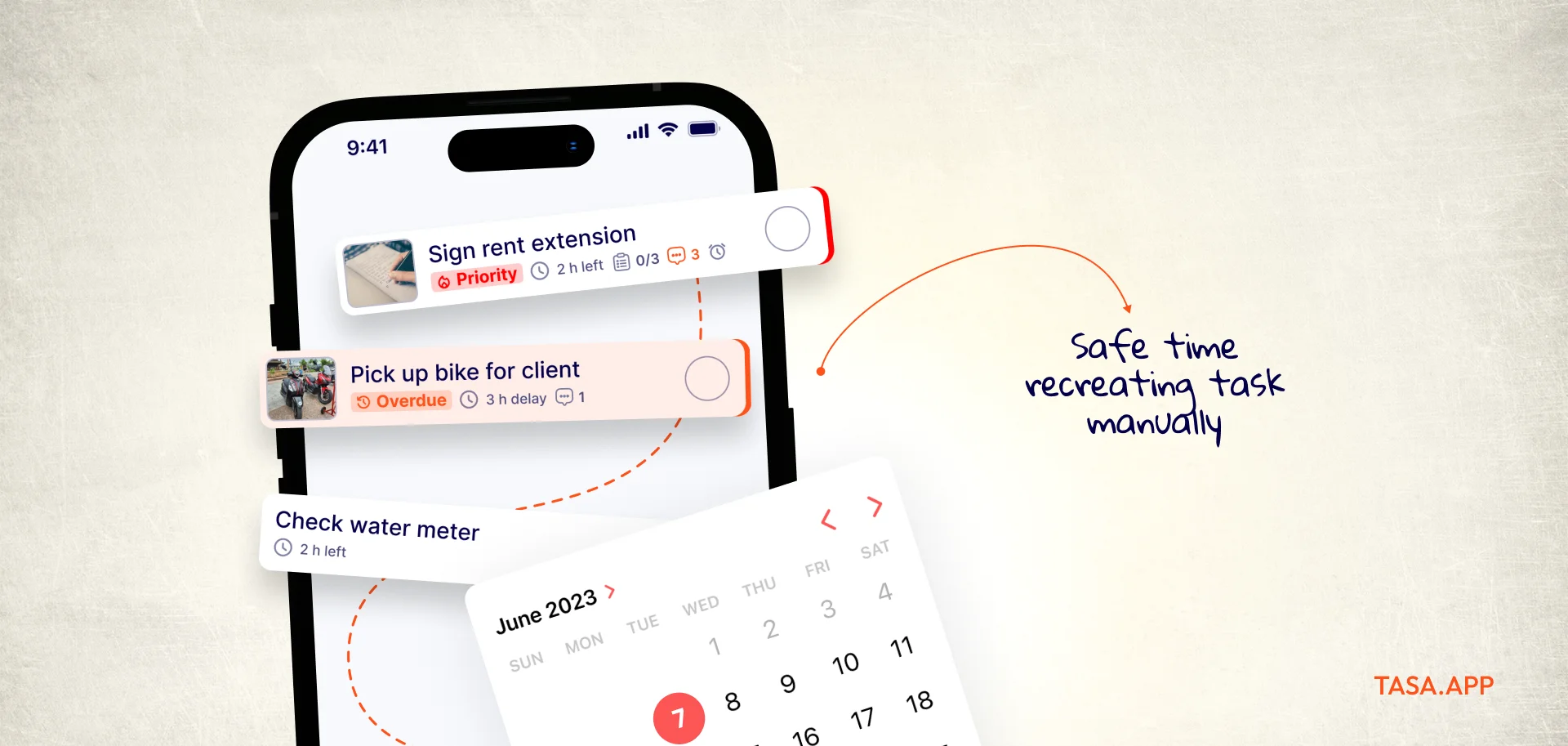
Smart repeats:
Workflows that come back automatically at the right times.
QR onboarding:
Fast setup for new staff, with no complex account process.

What is a team workflow?
A team workflow is a defined sequence of steps that turns a piece of work from "requested" into "done", with a clear owner for each step and a defined standard for the finished result.
In a local business, workflows are the repeatable routines: the room turnover between guests, the morning shop opening, the weekly maintenance round.
The difference between a workflow and a simple task list is sequence and verification: steps happen in order, and each handoff shows what the next person needs to start.
Good team workflows share three properties: anyone can see what happens next without asking, a newcomer can follow the steps from the document alone, and completion is provable, not assumed.
What are the 5 steps of workflow management?
The workflow lifecycle that most guides converge on has five stages:
- Identify the recurring work: which routines actually run more than once a week, and which of them hurt most when they fail. This is where team members spot the friction before the owner does.
- Map each one as ordered steps, from trigger (guest checks out, shop opens) to finished standard.
- Assign every step an owner and a time or trigger, so nothing depends on "someone".
- Execute and track: the team follows the steps in a system that shows progress and proof, not on paper nobody checks. Task tracking in real time is what lets you assign tasks once and trust the sequence.
- Review and improve: weekly, fix the steps that slipped, remove steps nobody needed, and update the system. This loop is what separates a living workflow from a management system nobody opens.
Teams that skip stage five drift back to verbal instructions within a month; the review loop is what keeps a workflow alive. It is also where you decide what to automate: any step a team member repeats identically every time is a candidate for automation.
Examples of workflow management in local businesses
- Hospitality: a turnover workflow that fires on checkout: strip and remake, bathroom sanitize, restock, photo of the finished room, ready-flag for the next guest.
- Cleaning agency: a standard job flow per property type with entry instructions, task sequence, and photo proof per zone.
- Retail: daily open (alarm, till, temperature logs, facing) and close (count, clean, secure) workflows with timestamps.
- Field service: a maintenance round workflow where every stop has its checklist, and the office sees completion in real time instead of collecting paper sheets on Monday.
Notice what these have in common: each one produces evidence as a by-product of the work itself, which is what makes quality auditable without a manager on site. Even a marketing team or back office running on the same five stages benefits; the examples differ, the lifecycle does not.
What is workflow management software, and when do you need it?
Workflow management software is any tool that stores your workflow definitions, assigns the steps, tracks progress, and reports completion. The best workflow management tools share one trait: they automate the routine parts (assignment, reminders, repeats) so people only handle the judgment calls.
For desk teams, that usually means project management platforms like Asana, ClickUp, or monday.com, which shine at boards, timelines, integrations, and workflow automation for desk processes.
For frontline and local teams, the same logic applies but the interface constraint flips: the tool must run on phones, be understandable at a glance regardless of language or reading level, and capture photo proof.
That is the gap Tasa fills as an execution layer, while spreadsheet-and-paper setups remain the honest baseline below roughly one location and three staff.
Key features to look for in team workflow management tools
- Mobile-first task delivery: tasks reach staff on their phones, filtered to "today and mine", not buried in a project tree.
- Visual instructions: photos and short text per step, so comprehension doesn't depend on literacy or a shared language.
- Smart repeats and scheduling: routines that reappear on the right days, shifts, or locations automatically.
- Proof of completion: photo confirmation attached to each finished task, visible to managers in real time.
- Automatic translation: instructions in each worker's preferred language without maintaining parallel documents.
- Simple reporting: completion rates and missed steps per person, location, and workflow, without building a dashboard. If the workflow management tool cannot answer "what slipped this week" in one screen, your team needs a different one.
How AI improves team workflow management
AI's practical impact on workflows is currently concentrated in three places: translation of instructions and comments into each worker's language (help teams cross the language barrier that frontline staff feel daily), automatic detection of incomplete or off-standard photo proofs at the point of completion, and summarizing workflow performance so owners see which step fails most without reading raw logs.
AI does not replace the design work: deciding the steps, the standards, and the owners is still human judgment. What it removes is the translation overhead and the review bottleneck, which is exactly where local teams lose the most time.
The result reads as productivity: fewer interruptions, fewer repeated explanations, fewer hours lost to chasing status.
Latest News


Have questions?
.svg)
Team management, simplified.

“It affects my personal life a lot. I can manage my team and my work remotely, so I have more time being a mother.”
