.svg)
Organizer app for multilingual field teams and local businesses
If you run a small local business with staff in the field: cleaners, construction crews, repairmen, supermarket teams or farm workers, you’ve probably tried using a simple organizer app to keep everything on track.
It works at first. You create lists, set reminders, and feel organized, until you hire your third, fifth, or tenth person. Then the cracks appear:
- Tasks live on your phone, not in your team’s hands.
- Instructions get lost in WhatsApp and voice notes.
- Language barriers and low literacy create expensive mistakes.
At that point, the question is no longer “Which organizer app is best?” but “What kind of organizer app actually works for multilingual field teams and local businesses?”
In this guide, we’ll break down:
- Why personal organizer apps fail as soon as you have staff
- What a team-ready organizer app needs to handle multilingual and low-literacy workers
- How Tasa uses pictures, AI translation, and photo proof to coordinate offline and local teams
- Practical steps to move from “solo list” to “visible, verifiable team workflow”
Key Takeaways:
- Personal organizer apps (to-do lists, calendars, planners) are built for one person, one language, one brain; they break the moment you coordinate staff.
- A team-ready organizer app needs shared visibility, real-time translation, picture-based tasks, and photo proof instead of checkboxes.
- Multiple workspaces keep separate teams and business units from colliding in one shared list.
- Migrate in 4 steps: pick the highest-pain process, build 3 to 5 visual templates, pilot with 2 to 3 people, then roll out.
Why personal organizer apps break for multilingual & field teams
Most apps to stay organized are designed for one person with one language and one brain. That’s perfect for dentist appointments and grocery lists and completely misaligned with the reality of running a local team across languages.
1. No shared visibility across the team
In a personal app, everyone has their own private list. That means:
- You can’t see what your cleaners, repairmen, or farm workers are doing right now.
- They can’t see what’s coming next or what other teammates are handling.
- You have no “single source of truth” for today’s work.
Research on workplace communication and productivity has shown that fragmented communication patterns hurt output and increase coordination costs. When everything is scattered across private lists and chats, your productivity drops, even if you feel organized.
2. Handoffs disappear into WhatsApp
Imagine a hotel or Airbnb turnover:
- Cleaner finishes the bathroom and needs maintenance to fix a leaking tap.
- Maintenance finishes and needs inspection before check-in.
In a typical daily organize app setup, these handoffs happen via WhatsApp, phone calls, or shouting down the hallway. The app never sees them. No automatic reassignment, no status change, no proof.
For expats and local business owners managing properties or rentals, this is where money leaks away. You promise “ready by 3 pm” but discover at 2:50 pm that a critical step was never passed on.
3. “Done” is just a checkbox, not proof
In regulated or quality-sensitive work (hospitality, food retail, construction, healthcare support), a green checkmark isn’t enough. You need to know:
- What exactly was done
- When it was done
- Who did it
- What it looked like when completed
Standard organizer apps give you a tick box. They don’t give you evidence. Tasa ensures evidence is sent, allowing you to manage your team from anywhere.
4. Language and literacy gaps multiply every problem
If you’re an expat running a small business abroad, you know this:
- You speak English (or German, French, etc.)
- Supervisors might speak some English, but most front-line staff don’t.
- Some workers struggle with reading in any language.
Other apps assume everyone in a team shares the same language. That’s simply not true with multilingual teams.
What organizer app for multilingual field teams must do
To effectively work with local and offline teams, an organizer app has to go beyond lists and reminders. It needs to behave like an operations system, not a personal notebook.
Use pictures, not paragraphs
If your cleaner, farm worker, or construction crew struggles with reading, walls of text don’t help. A usable organizer app should:
- Show each task as a photo-based step (what “done” looks like)
- Use icons and images to explain routines (e.g., how to stock a minibar, how to clean a pool filter)
- Minimize the amount of text staff need to read
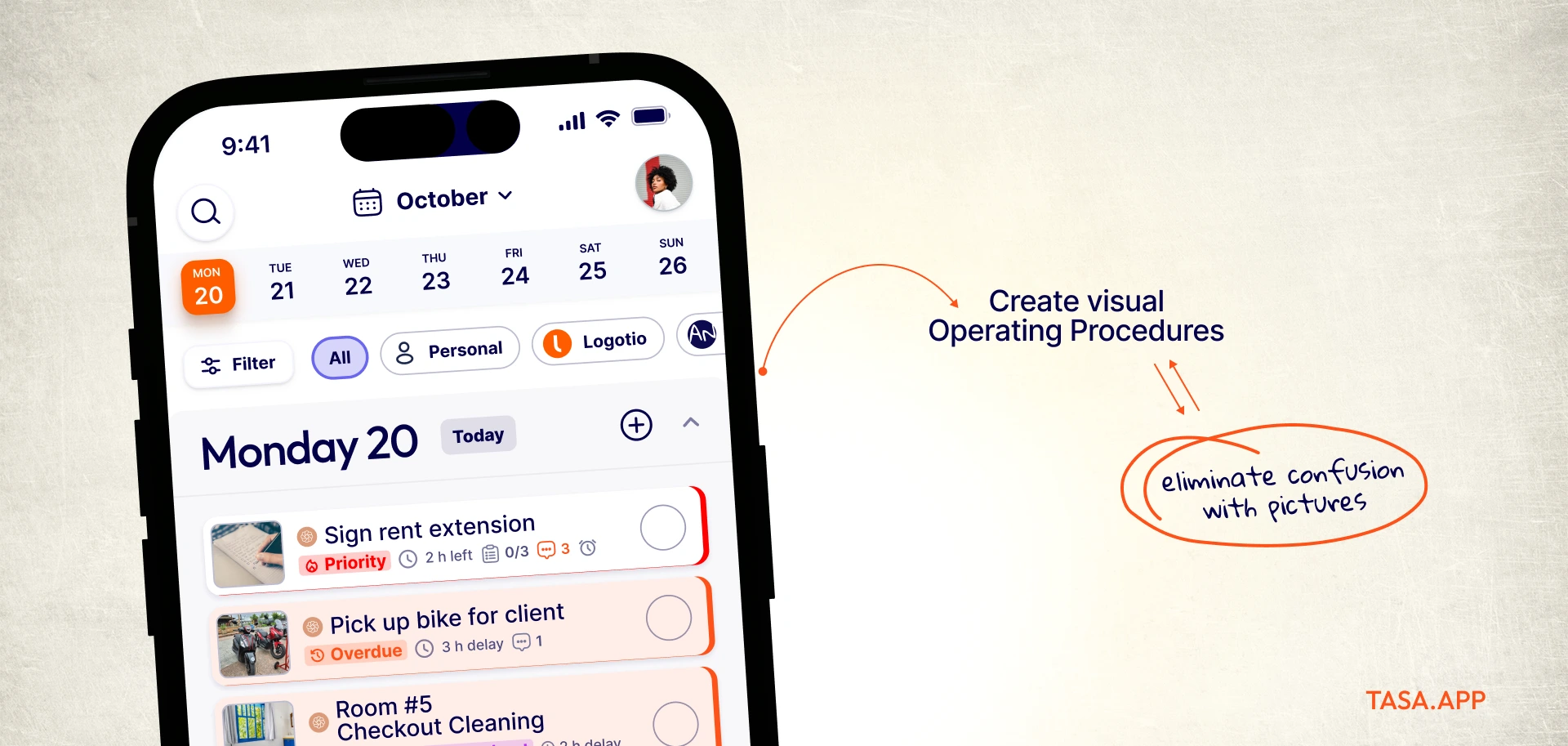
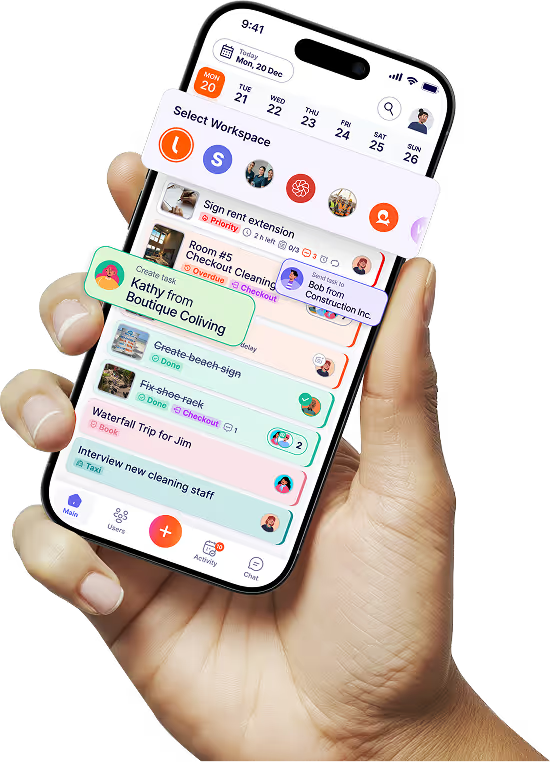
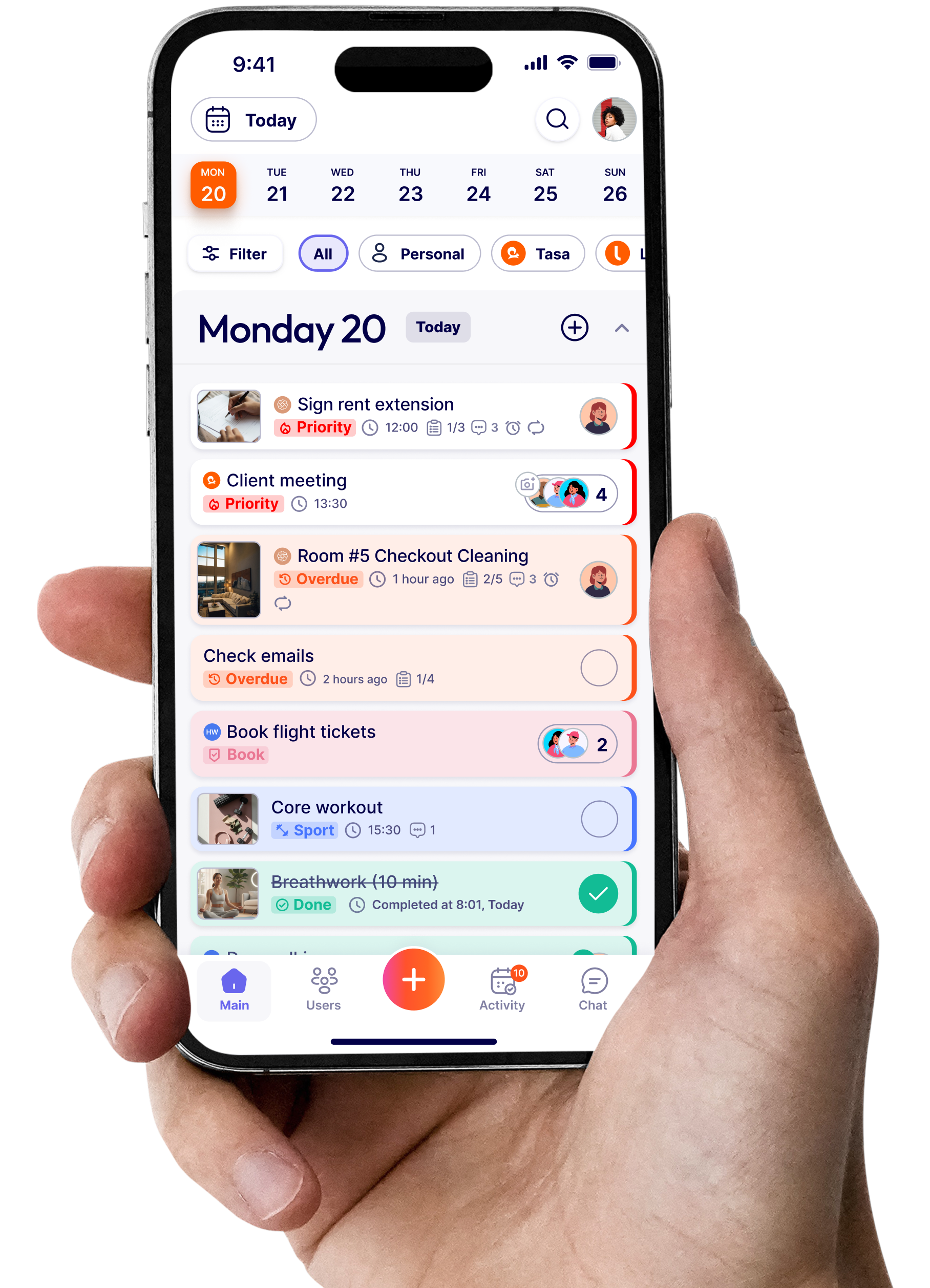
Tasa was built for this. A picture-based task management app for teams that do not share the same language or literacy level. Instead of typing “deep clean kitchen”, you create a visual template with photos for each step. See how Tasa is used for cleaning teams.
Real-time translation
For multilingual teams, translation cannot be an extra project. It has to happen in real time, inside the app, for tasks, comments, and chat
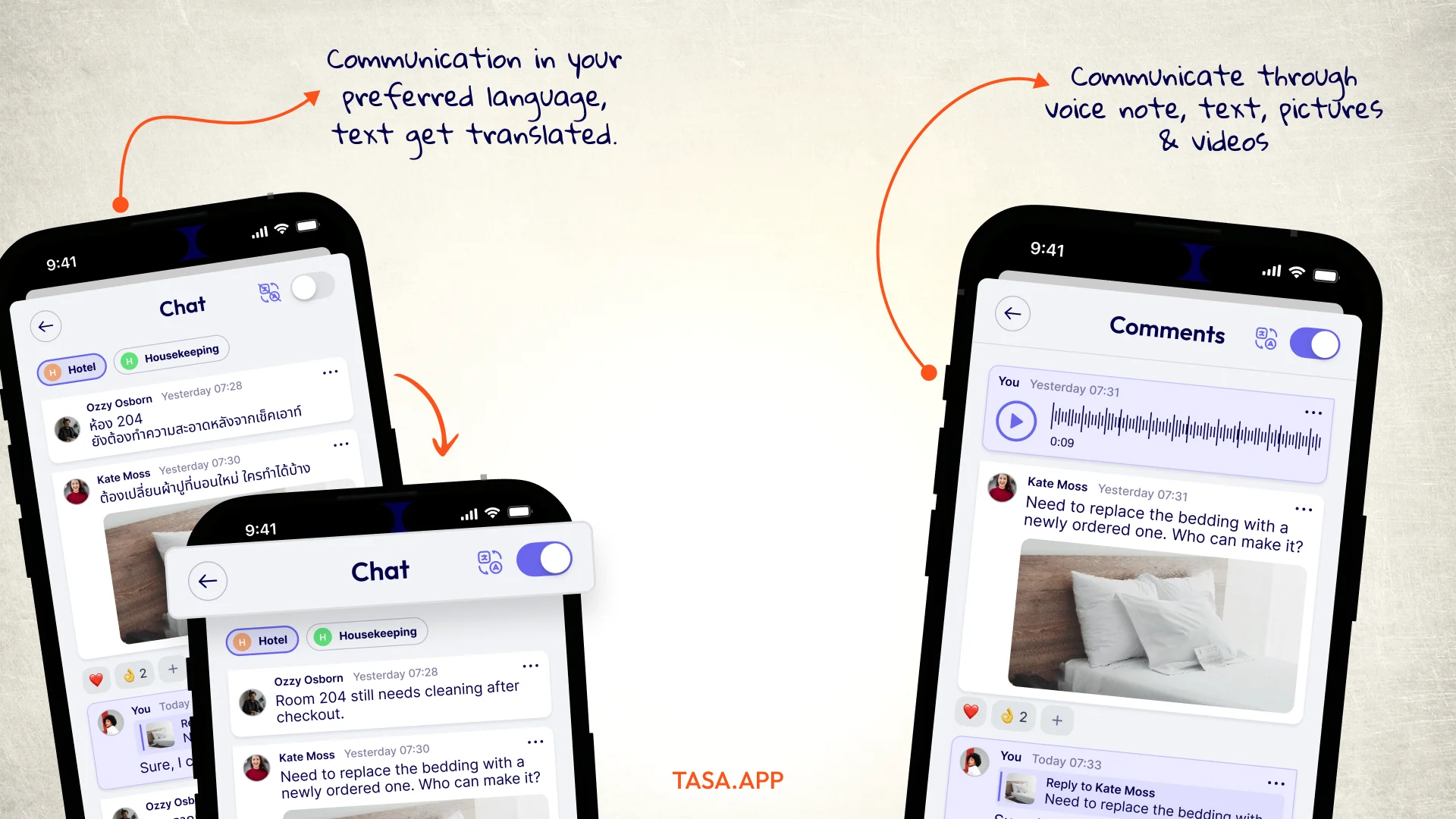
With Tasa’s real-time translation, you can:
- Assign a task in English
- Your staff see it in Spanish, Portuguese, Vietnamese, and other 100+ languages.
- They write a comment or ask a question in their language
- You see it back in English
This is built into the workflows, not bolted on. See how this plays out for expats:
Support multiple workspaces and clean separation between teams
Most business owners or expats don’t own one business. A single owner might manage: housekeeping teams, maintenance crews, or separate supermarket departments (bakery, deli, produce)
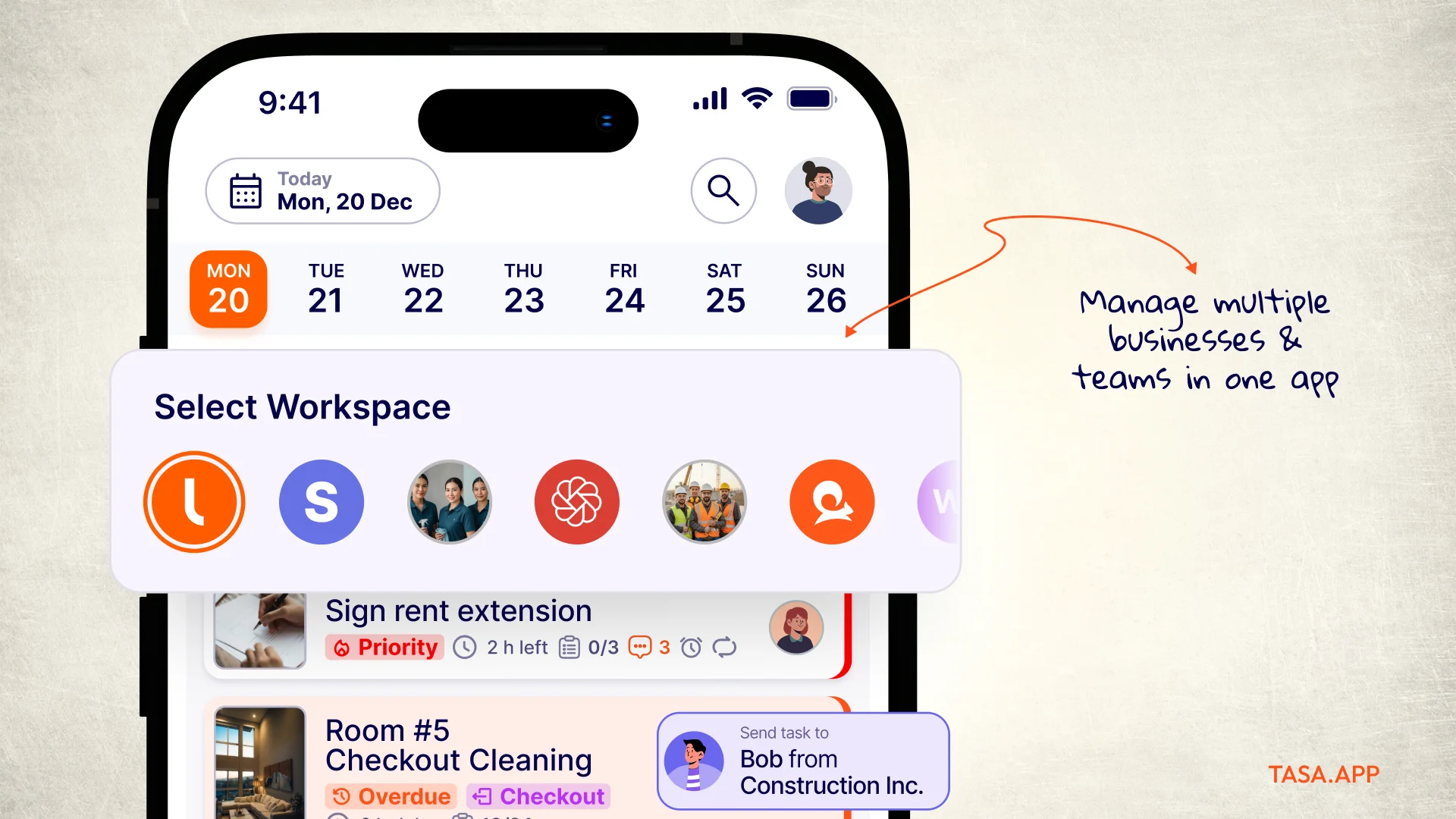
If you try to run all of that in one big shared list, chaos follows. An organizer app for teams needs:
- Separate workspaces for each team or business unit
- Clear separation of tasks, templates, and notifications by workspace
- Fast switching between workspaces so owners and managers can see everything without mixing it all together
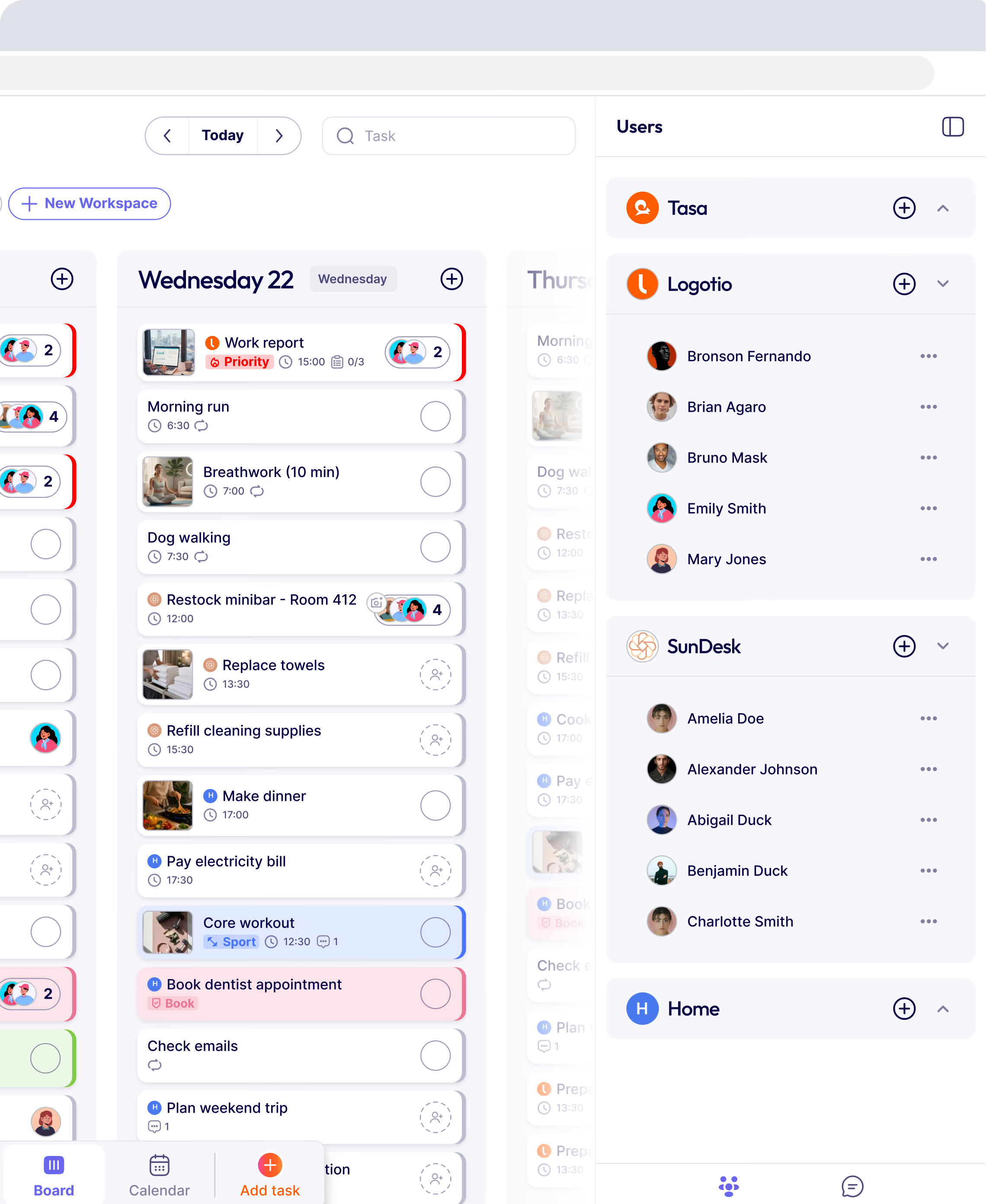
In Tasa, you can manage different teams in different workspaces in the same app, keeping things clean and organized.
Provide photo proof and audit trails
A proper frontline team organizer app should be able to answer, with evidence:
- Who cleaned Villa 7 today?
- What did the roof look like before and after the repair?
- Did the supermarket team actually check fridge temperatures this morning?
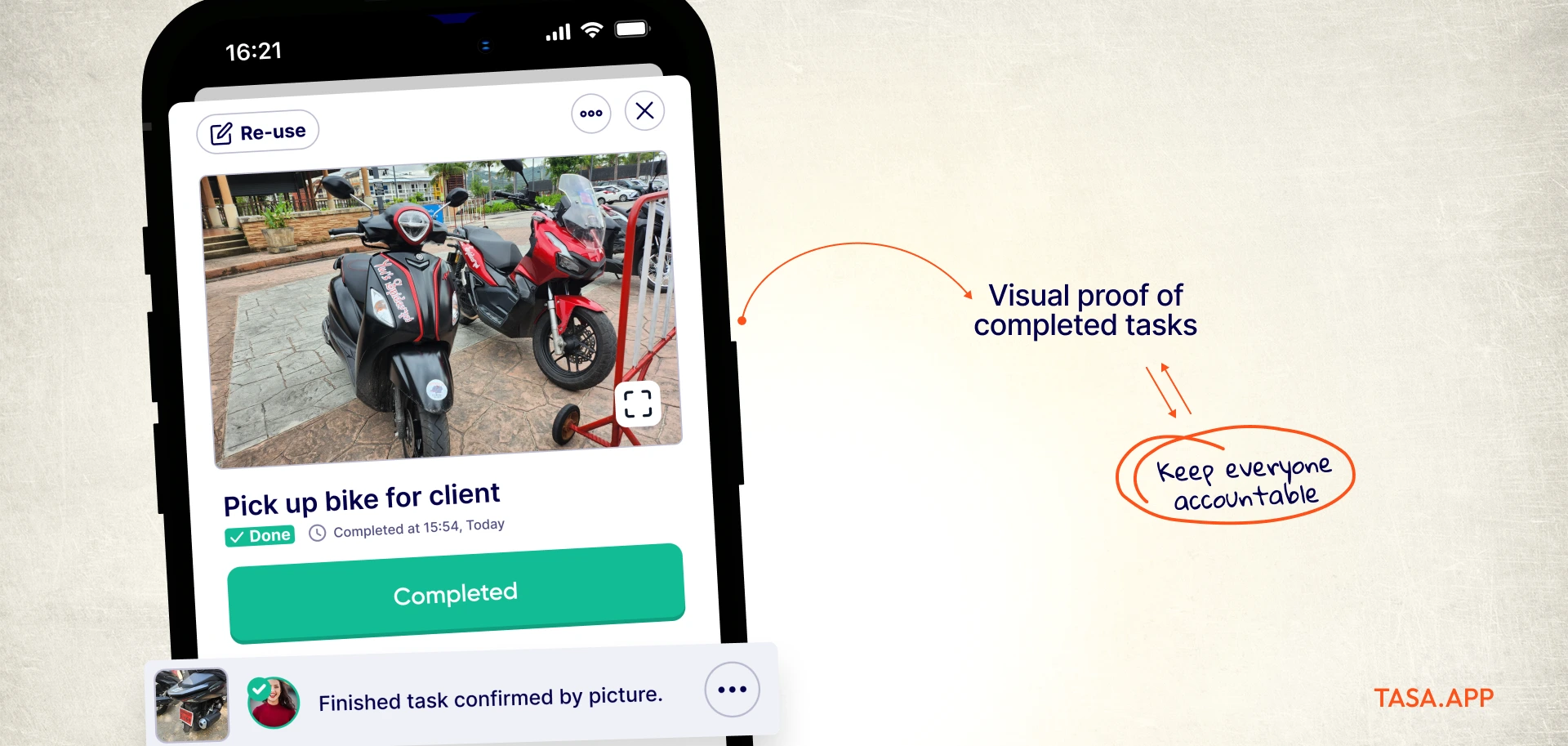
Tasa solves this with built-in photo confirmation:
- Staff complete a task by uploading pictures of finished work.
- The proof includes photos, timestamps, and who did it.
- You can review from your phone even if you’re in another city.
This isn’t just about control; it’s about trust and clarity. Everyone sees what is done, which reduces stress on both managers and workers.
Be simple enough for low-literacy and non-technical staff
Your staff don’t want another complicated app. They want:
Open → see today’s tasks → do work → send proof → done.
Tasa tackles this with:
- QR-code login (no passwords to remember)
- A simplified staff view
- Minimal buttons and clear icons
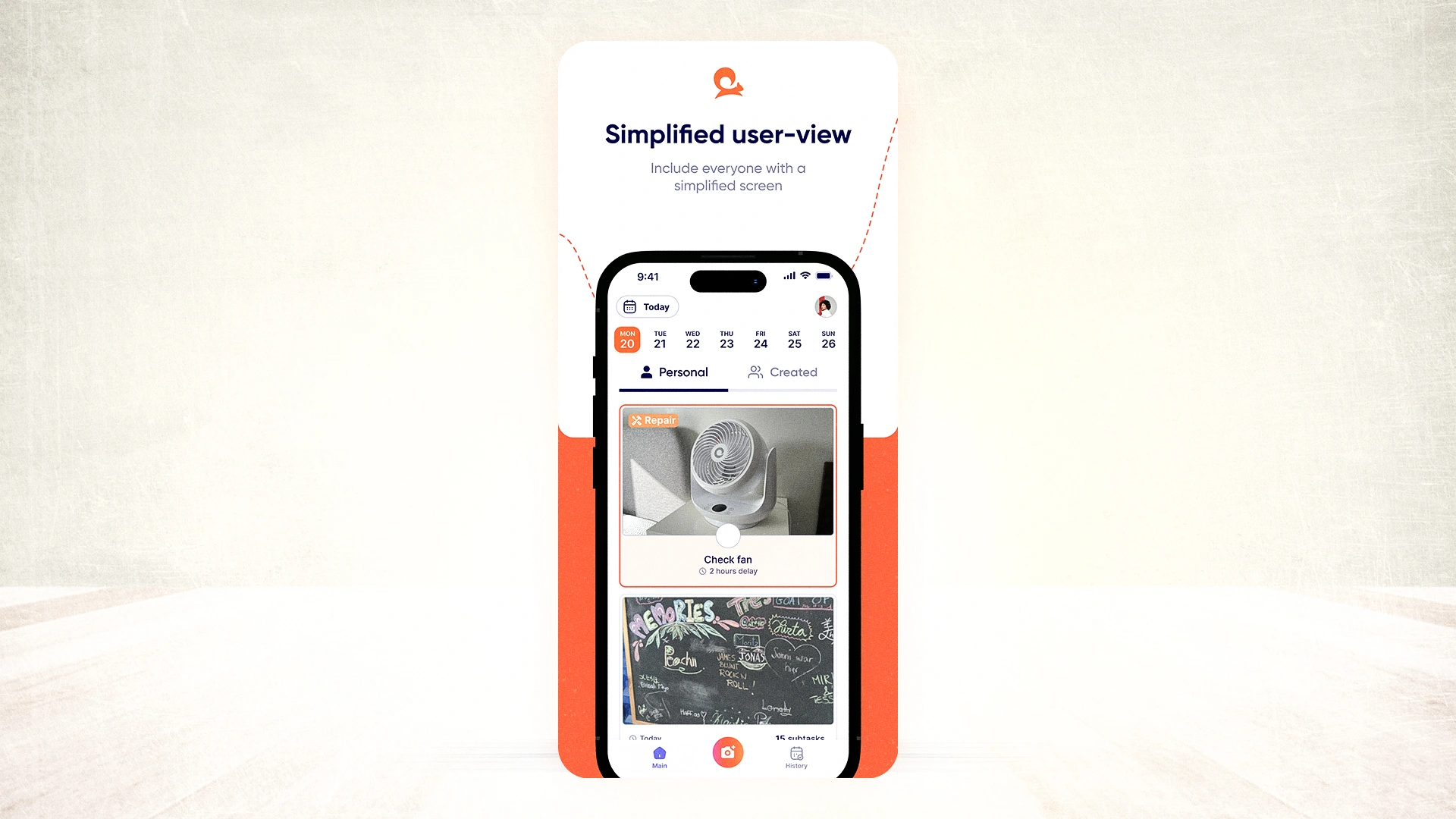
That’s why Tasa’s mission is enabling the 1 billion people who struggle with reading and writing to join the digital world. See practical ways Tasa benefits your local and field team.
How to move from a simple organizer app to Tasa
You don’t need to migrate everything at once. A practical migration path looks like this. Before that ensure you've downloaded Tasa.
Step 1: Pick your highest-pain process
Start with the process that currently hurts the most:
- Airbnb turnovers with frequent guest complaints
- Construction punch lists that keep coming back
- Cleaning contracts where quality is inconsistent
Map that process into Tasa as a small set of visual task templates.
Step 2: Build 3 to 5 core visual templates
For that one process:
- Take photos of “correct” outcomes (clean room, stocked shelves, safe installation).
- Break large tasks into 5 to 10 verifiable steps.
- Add any important text in your language, Tasa will handle translations.
This investment pays off later by cutting errors, speeding onboarding, and making expectations clear. See Tasa’s broader thinking around systems in:
Step 3: Pilot with 2 to 3 motivated team members
Choose people who:
- Understand today’s problems
- Are trusted by others
- Are not scared of trying a new app
Let them use Tasa for 2 to 4 weeks on real jobs. Ask:
- Which steps were unclear?
- Where did they need extra photos?
- What slowed them down?
Step 4: Roll out to the rest of the team
Once the templates reflect real life (not just theory), you can:
- Add more staff to the workspace
- Duplicate patterns for more clients / properties / projects
- Turn your old personal organizer app into a true “owner-only” tool, while Tasa runs day-to-day operations
The app to stay organized with frontline & multilingual team
For solo work, any organizer app will do. Once you have staff, especially multilingual, field-based, or low-literacy workers, you need more than lists, reminders, and checkboxes.
You need an organizer app that:
- Displays tasks visually
- Speaks every team member’s language
- Proves what’s done with photos
- Works in the field and offline
That’s the gap Tasa is built to fill. It’s a picture-based, multilingual organizer app for local and small business teams.
What makes a good organizer app?
Whether it is for your own day or for a whole team, a good organizer app shares the same basics: capturing tasks in seconds, syncing across devices, reminders and notifications that actually fire, and a home-screen widget or two so everything is one tap away.
The best apps also integrate with your calendar instead of fighting it. The classic personal options do this well: Todoist for to-do lists, Google Calendar for time blocking, Any.do and TickTick as all-rounders. They are excellent at organizing one person's tasks and calendar.
The test that matters for a local business: what happens when a task needs to move from you to someone else, in another language, with proof at the end? That is where personal organizer apps stop and where team organizers begin. If your to-do list never leaves your phone, any app will do. If work has to be executed by staff you cannot watch, choose for shared visibility, translation, and photo proof.
How to choose the right organizer app
- Solo or team: solo means any mature to-do list app works; team means you need assignment, status, and proof.
- Languages: if staff do not read your language fluently, built-in translation is not optional.
- Literacy levels: picture-based task templates beat text lists for low-literacy workers.
- Field reality: offline tolerance and phone-first design matter more than desktop dashboards.
- Evidence: for quality-sensitive work, require photo proof on completion, not a checkbox.
- Budget: free tiers cover individuals; team plans should cost a few dollars per user, not a platform fee.
Are there free organizer apps?
Yes, and the free tier is genuinely usable in 2026. For personal use, Todoist, Google Calendar, and TickTick all have solid free plans with sync, notifications, and templates. For teams, most free tiers cap users or features early.
Tasa is free for individuals and covers the team basics: picture tasks, translation, and photo proof, so a small local business can start at zero cost and upgrade only when the whole crew joins.
The honest advice: start free, but choose the app you would still want when you have ten staff, because migrating a whole team later costs more than choosing right now.
Latest News

Have questions?
.svg)
Team management, simplified.

“It affects my personal life a lot. I can manage my team and my work remotely, so I have more time being a mother.”