.svg)
Store inspection checklist app: easy retail inspections across locations
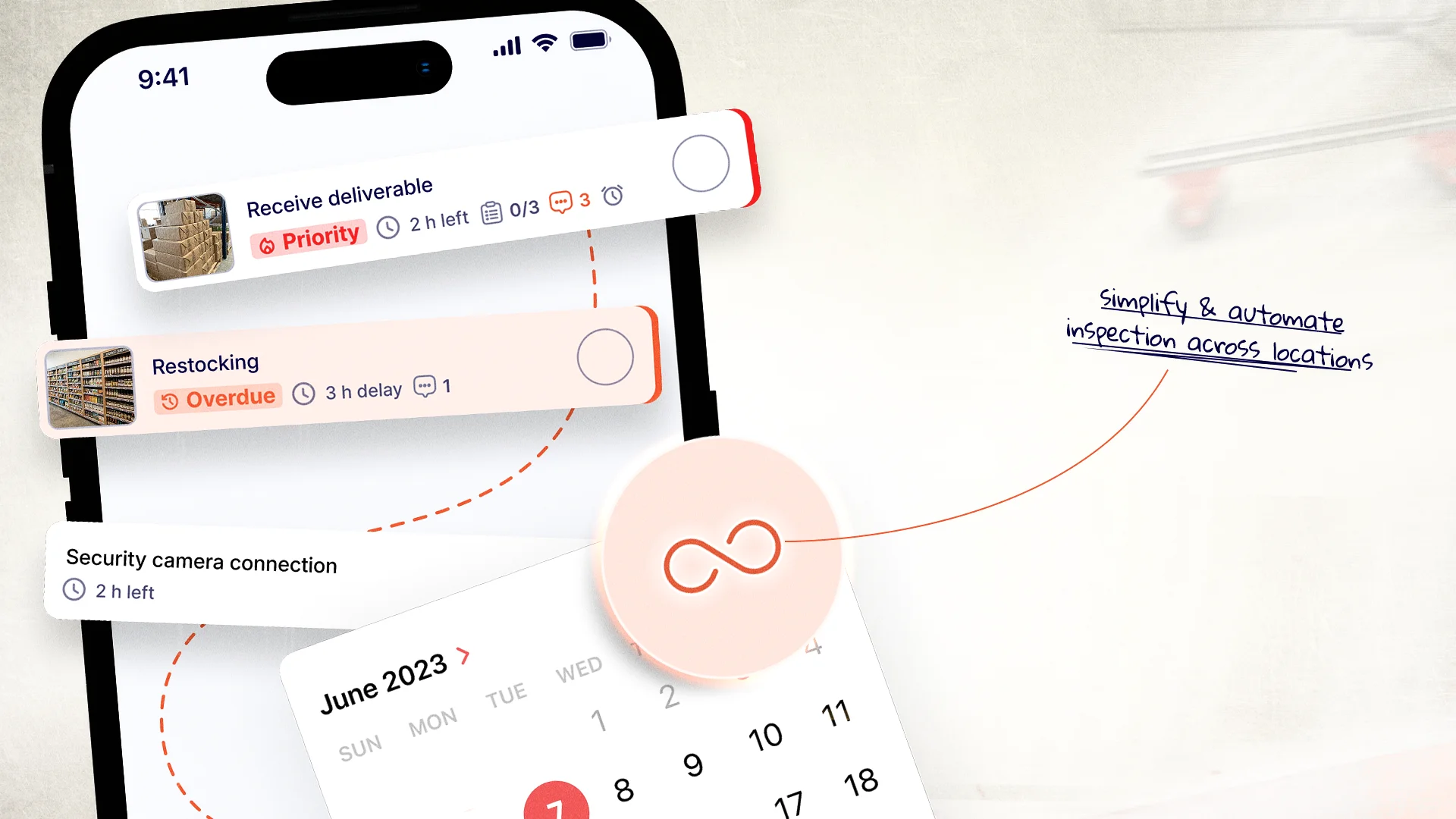
Retail stores are complex operations. Every day, hundreds of tasks need to happen correctly to keep the store running smoothly and customers satisfied. And someone needs to inspect work done.
Key Takeaways
- Paper checklists and spreadsheets fail retail teams because they offer no photo proof, no real-time visibility, and no accountability across multiple locations.
- Store inspections protect customer experience by identifying cleanliness, merchandising, and safety issues before customers notice them.
- Photo-based inspection reporting provides verifiable evidence of actual store conditions, saving you time and resources.
- Automated recurring inspections ensure standards are maintained consistently across all locations without manual scheduling or follow-up.
- Digital inspection apps create accountability by assigning tasks to specific people with deadlines and tracking resolution until tasks are done and verified with pictures.
- Trend analysis across stores reveals systemic problems and enables targeted training and resource allocation where they are needed most.
Without proper inspections, standards slip. Issues go undetected. Customer experience suffers at the cost of the business reputation.
But traditional (paper checklists) inspection methods do fail retail teams.
- Paper checklists get lost.
- Spreadsheets are hard to manage across multiple stores.
- Staff check boxes without actually checking the work.
- Language barriers or illiteracy make written checklists difficult for diverse teams.
- Photos are taken separately and never attached to the right report.
These problems are not small. They cost retailers money through customer complaints, lost sales, damaged reputation, and compliance violations.
The solution is a better inspection system, the one that:
- works the way retail actually operates.
- uses photos instead of just text.
- works on mobile devices so inspections can be completed on the sales floor.
- supports multilingual and low-literacy teams without confusion.
- provides real-time visibility for managers.
- provides convenient inspection across locations.
What is a store inspection checklist app?
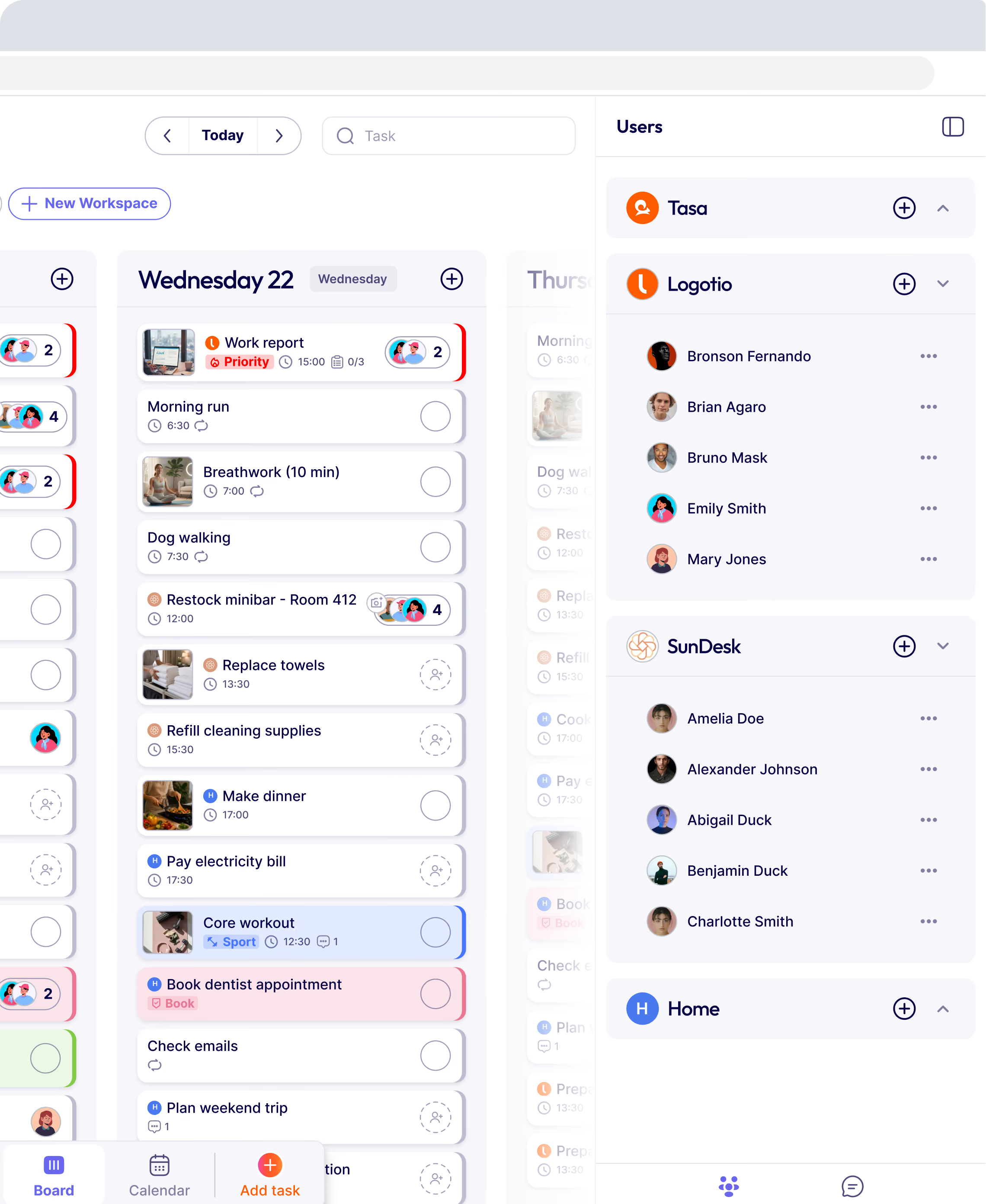
A store inspection checklist app is a digital tool that replaces paper-based audit forms with mobile-friendly, photo-enabled checklists for retail operations.
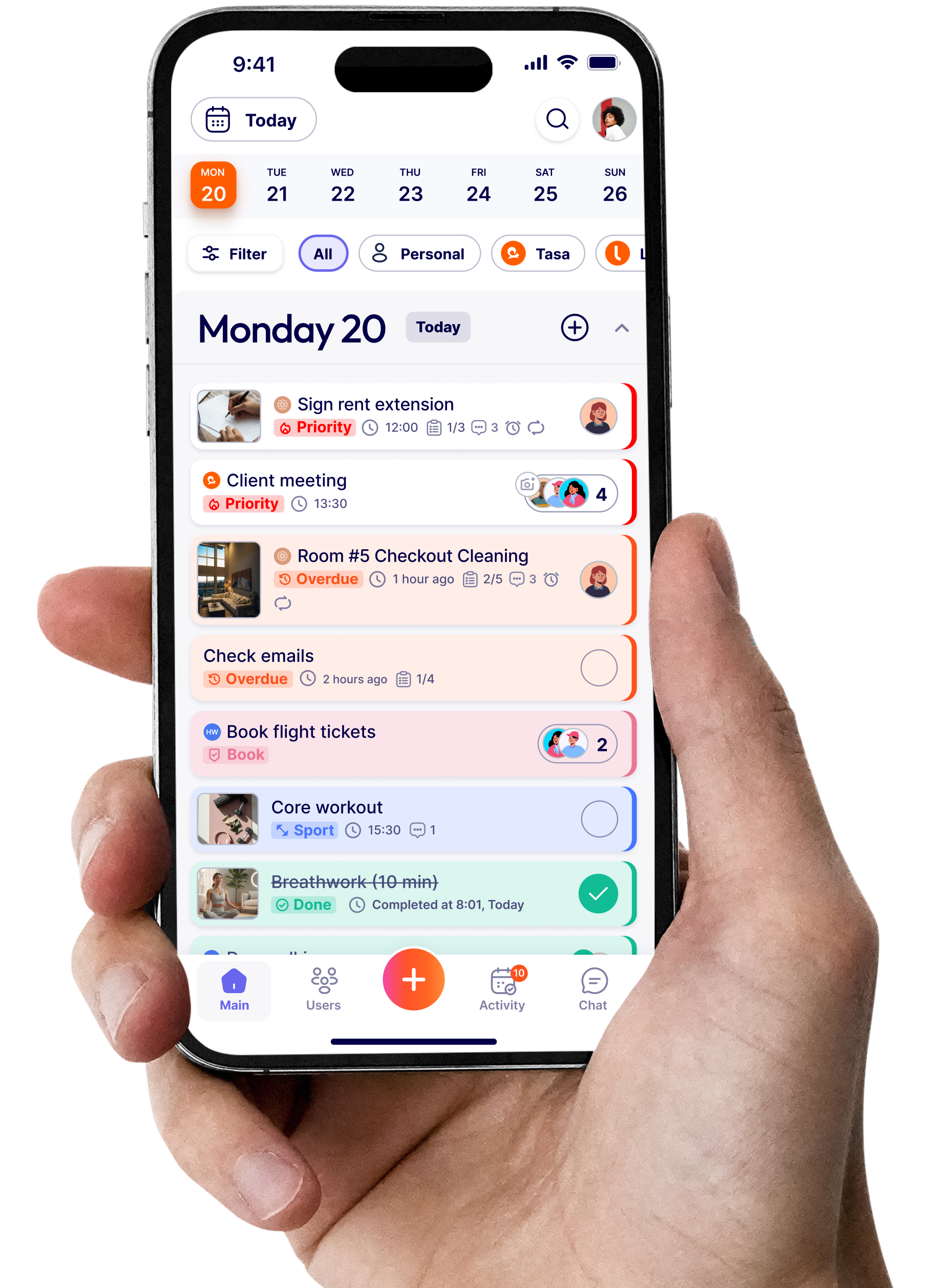
Instead of carrying clipboards and filling out paper forms, store managers and inspectors use a mobile app to complete inspections across locations.
They check off items, take photos as proof, and submit reports instantly. Area managers and operations teams see results in real time without waiting for paperwork or travelling across locations.
.webp)
This approach transforms store inspections from a tedious administrative task into a powerful operational tool.
Best practices for retail store inspections
Follow these best practices to get the most from your inspection process.
Use visual standards instead of text-heavy instructions
Photos communicate standards faster and more clearly than text.
What to do:
- Include a photo for each checklist item
- Show the desired outcome
- Use the photo as the primary reference
- Keep text minimal (supporting only)
Example: Instead of a text description of how to set a display, show a photo of a correctly set display. Staff can see exactly what's expected.
Schedule inspections automatically
Automated scheduling ensures inspections happen on time.
What to schedule:
- Recurring inspections (daily, weekly, monthly)
- One-time inspections (special events, after incidents)
- Random inspections (surprise checks)\
Benefits of automated scheduling:
- No missed inspections
- Consistent timing
- Staff know what's coming
- Managers can plan ahead
.webp)
Review trends and recurring issues
Trend analysis identifies systemic problems.
What to look for:
- Which stores have the most issues
- What issues occur most often
- Are issues improving or worsening
- What's causing recurring problems
How to act on trends:
- Provide additional training for problem areas
- Allocate resources to high-need stores
- Update standards to address common issues
- Recognize stores that are improving
Create accountability for unresolved findings
Issues must be tracked to resolution.
How to create accountability:
- Issues are assigned to a specific person
- Deadlines are set for resolution
- Follow-up inspections verify fixes
- Escalation for overdue issues
- Performance measured on resolution
The accountability chain:
- Issue found during inspection
- Issue assigned to responsible person
- Person completes required actions
- Manager verifies resolution
- Issue is closed
Without accountability, issues remain unresolved. The inspection process becomes useless.
Why retailers are replacing spreadsheets and manual audits
Spreadsheets and manual audits create problems that digital inspection apps solve.
Problems with spreadsheets:
- Hard to standardize across locations
- No photo proof capability
- Manual data entry errors
- Delayed reporting
- No real-time visibility
- Difficult to track trends
Problems with manual audits:
- Time-consuming for managers
- Inconsistent standards between auditors
- No proof of completion
- Issues aren't tracked
- Hard to follow up
What digital inspection apps provide:
- Real-time visibility for all locations
- Standardized checklists across stores
- Photo proof for every item
- Automated reporting
- Issue tracking and resolution
- Trend analysis over time
- Less time spent on audits
All this Tasa app for store inspection offers, check out Tasa for retail stores.
Key features for a store inspection checklist app
Here are the features that matter most for a store inspection. It ensures managers can inspect stores from any where, especially stores with multiple branches.
Mobile inspection checklists
Inspections happen in the store, not at a desk. The app must work on mobile devices.
What to look for:
- iOS and Android apps
- Easy to navigate on a phone screen
- Quick photo capture built in
- One-handed operation
- Simple for staff to use
Why this is necessary: If the app is hard to use on a phone, staff won't use it as expected. The interface must be optimized for mobile use.
Photo-based inspection reporting
Photo proof is the most important feature for verifiable inspections.
What to look for:
- Photos can be attached to checklist items
- Photos are mandatory for critical items
- High-quality photo capture
- Photo gallery view for managers
- Photos stored with inspection data
Why this is necessary: Without photos, inspections rely on trust. Photos provide evidence of actual conditions.
.webp)
Recurring inspection scheduling
Inspections should happen automatically on a schedule.
What to look for:
- Set recurring daily, weekly, monthly
- Custom scheduling for different stores
- Automatic task creation
- Notifications for upcoming inspections
Why this is necessary: Manual scheduling leads to missed inspections. Automation ensures inspections happen when they should.
Real-time notifications and reminders
Staff need to know when inspections are due and when issues need addressing.
What to look for:
- Push notifications for upcoming inspections
- Reminders when inspections are due
- Alerts for missed inspections
- Notifications for unresolved issues
- Escalation for overdue items
Why this is necessary: Without notifications, inspections get forgotten. Issues go unresolved. Real-time alerts keep things moving.
Multi-store management capabilities
For retail chains, managing multiple stores is essential.
What to look for:
- View all stores from a dashboard
- Compare performance across locations
- See inspection status for each store
- Track trends and patterns
- Store-specific checklists

Why this is necessary: Area managers need visibility into all stores. Without multi-store capabilities, data is fragmented.
Inspection history and audit trails
A record of past inspections provides accountability and helps identify trends.
What to look for:
- Searchable history of all inspections
- User tracking (who completed each inspection)
- Timestamp tracking
- Issue resolution tracking
- Export capability
Why this is necessary: History enables trend analysis and provides evidence for audits and disputes.
Why store inspections matter in retail operations
Store inspections are not just administrative tasks. They are essential operational processes that protect your business.
Protecting customer experience
Customers notice when stores are clean, well-organized, and properly maintained. They also notice when standards slip compared to your competitors.
How inspections protect customer experience:
- Identify cleanliness issues before customers do
- Ensure merchandise is properly displayed
- Confirm shelves are fully stocked
- Verify that store is welcoming and safe
- Catch problems that damage brand reputation
Negative discussion about your store between past customers and their friends can ruin business reputation. Inspections prevent negative feedback or discussions.
Maintaining brand standards across locations
For retail chains, consistency is everything. Customers expect a good experience at every store. Because:
- Brand trust depends on predictability
- Customers know what to expect
- Consistent quality drives loyalty
- Inconsistency damages brand reputation
How inspections maintain consistency:
- All stores follow the same standards
- Issues are identified and corrected quickly
- Standards don't drift over time
- Training can be targeted to problem areas
Reducing operational risks
Retail stores face numerous risks that inspections can identify and prevent.
Types of operational risks:
- Safety hazards (slips, trips, falls)
- Health violations (food safety, sanitation)
- Equipment failures (coolers, lighting, security)
- Inventory issues (theft, damage, stockouts)
- Regulatory compliance breaches
How inspections reduce risk:
- Identify hazards before they cause harm
- Document compliance for regulatory audits
- Catch equipment issues before they fail
- Track inventory accuracy and prevent loss
- Create a culture of safety and compliance
Improving compliance and accountability
Inspections create accountability at all levels of the organization.
How inspections drive accountability:
- Store managers are responsible for inspection completion
- Area managers monitor compliance
- Issues are tracked to resolution
- Performance data is visible to all
- Everyone knows they're being measured
The accountability chain:
- Head office sets standards
- Store managers complete inspections
- Area managers review results
- Issues are assigned and resolved
- Performance is tracked over time
Without a proper inspection system, accountability breaks down. With digital inspections, everyone knows what's expected and can see how they're performing.
Latest News


Have questions?
.svg)
Team management, simplified.
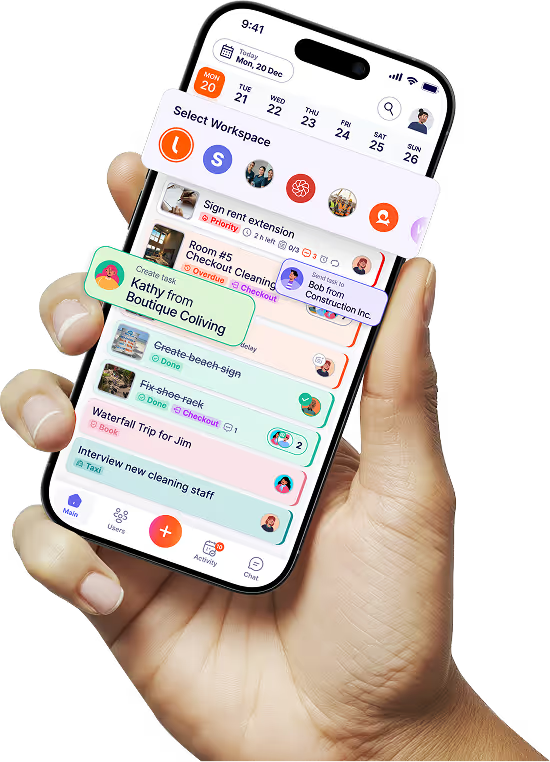

“It affects my personal life a lot. I can manage my team and my work remotely, so I have more time being a mother.”
