.svg)
Retail apps that cut manager walkthroughs by 80%

Running a retail operation as an expat entrepreneur means regular constant challenges of language barriers, staff turnover, and the exhausting cycle of manual store checks.
The reality? Traditional manager walkthroughs consume up to 80% of associate time on administrative tasks rather than customer service. Store audits that take three hours with clipboards now take only 25 minutes with digital retail apps.
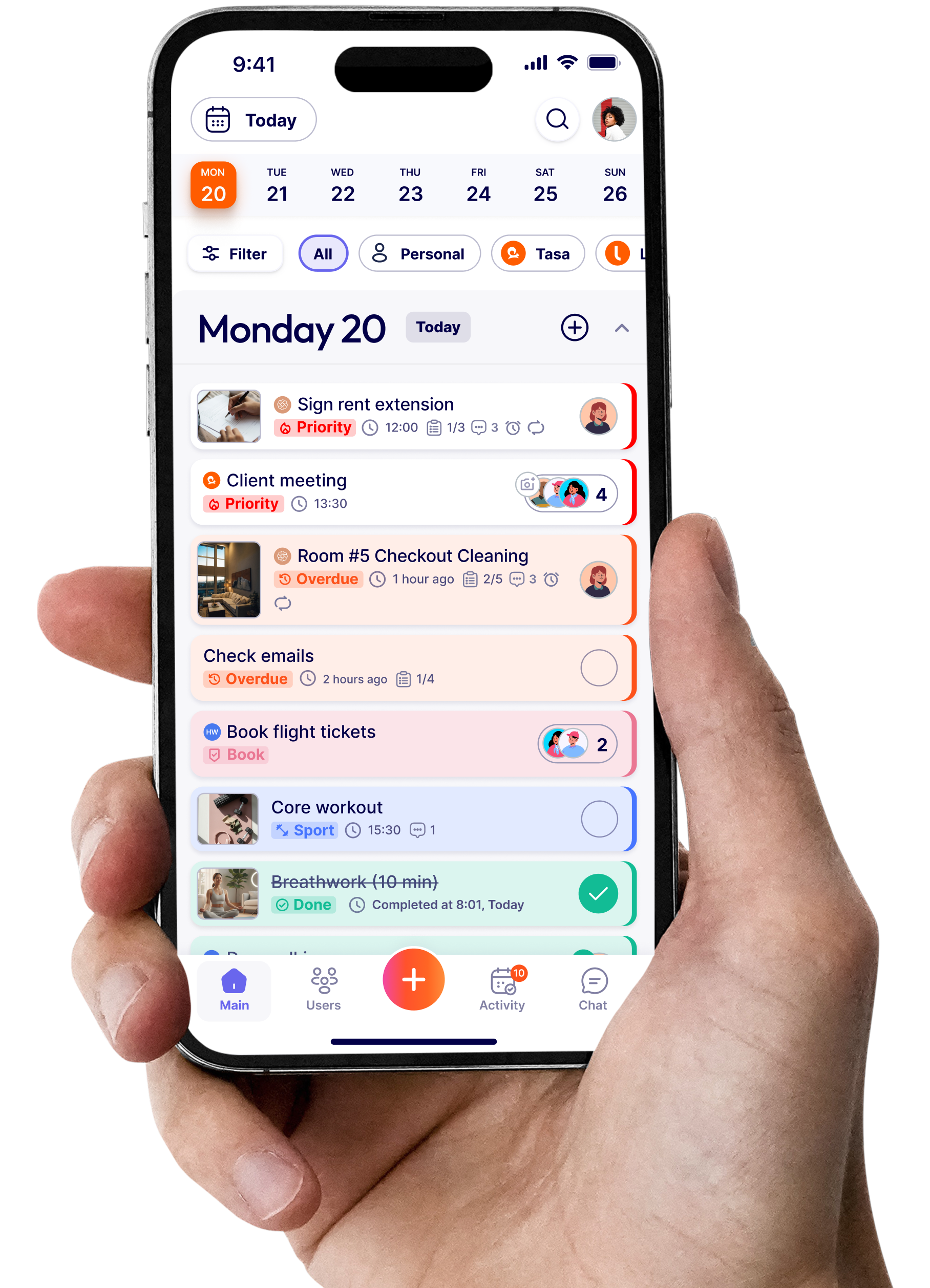
The use of this retail app such as Tasa changes how you verify task completion across local and offline teams without being physically present.
Key Takeaways:
- Manager walkthroughs cost a mid-sized store up to $16,875 per year in salary time alone, before counting lost selling time.
- Photo verification replaces the walk: staff snap proof, managers review remotely in minutes, and every task leaves a documented trail.
- Expect a 30-90 day ramp: completion rates typically climb from 60-70% to above 95% while walkthrough time drops up to 75%.
- The best retail apps for local teams are picture-first and multilingual, so staff with limited reading skills can still use them unaided.
- Start with 5-7 core tasks per routine, pilot in one store, and expand once completion rates stabilize.
Why manager walkthroughs drain your retail business
Walk into any retail store at opening time and you'll see the same pattern. Managers clutching clipboards, checking displays, verifying inventory, inspecting cleanliness standards. Associates following behind, waiting for instructions, unable to serve early customers.
This inefficiency compounds when you're managing teams across different locations or cultures. Every manual walkthrough represents:
- Lost customer interaction time as staff focus on manager presence instead of shoppers
- Inconsistent execution because verbal instructions get lost in translation
- No verification trail when you need to confirm tasks were completed correctly
- Repeated explanations for the same tasks day after day
The hidden cost of manual verification
Put this into consideration, a store manager earning $45,000 annually spends roughly 15 hours per week on walkthroughs and verifications. That's $16,875 in salary alone, excluding the opportunity cost of what they could accomplish instead.
Breaking down walkthrough time waste:
- Physical movement between departments: 20–30 minutes
- Explaining tasks verbally to each associate: 40–60 minutes
- Checking completion without documentation: 30–45 minutes
- Re-explaining corrections and standards: 25–40 minutes
- Manual note-taking and reporting: 20–30 minutes
Total: 135–205 minutes per session. Multiply by daily opening and closing checks, and you're looking at 4–6 hours of pure administrative overhead.
What makes digital retail apps more effective than clipboards
Digital retail apps fundamentally restructure how tasks flow through your operation. Instead of managers acting as bottlenecks, the system becomes the single source of truth.
Modern retail task management software delivers three critical advantages:
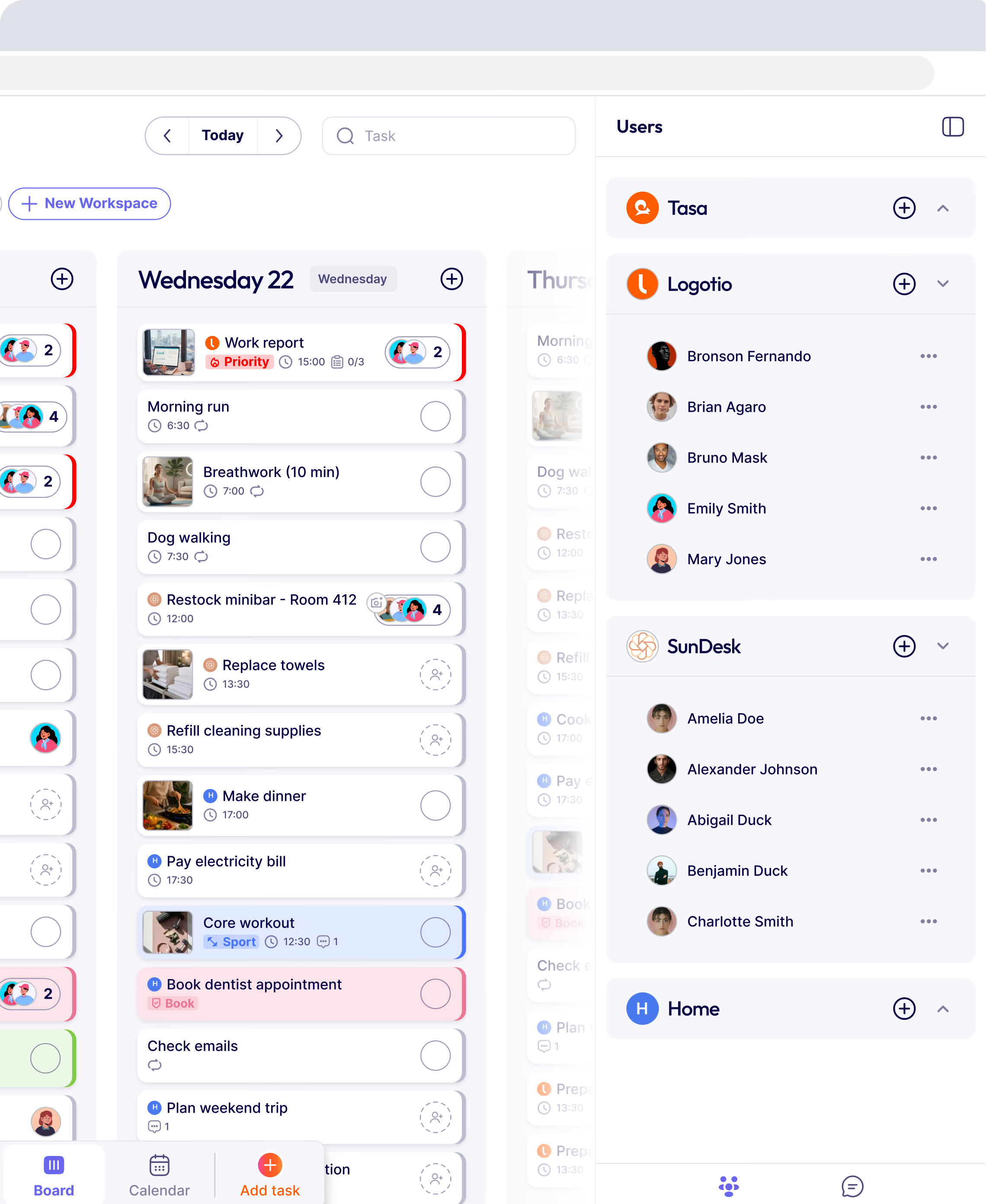
Instant task distribution: means every team member sees their responsibilities the moment they clock in. No waiting for manager briefings. No confusion about priorities.
Photo-based verification: creates accountability. Associates snap pictures of completed displays, cleaned areas, or stocked shelves. Managers review remotely in minutes rather than walking the entire floor.
Multilingual clarity: eliminates the interpretation gaps that plague expat-run businesses. Picture-based instructions transcend language barriers entirely.
How much time do retail apps actually save?
The numbers tell a stark story. In the comparison below, moving a store’s routine checks from clipboard to a mobile app cut completion time by 86%, from 180 minutes to 25 minutes per audit round, mirroring what teams report when photo verification replaces physical walkthroughs.
This efficiency gain compounds across locations. Managing five retail spots? You've just reclaimed 12.5 hours per day of management capacity.
Which features should retail apps include for local teams’ management
Not all retail apps solve the expat entrepreneur's core challenge which is managing execution quality without constant physical presence. The essential features separate useful tools from game-changers.
Picture-based task
Visual instructions eliminate ambiguity. Instead of writing "arrange the seasonal display according to planogram," you attach a reference photo showing exactly how products should appear.
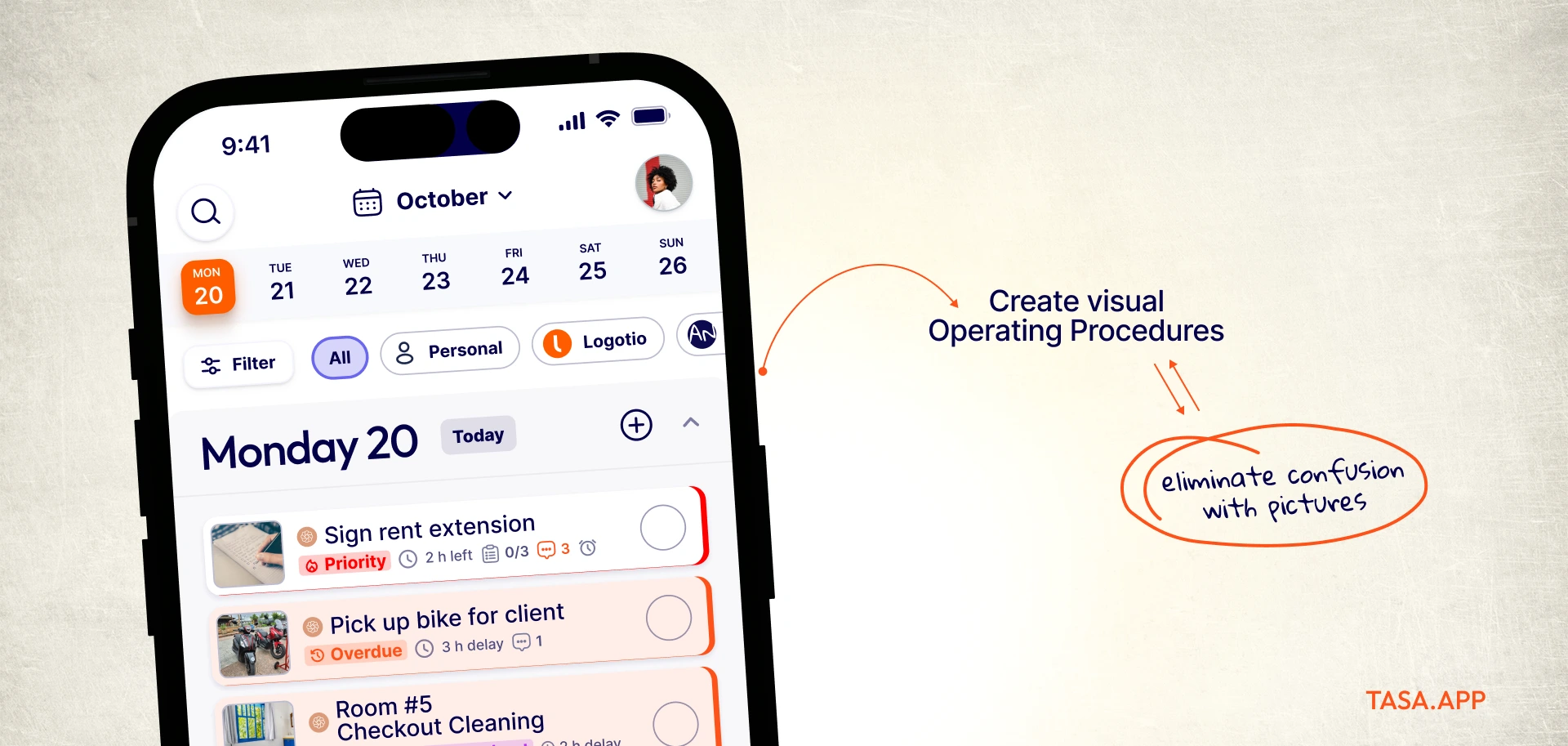
Benefits multiply for multilingual teams:
- Zero translation errors on task requirements
- New hires understand expectations immediately
- Consistent execution across different shifts
- Reduced training time from days to hours
Platforms designed for multilingual staff coordination make this visual approach central to their functionality.
Photo verification and completion tracking
Trust-but-verify becomes scalable when associates photograph completed tasks. Managers review submissions remotely, approving or requesting corrections without leaving their desk.
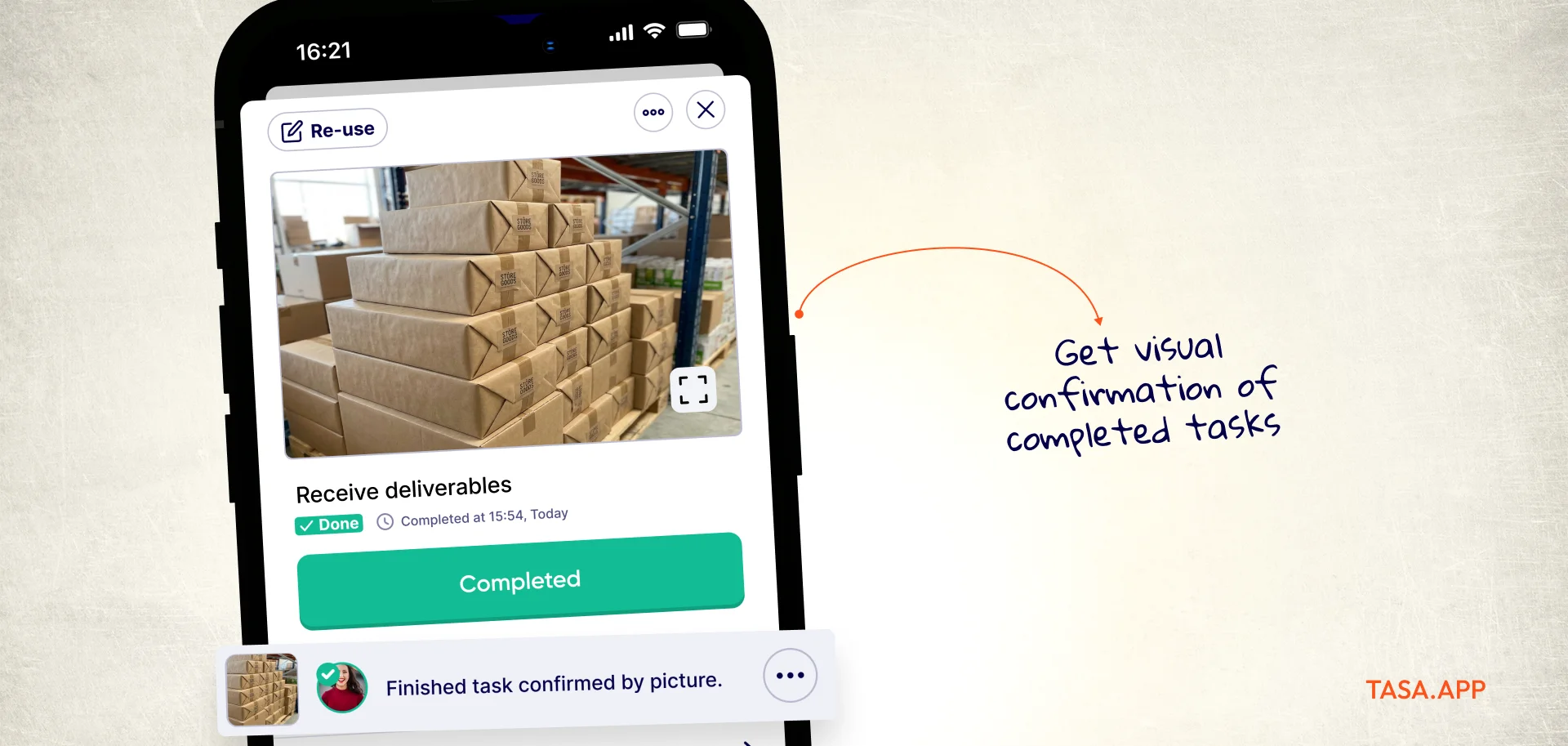
Key verification capabilities:
- Time-stamped photo submissions
- GPS location confirmation for multi-site operations
- Comparison views (before/after or template/actual)
- Comment threads for specific correction requests
- Approval workflows that prevent task closure without manager sign-off
This creates an audit trail that protects both you and your team. When regional supervisors question standards, you have documented proof of execution.
Real-time completion dashboards
The biggest shift from clipboard management? Is knowing what's done, what's pending, and what's overdue across all locations.
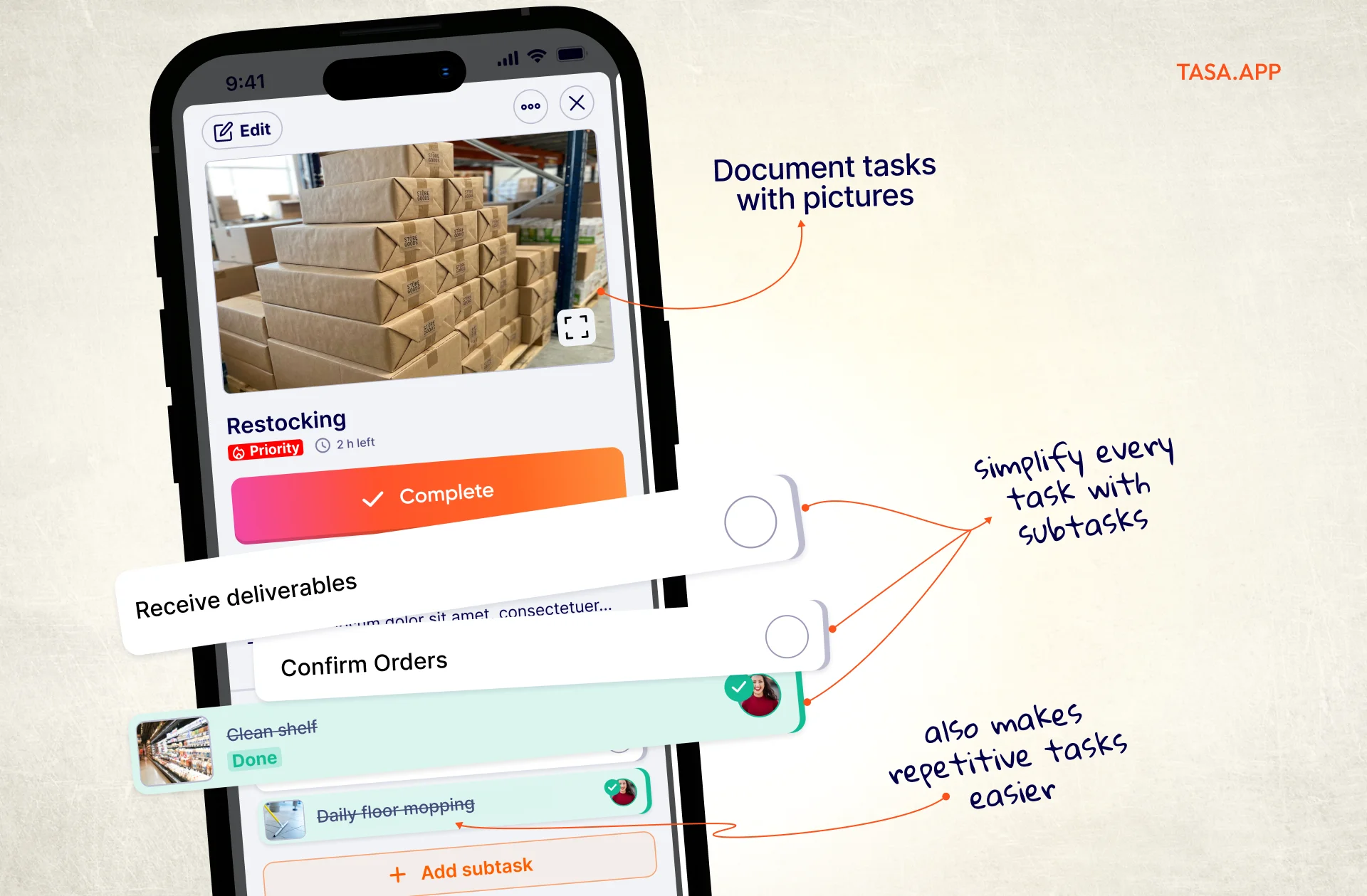
Dashboard views should show:
- Tasks completed today with trend comparisons
- Average completion times by task type
- Pending verifications awaiting manager review
- Overdue items requiring immediate attention
This real-time visibility transforms management from reactive to proactive. You spot bottlenecks before they impact customers. The Forbes retail trends analysis emphasizes how AI and real-time data now define competitive retail operations.
Multilingual interface and instructions
Here's where most retail apps fail expat entrepreneurs. They assume everyone speaks the same language fluently.
.webp)
Critical multilingual capabilities:
- Automatic task translation into each team member's preferred language
- Picture-first design that reduces text dependency
- Voice recording options for complex instructions
- Cultural customization for regional operations
Managing diverse, local or offline teams becomes exponentially easier when language barriers in business are addressed at the tool level rather than through constant interpretation.
Can retail apps replace in-person management entirely
The answer is no, but they dramatically reduce how much physical presence you need.
Retail apps excel at:
- Routine task verification that doesn't require human judgment
- Standard procedure compliance across predictable operations
- Documentation and audit trails for accountability
- Communication efficiency for multilingual teams
They don't replace:
- Relationship building with your team
- Complex problem-solving that requires on-the-ground assessment
- Customer interaction coaching during actual transactions
- Strategic space planning and merchandising creativity
The goal isn't to eliminate management presence, but optimize efficiency. Instead of spending 80% of your time on verification and 20% on strategic management, you can easily flip the ratio.
What results can you expect after implementing retail apps?
Realistic expectations matter. Digital transformation doesn't happen overnight, but the trajectory is clear.
First 30 days: Focus on adoption and consistency. Completion rates typically hit 60–70% as teams adjust. Some tasks still get done the old way. Managers still do partial walkthroughs out of habit.
Days 31–60: Completion rates climb to 85–90%. Teams start appreciating the clarity of photo-based instructions. Manager walkthrough time drops by 50%. You begin seeing which tasks create bottlenecks.
Days 61–90: Full operational integration. Completion rates exceed 95%. Manager walkthrough time drops by 75%. You have enough data to optimize task sequences and timing.
How do you choose the right retail app for your business?
Not every solution fits every context. Expat entrepreneurs managing local teams across developing markets need different capabilities than corporate chains with enterprise IT departments.
Evaluation criteria for retail apps:
- Photo-centric design: Are pictures primary, not supplementary?
- Translation accuracy: How well does it handle your specific languages?
- Learning curve: Can new hires use it within one shift?
- Cost structure: Per-user pricing or flat rate?
Test with a pilot location before full deployment. Choose your best-performing store with your most adaptable manager. Run parallel systems (clipboard and app) for two weeks, then app-only for four weeks.
Integration with existing systems
Retail apps work best when they complement rather than complicate your tech stack. Consider compatibility with:
- POS systems for inventory task triggers
- Scheduling software for automatic task assignment
- Accounting platforms for labor cost tracking
- Security systems for opening/closing verification
Most modern platforms offer API connections or CSV exports for basic integration. Enterprise-level integration requires technical resources you may not have as a small operator.
What common mistakes should you avoid with retail apps?
Digital tools amplify both good and bad processes. Digitizing broken workflows just creates digital chaos.
Mistake 1: Over-engineering task lists
Creating 50 micro-tasks for a simple opening procedure overwhelms teams. Start with 5–7 major tasks, subdivide only if completion rates suffer.
Mistake 2: Insufficient photo guidance
Saying "clean the breakroom" without a reference photo invites interpretation. What's clean to one person is messy to another. Pictures create objective standards.
Mistake 3: No manager accountability
Apps don't manage themselves. Designate specific managers responsible for daily review and approval. Unreviewed photo submissions create bottlenecks.
Mistake 4: Ignoring feedback loops
When associates consistently mark certain tasks as problematic, investigate why. Maybe the task timing is wrong, instructions unclear, or resources insufficient.
Mistake 5: Treating apps as surveillance
Frame digital tracking as performance documentation, not policing. Teams that feel trusted outperform teams that feel monitored.
Successful implementations follow the systems for small business approach: clear processes, appropriate tools, and consistent execution. For routine compliance work specifically, our guides to store inspection checklist apps and quality control checklists go deeper on the audit side.
What apps do retail stores use? The 6 categories that matter
Retailers rarely live on a single app. A typical store stack mixes several mobile platforms, each covering a different job on the sales floor and in the back office. Here are the six categories you will encounter, and where a task app fits among them:
- Task management and store execution apps (Tasa, Xenia): daily checklists, photo proof, and walkthrough replacement. This is the category this guide focuses on, and the one that most directly cuts manager hours.
- Scheduling and time tracking apps (Homebase, Deputy): shift planning, clock-ins, and labor cost tracking. They tell you who is in the store; a task app tells you what actually got done.
- POS and checkout platforms (Square, Shopify POS): sales transactions, returns, and end-of-day cash tracking. Many task apps can sit beside them, triggering restock tasks from sales data.
- Inventory and stock apps (Shopify, Sortly): stock counts, reorder alerts, and purchase tracking. Photo-based inventory checks pair naturally with picture tasks.
- Team chat apps (WhatsApp, Telegram): the default for small retail teams, but unstructured; instructions scroll away and nothing is tracked. See our guide to frontline employee communication for why chat alone breaks down.
- Shopping and consumer apps (Amazon, Temu): your customers’ channel, not your operations. Consumer shopping apps shape buyer expectations; they do not run your store.
Most small retailers start with chat, add a scheduling app, then realize tasks still slip. The pattern that works is the reverse: fix task execution first, because every other app category depends on work actually being done. A complete comparison of execution tools is in our retail task management software guide, and the supermarket and retail use case page shows the daily workflow in pictures.
On pricing: task apps are usually the cheapest line item in the stack. Tasa’s personal plan is free, and Team Work is $8 per user per month with the first 100 tasks free, so you can track a full pilot before paying. Scheduling apps run $24+ per location per month (Homebase), and POS pricing typically follows transaction volume rather than seats.
From walkthroughs to verified remote oversight
Digital retail apps transform administrative bottlenecks into streamlined processes that free your management capacity for growth rather than verification.
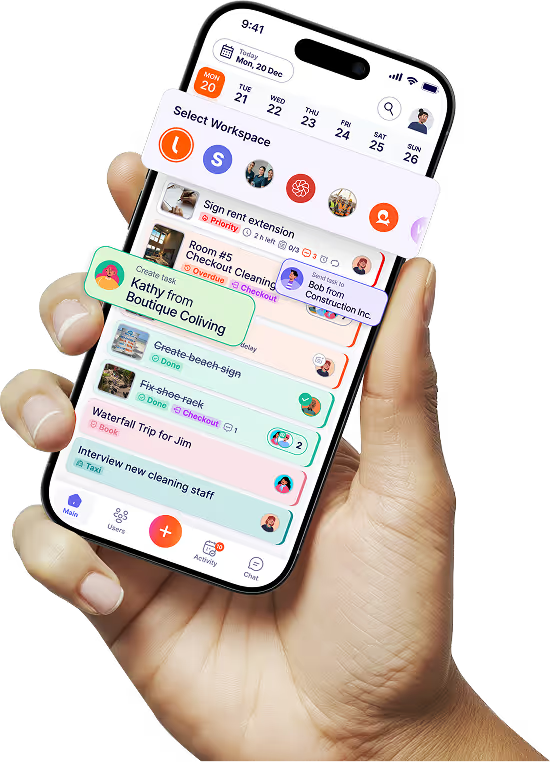
Tasa addresses the local, multilingual team and illiteracy challenges expat entrepreneurs face, combining picture-based instructions, photo verification, and AI translation to bridge communication gaps while delivering the remote oversight your retail operation demands.
It’s free for you and your team to get started.
Latest News

Have questions?
.svg)
Team management, simplified.

“It affects my personal life a lot. I can manage my team and my work remotely, so I have more time being a mother.”