.svg)
Tasa vs. Trello: which is best for your frontline team?
Most task management tools were built for people who sit at desks, share one language, and type on keyboards. Trello is one of them. It is clean, visual, and genuinely good at what it does. But frontline teams are different. Hotel housekeepers do not sit at desks. Construction crews speak multiple languages. Cleaning staff rotate locations every week. An expat business owner might manage a property in another country without speaking the local language.
This comparison is for anyone trying to decide between Trello and Tasa for a team like that. We will be direct about where each tool wins, because both are good tools for different jobs.
Trello vs. Tasa in 30 seconds
- Trello is a kanban board tool for project management. It works best when your whole team reads comfortably, works from a screen, and needs a flexible board for projects and workflows.
- Tasa is a picture-based task tool for frontline and multilingual crews. Tasks carry photos, workers confirm completion with photo proof, and the tool auto-translates between 100+ languages. No reading required.
- Choose Trello if your crew is office-based, text-literate, and wants deep integrations and automation for project work.
- Choose Tasa if your team cleans rooms, works sites, restocks shelves, or spans several languages and literacy levels.
What is Trello?
Trello is a visual project management tool built around boards and cards. You create cards, drag them across lists, and organize work in columns like To Do, Doing, and Done. Atlassian bought Trello in 2017, and it remains one of the most widely used project management platforms in the world, especially among small teams, agencies, and developers.
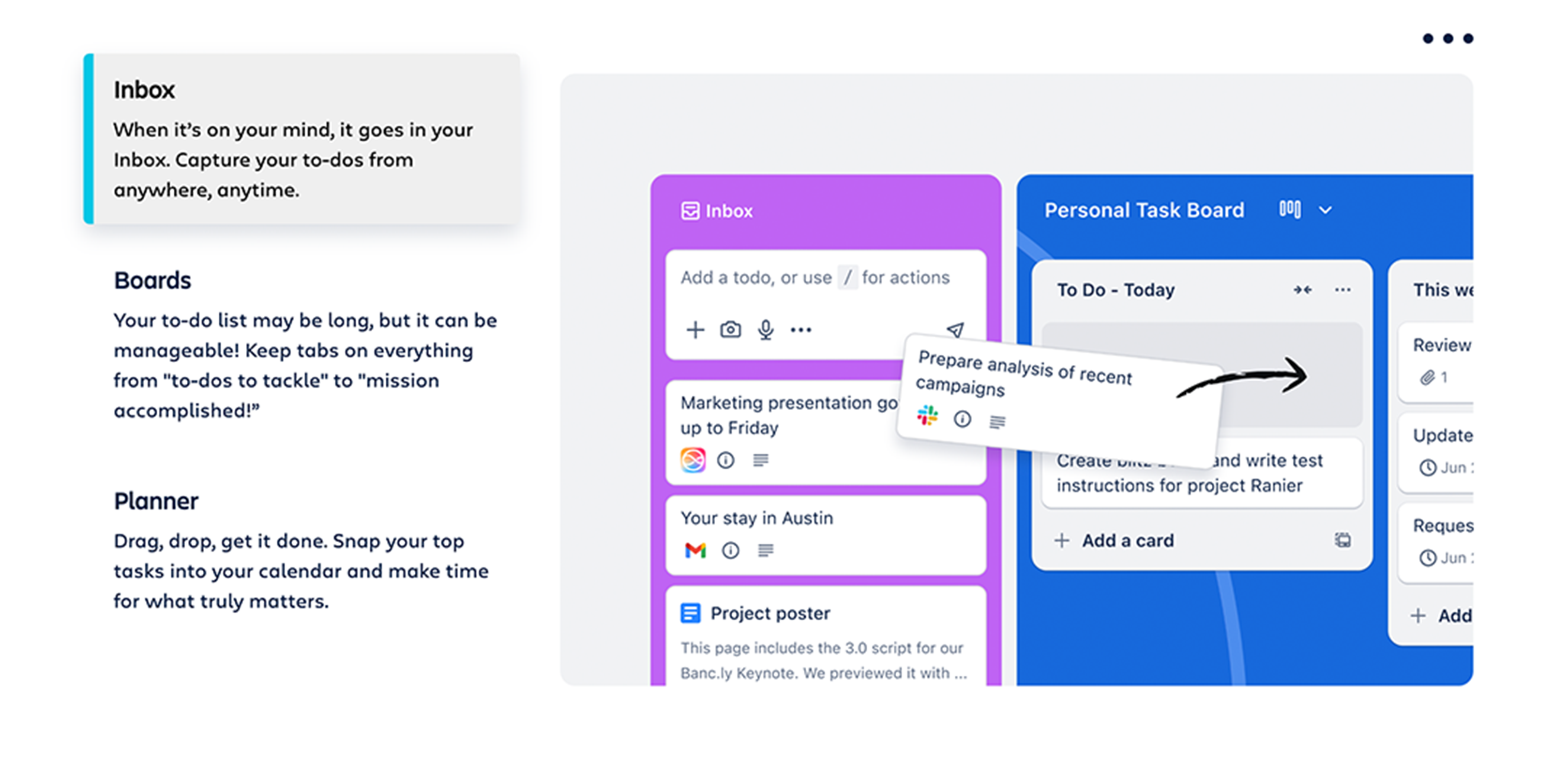
Is Trello still popular? Very. Its free plan, simple kanban board concept, and large library of Power-Ups keep it a default choice for desk-based project management.
Compared with heavier project management tools like Asana or Jira, Trello stays easy to learn. That simplicity is why Trello still wins head-to-head Trello vs Asana debates for small teams, while Asana pulls ahead for multi-project management.
But the board's simplicity assumes something important: that every team member can comfortably read card titles, lists, and comments. On a kanban board, everything is text.
What is Tasa?
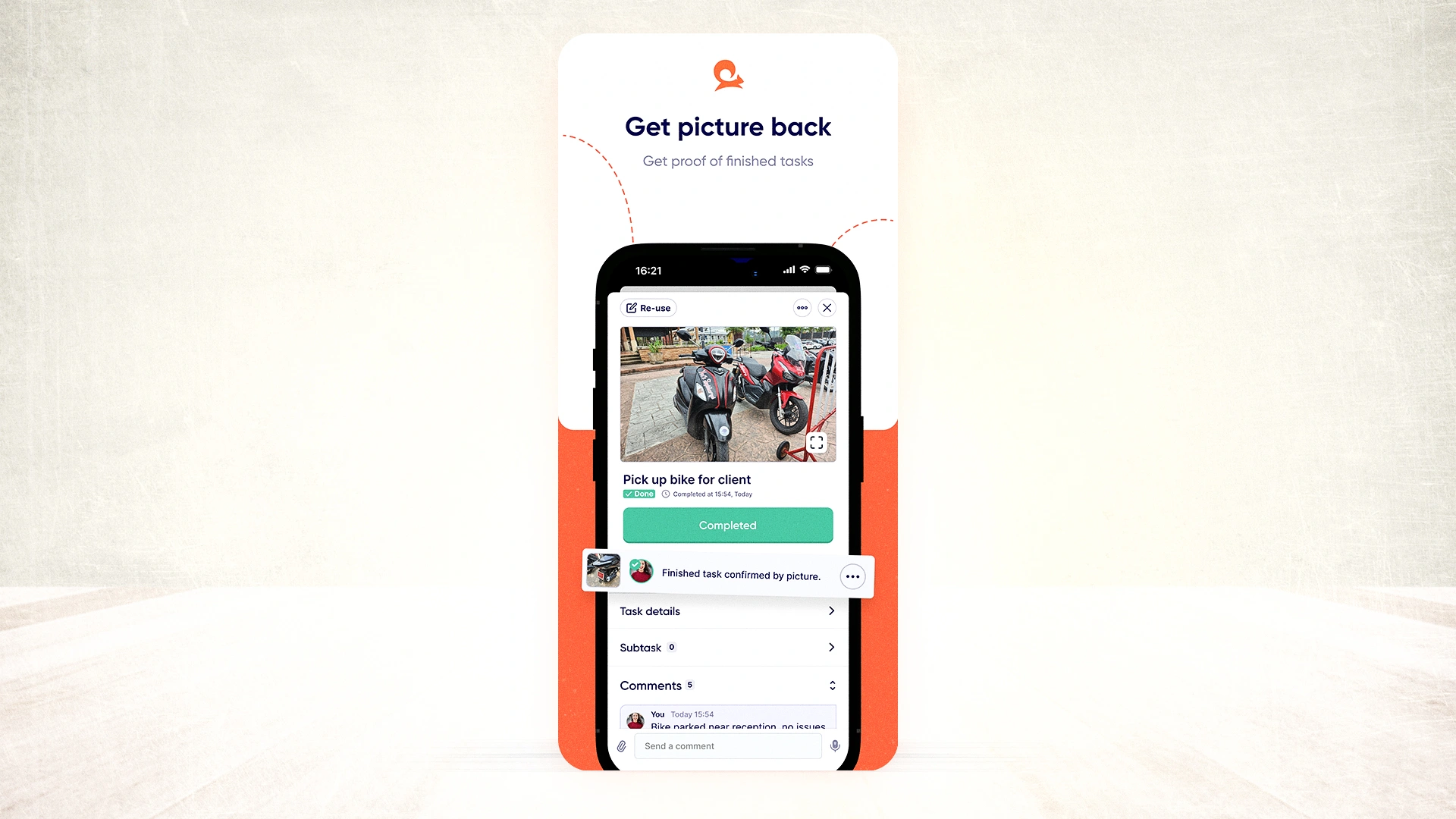
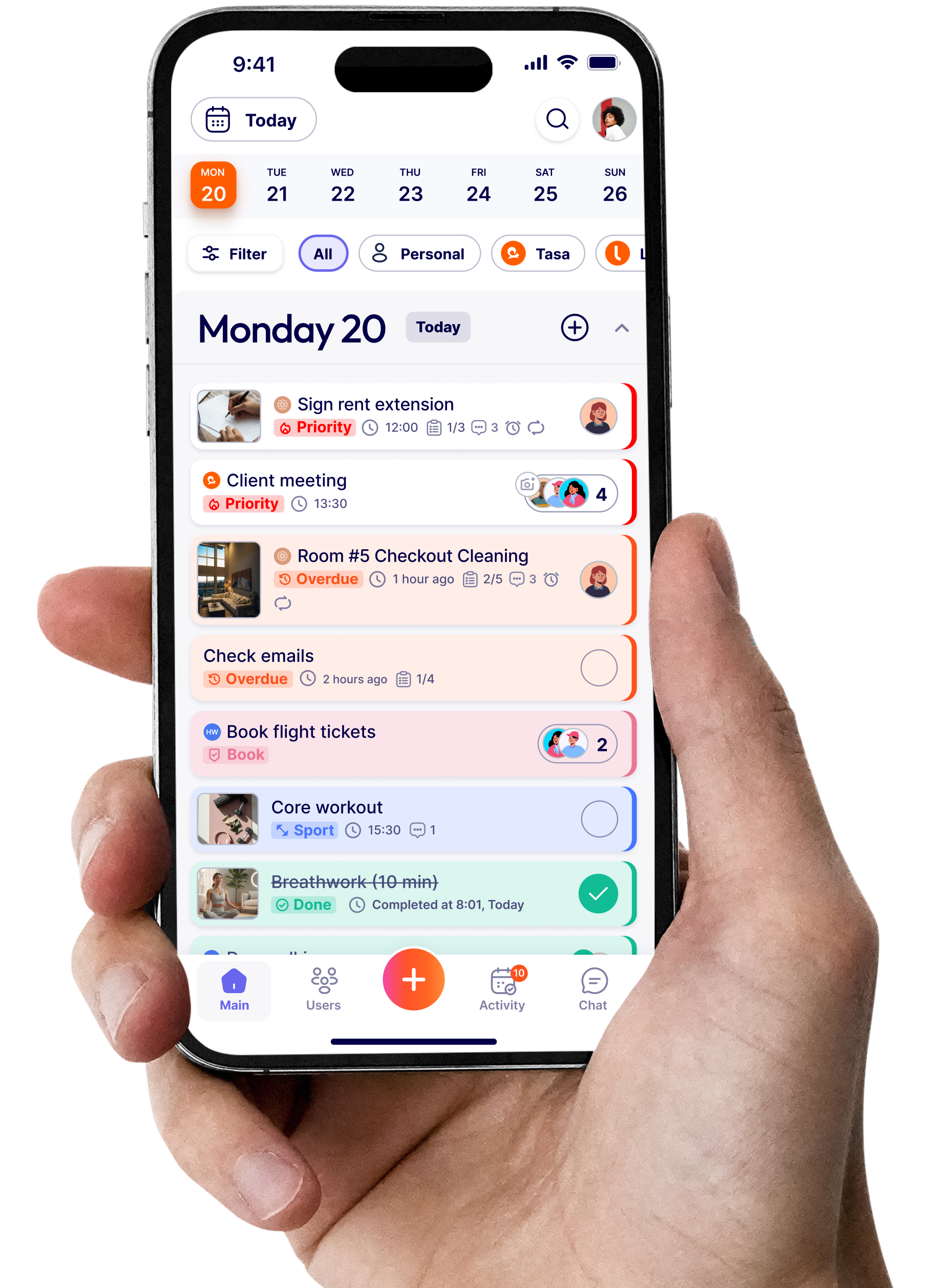
Tasa is a task manager built for teams that do not share an office, a language, or sometimes even an alphabet. Every task starts with a photo. A cleaning task shows the photo of the finished room. A stocking task shows the shelf fully faced. Workers confirm completion by taking a photo, so the manager sees proof instead of chasing status updates on WhatsApp.
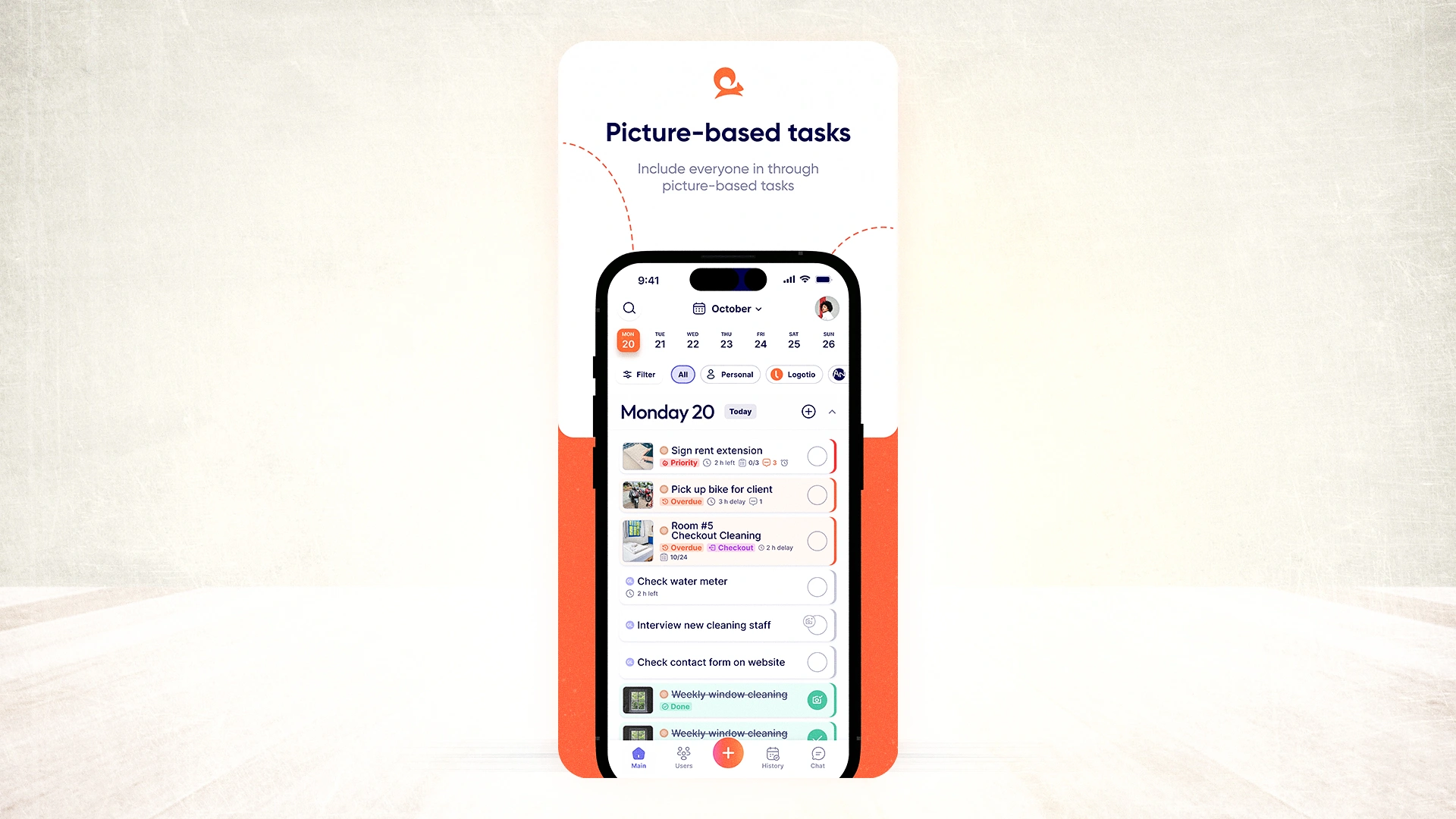
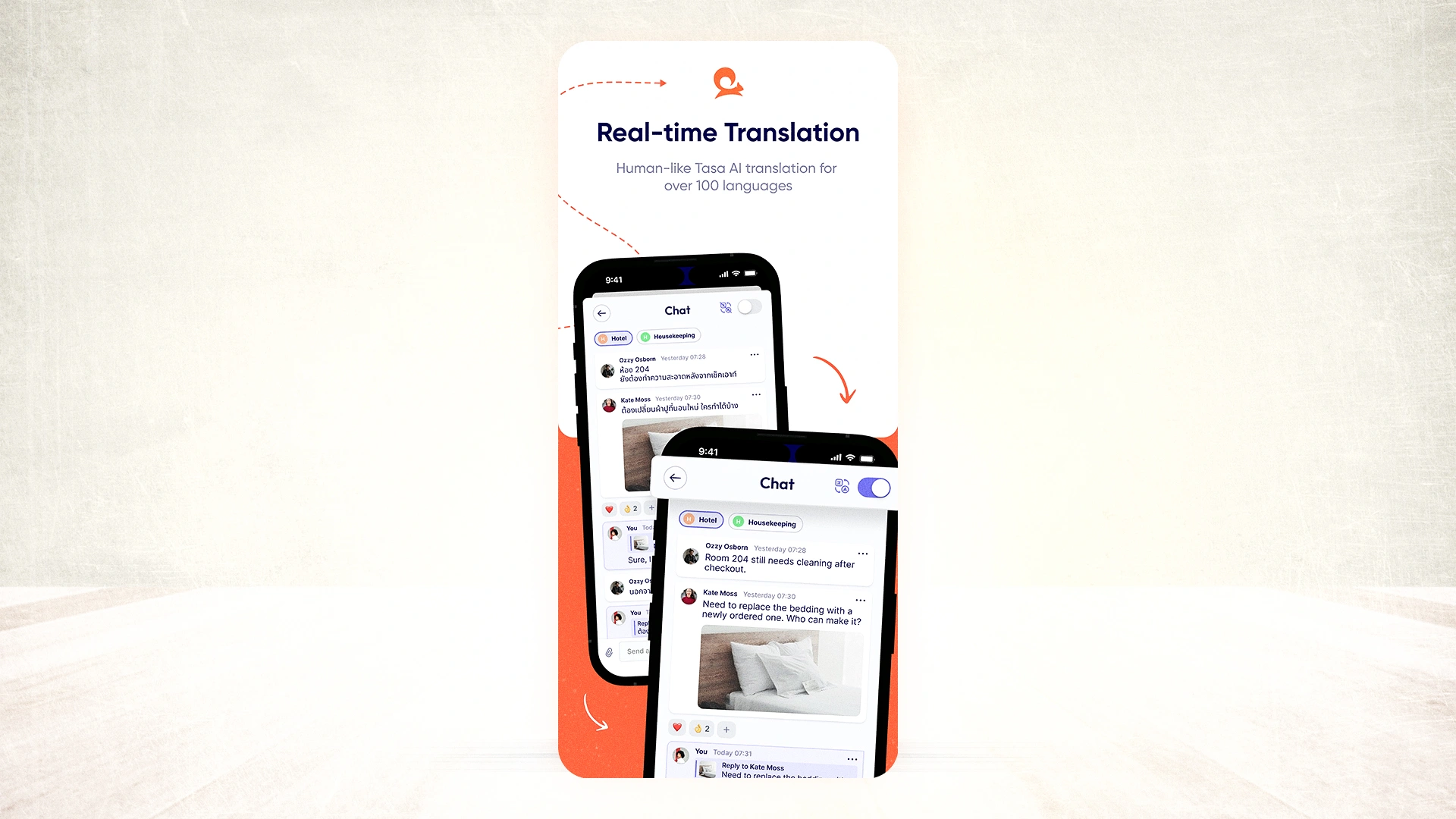
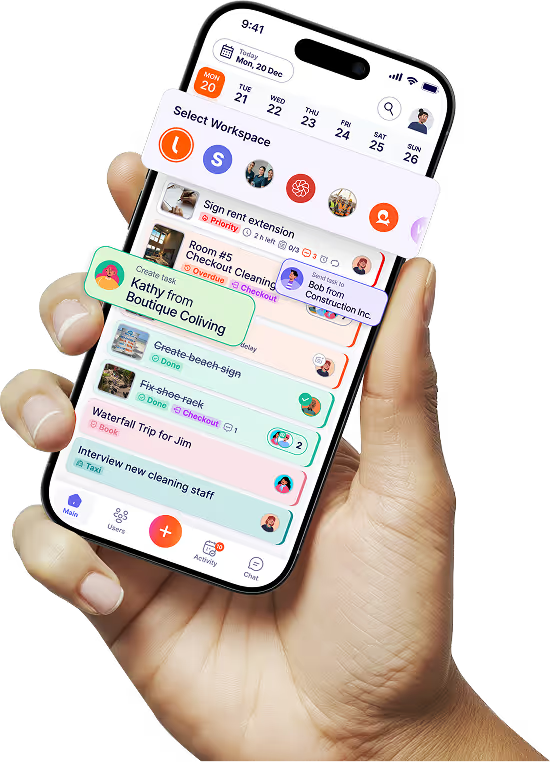
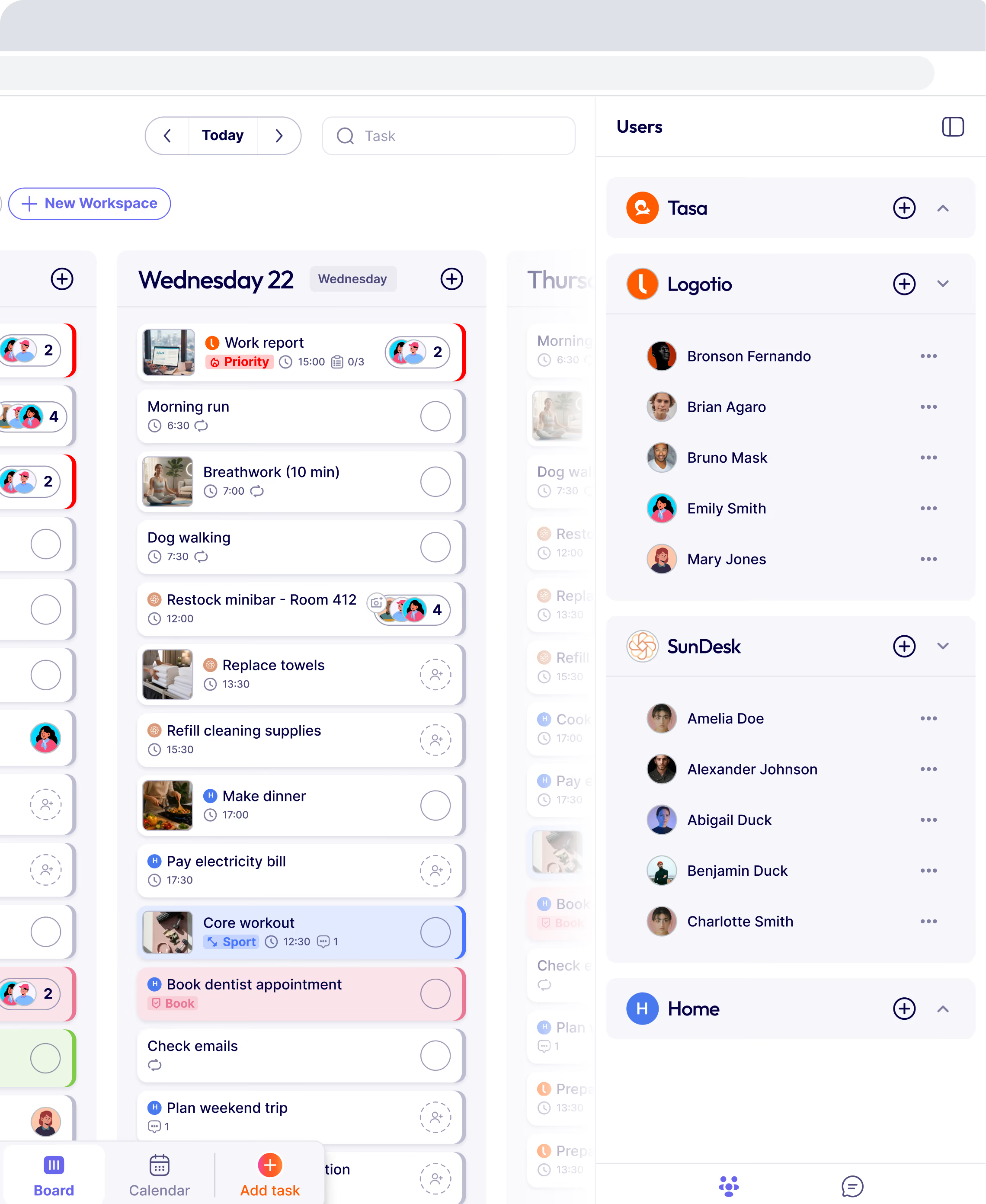
Behind the photos, Tasa handles the operational productivity loop: it auto-translates tasks and comments between 100+ source languages into 14 in-app languages. A manager writes a task in German; a Polish cleaner receives it in Polish with the photo on top. Workers log in by scanning a QR code, no email or password needed. There is even a simplified view for staff with limited reading and writing skills.
The main differences between Trello and Tasa
The two products solve different problems, and the differences show up in daily use:
Where this matters most: the worker's screen
In Trello, a cleaner sees a card titled "Deep clean room 204, focus on bathroom" and a task list underneath. If they read the language, fine. If they do not, the card is noise.
In Tasa, the same cleaner sees a photo of a spotless bathroom, a due date, and one button. When finished, they photograph their own result. The manager compares the two photos. That is the whole workflow, and it works the same whether the cleaner reads Polish, Arabic, Thai, or very little at all.

Pricing compared
Both products have a free plan, but they are generous in different places.
- Trello Free: $0 for up to 10 collaborators per workspace, up to 10 boards per workspace, unlimited cards, unlimited Power-Ups per board, and 250 automation runs per month.
- Trello Standard: $5 per user/month billed annually ($6 monthly). Unlimited boards, AI features, advanced checklists, custom fields.
- Trello Premium: $10 per user/month billed annually ($12.50 monthly). Multiple views, admin controls, workspace-level templates.
- Tasa: free for personal use with all features. Team features start with the first 100 tasks free, then $8 per user/month. Yearly billing gives 2 months free. No minimum seats.
For a desk team of five on a budget, Trello's free plan is hard to beat. For a frontline team, the comparison is not really about price per seat; it is about whether tasks actually get done and verified. A cheap board that half the crew cannot read costs more than it saves.
Real use cases: how each tool handles frontline situations
Hotel housekeeping
Trello: a housekeeping board with lists per floor. The supervisor types room tasks; housekeepers move cards. Works only if every housekeeper reads the language and checks the board during a shift.
Tasa: each room turnover arrives as a photo task in the worker's language. The housekeeper photographs the finished bed and bathroom. The supervisor sees the room is truly guest-ready without walking to the fourth floor.
Cleaning company with rotating crews
Trello: lists per site, but no proof. Did the cleaner actually deep clean the kitchen, or just tick the box? The owner finds out from the next client complaint.
Tasa: photo confirmation is mandatory when you set it. Live-only camera uploads mean no recycling old photos. The owner sends clients before/after evidence with one tap.
Construction site
Trello: fine for the site office planning walls of activities. On the job site itself, cards full of text do not survive dust, glare, and a crew speaking four languages.
Tasa: safety checks and punch-list items arrive as photos with translated instructions. A worker documents a hazard with a picture; the foreman sees it immediately.
Remote Airbnb management
Trello: a turnover board helps the host track bookings, but the cleaner in another country still receives text instructions.
Tasa: the host photographs what "guest-ready" looks like once. Every turnover after that ships that standard to the cleaner in their language, with photo proof back.
Can't I just add a translation Power-Up to Trello?
This is the most common question, and the honest answer is: partially. Translation Power-Ups can render some interface elements in another language, and browser-level translation can rough-translate a card. But three problems stay.
First, machine translation of live content is inconsistent. A cleaner opening the same board twice may see differently worded instructions, and nuance gets lost exactly where safety or quality standards matter.
Second, translation does not remove the reading requirement. Translating a text checklist into Burmese helps only if the worker reads Burmese comfortably. Around 750 million adults worldwide cannot read or write in any language, and billions more are non-native speakers at work.
Third, Trello still has no photo-based confirmation loop. Even a perfectly translated card tells you nothing about the actual result. Tasa's confirmation photo is the workflow, not an add-on.
What are the disadvantages of Trello?
To be fair and specific rather than dismissive:
- Everything is text. Cards, lists, comments, notification messages. Reading is the interface.
- No translation layer. The interface can switch languages, but your content stays in the language it was written in.
- No photo proof. A moved card is a claim, not evidence.
- Account friction. Every team member needs an account with email and password before they see a single task.
- Board fatigue on mobile. Trello's mobile client is good for checking cards, but dense kanban boards are clumsy for someone standing in a supply closet with gloves on.
None of these are flaws for a desk team. They are only flaws for the teams Trello was never designed for.
When Trello is the right choice
We mean this section sincerely: for many groups, Trello is the better tool.
- Your people work from desks and read fluently.
- You need rich integrations. Slack, Teams, Jira, Google Drive: the Power-Up library is enormous and mature.
- You want mature automation. Butler rules and commands are more capable than anything Tasa offers for workflow logic.
- You manage projects, not physical execution: content calendars, sprint boards, sales pipelines.
- You want a generous free plan for a text-based group of up to 10 collaborators.
If that is you, use Trello. You will be happier, and it costs less.
When Tasa is the right choice
- Your crew is frontline: cleaning, hospitality, construction, retail, farming, maintenance.
- Your members do not all share one language, or some read with difficulty.
- You need proof of completion, not just a status change.
- You manage from a distance: another building, another city, another country.
- You want onboarding to take sixty seconds: scan a QR code, see the first photo task, start.
Is there anything better than Trello?
For desk-based project management, Trello, Asana, and ClickUp are all solid, and the choice between them is mostly taste and budget. Plenty of detailed Trello vs Asana comparisons exist if that is your contest; Asana adds timelines, dependencies, and reporting that Trello deliberately keeps light.
But if you landed here because Trello keeps failing with your cleaning crew, your housekeepers, or your multilingual site team, the problem is not that you picked the wrong board. The category is wrong. Text boards are the wrong instrument for teams that work with their hands in many languages. That is the specific gap Tasa was built to fill, and no Power-Up combination closes it.
What Tasa users say
Tasa holds a 4.9 star average on the App Store and 4.4 stars on Google Play. Reviews consistently mention two things: how fast non-technical staff adopt it, and how much time managers save once they stop chasing photo evidence over WhatsApp. For multilingual crews, Tasa has become the practical Trello alternative.

Try the right tool for your team
If your people share a language and a desk, Trello will serve you well and probably for free.
If your team is frontline, multilingual, or spread across locations, start with Tasa's free plan. Set up one photo task, hand over the QR code, and see what your team does with it in the first hour. That single test tells you more than any comparison table.
Latest News

Have questions?
.svg)
Team management, simplified.

“It affects my personal life a lot. I can manage my team and my work remotely, so I have more time being a mother.”
