.svg)
Frontline supervisor: run your frontline team from anywhere (without losing control)

If you supervise cleaners, construction crews, maintenance staff, farm workers, or retail teams, your day probably looks like this:
You send people out with a list of jobs, chase them with calls and WhatsApp messages. You sit in traffic wondering if the tasks are done right.
You’re responsible for quality, safety, and client satisfaction, but you can’t be everywhere at once. Half your job is guessing whether work was done the way you asked. The fundamentals of field staff management only work when you can see what happens on site.
This guide is for front line supervisors who want to manage modern frontline teams from any location without losing control. We will show you how Tasa turns that job from constant babysitting into verified, visible work.
What it means to be a front line supervisor in 2026
The old model assumed supervisors could physically watch every task: factories, small workshops, one building. That world is gone.
Today’s front line supervisors now manage team speaking different languages, has mixed literacy level, uses personal phones, not computers, works in areas with unreliable internet.
And yet, you’re still expected to:
- Hit deadlines
- Keep standards consistent
- Enforce safety rules
- Keep clients and owners happy
Trying to do all that with paper lists, radio calls, and scattered WhatsApp messages is why so many supervisors feel constantly behind.
Why trust management is failing front line supervisors
Most front line supervisors are still forced into a “trust and hope” management style:
- You trust the team understood your instructions.
- You hope they actually did everything they said.
- You trust nothing was missed.
- You hope the client won’t call to complain.
The hidden costs are huge:
- Time waste: easily 8–12 hours a week lost on phone check-ins, drive-bys, and “just checking in” messages.
- Quality gaps: no photos, no proof, so “I cleaned it” becomes a debate instead of a fact.
- Language issues: tasks explained three times because English text doesn’t land with a Spanish-, Portuguese-, or Thai-speaking crew.
- Zero data: no real way to see who consistently performs well or where the process breaks.
The modern front line supervisor toolkit: what’s needed
You don’t need a fancy project management system built for staffs sitting at desks. You need a few very specific capabilities, packaged in a way your crew can easily use.
A front line supervisor app for field teams should give you:
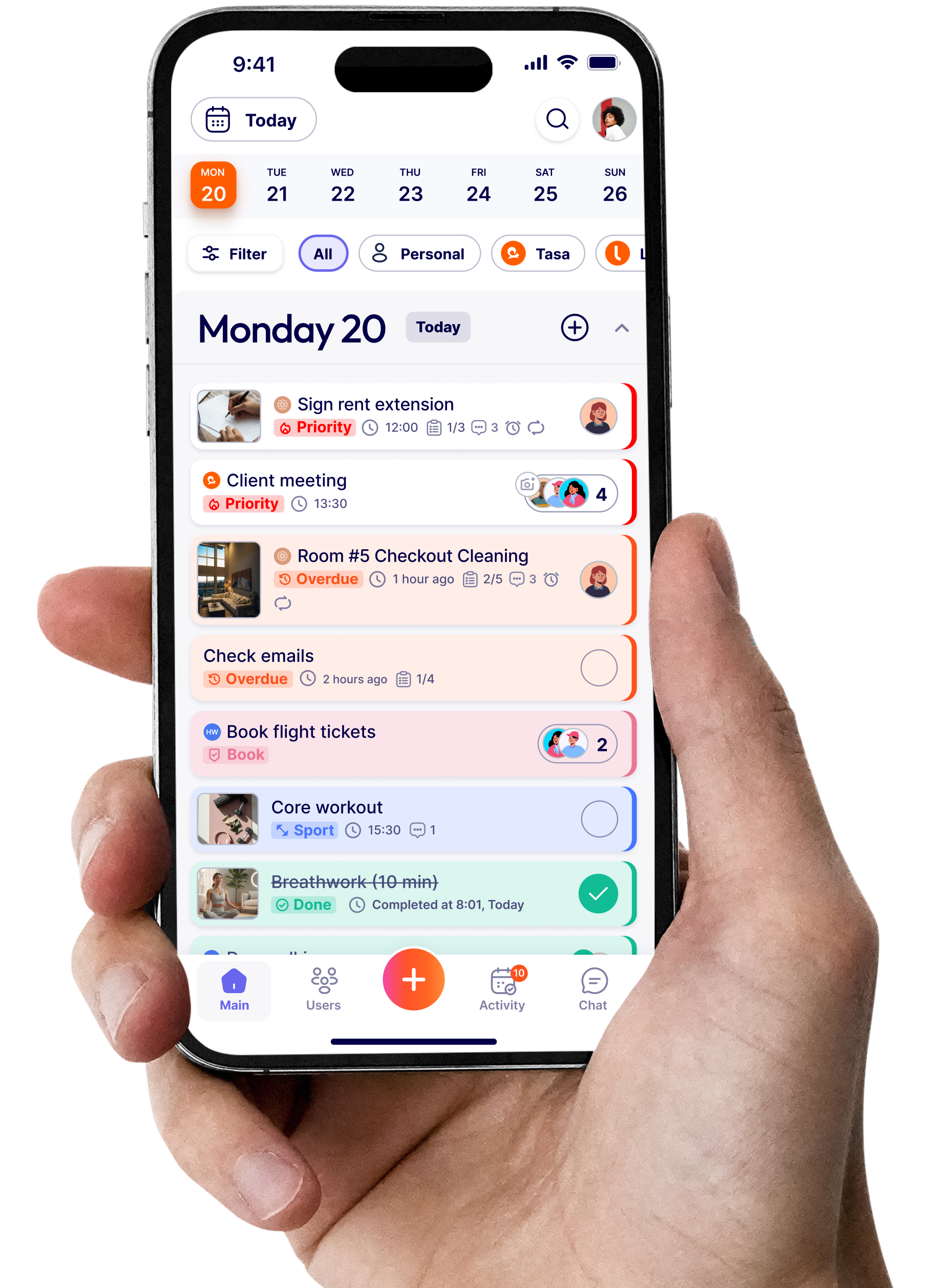
- Visual task assignment: workers see what “done” looks like
- Photo verification: tasks aren’t “complete” without evidence
- Multilingual support: everyone reads tasks in their own language
- Clean separation by team/workspace: no mixing crews or locations
- Dead-simple access for low-tech staff: no passwords, minimal clicks
- Real-time overview: a simple way to see what’s done, in progress, or late
Tasa was built around exactly these needs.
Visual task: show, don’t just text
Text-only instructions break down fast on the front line, especially when literacy or language is an issue.
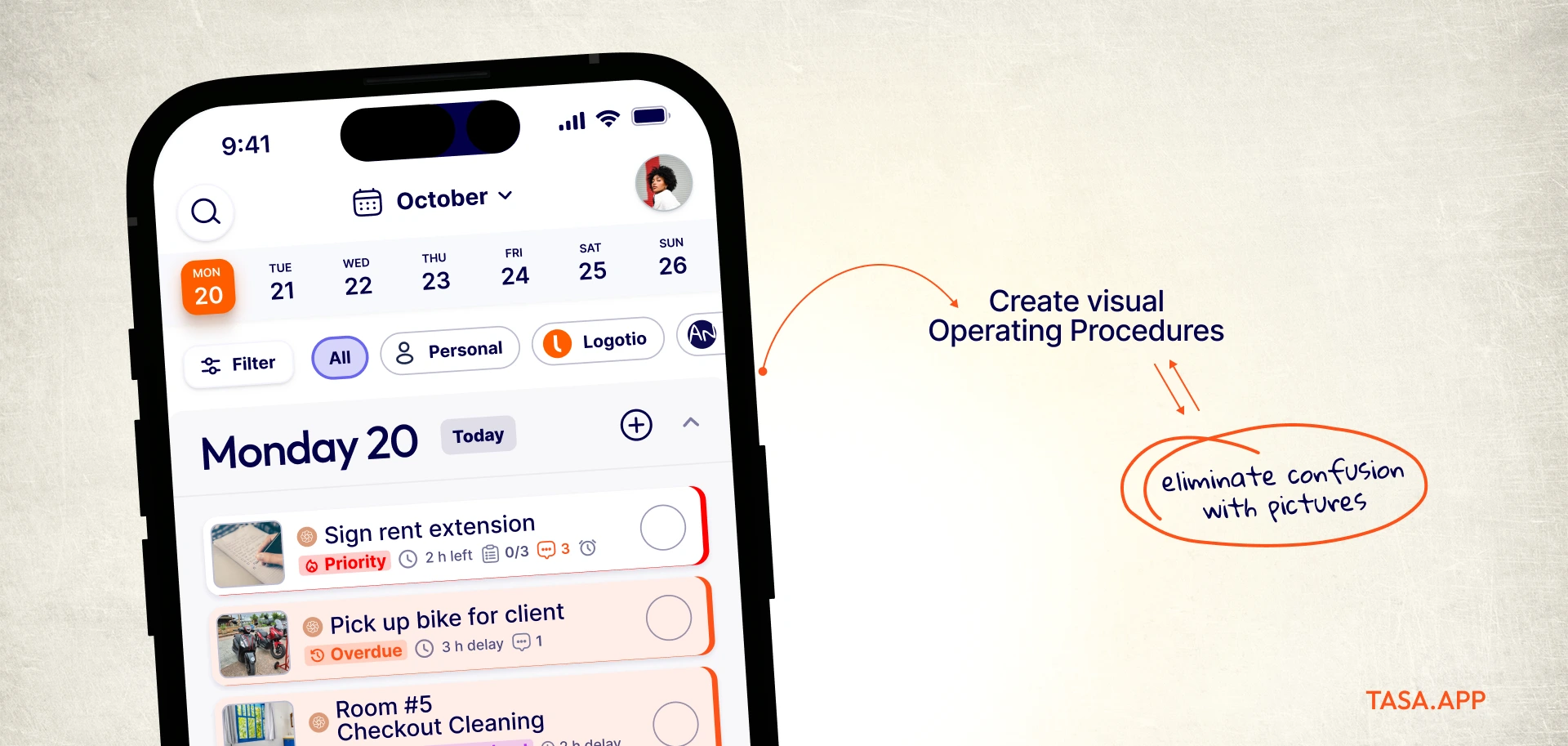
Instead of “Deep clean Villa 7” or “Inspect electrical panel on level 3”, visual task assignment means:
- Attaching photos that show what a “properly cleaned villa” looks like
- Breaking complex jobs into steps, each with a reference image
- Using icons and images so even low readers can follow along
With Tasa, tasks are picture-based by default. You can build visual workflows for:
- Room turnovers in hospitality
- Daily cleaning routines in offices or malls
- Construction checklists and punch lists
- Supermarket opening and closing routines and much more
You can see concrete examples on Tasa’s use case overview page.
Photo verification: you stop guessing and start knowing
For a front line supervisor, the biggest mental load is simple: “Did they really do it?”
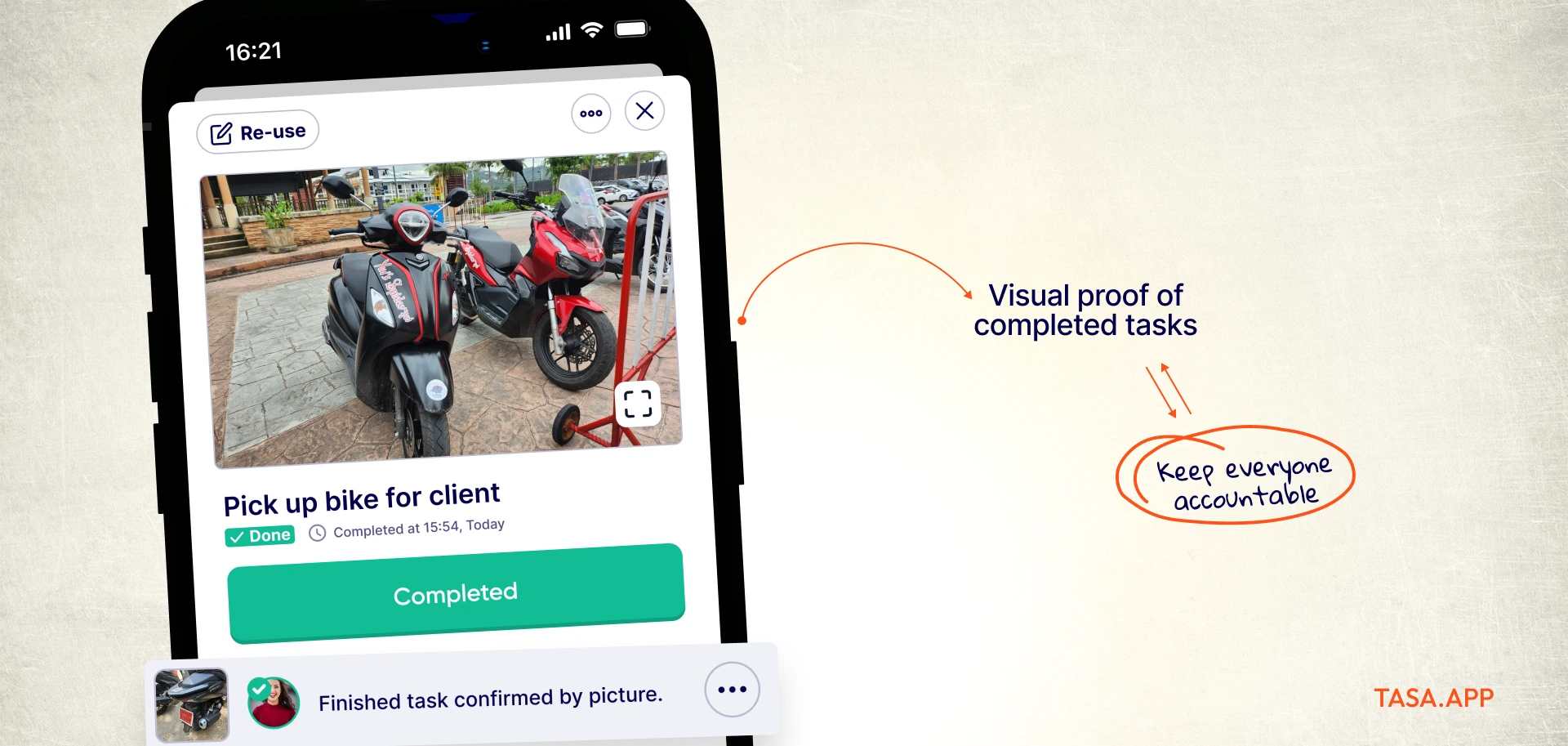
Photo verification turns that into a yes/no question with proof:
- Tasks can require one or more photos before they can be completed.
- Workers snap photos of the finished work: a cleaned bathroom, a finished installation, stocked shelves, a repaired gate.
- You see the photos, timestamps, and who completed the task—often within minutes of the job ending.
This:
- Eliminates “he said / she said” arguments with workers and clients.
- Lets you catch mistakes while the crew is still on-site, not days later.
- Build an “evidence library” you can use for training, client reports, and even insurance situations.
For many supervisors, this is the moment the job changes: you stop spending your day chasing updates, and start reviewing what actually happened.
Multilingual support: make every instruction understandable
If you supervise people who don’t share your first language, you already know how much gets lost in translation.
A modern front line supervisor app should:
- Let you write tasks in your language
- Automatically display them in your team’s preferred languages
- Translate comments and questions both ways
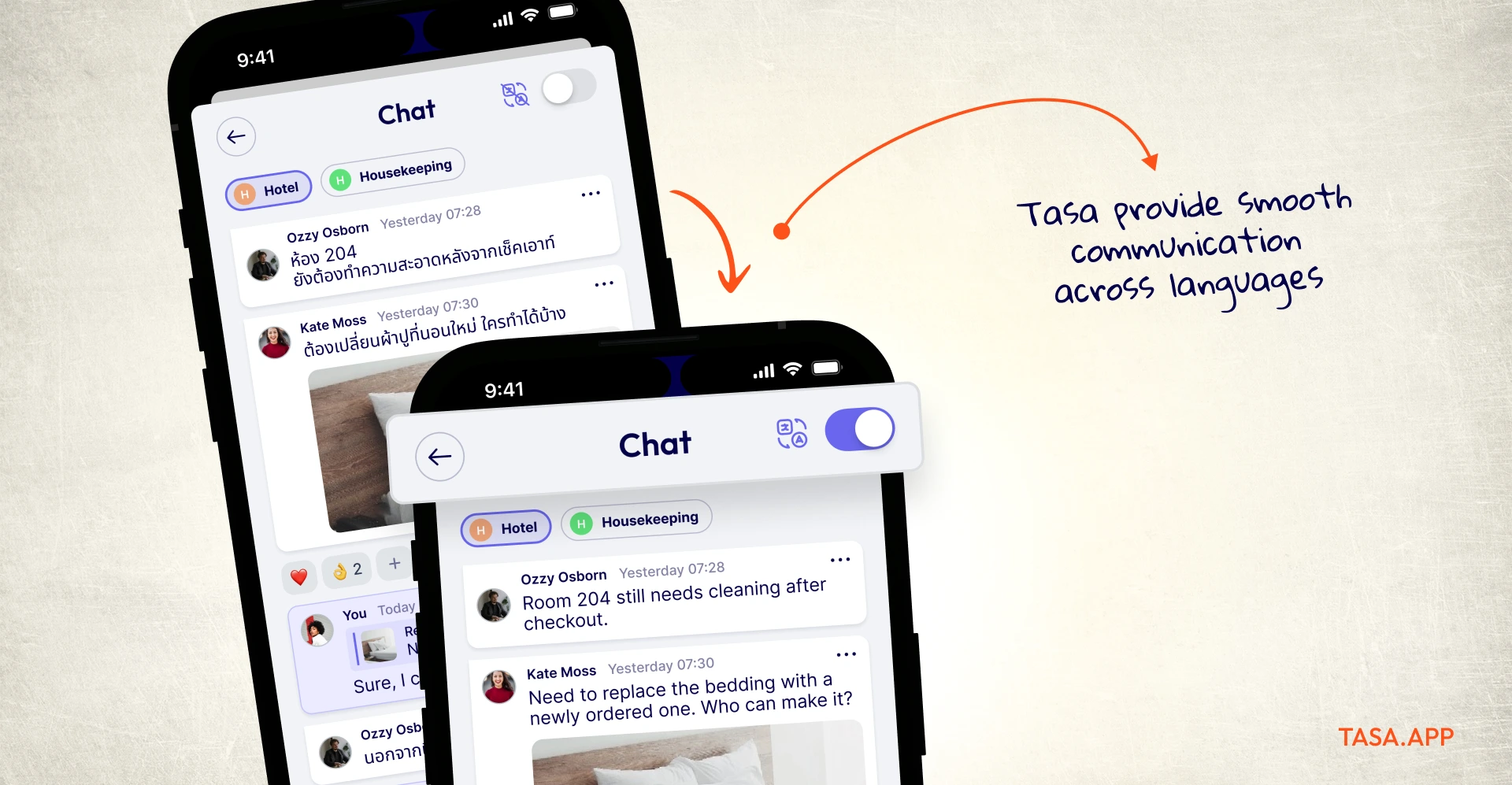
Tasa does exactly this:
- You assign tasks in English (or another language).
- Your crew reads them in Spanish, Portuguese, Vietnamese, Thai, and more.
- They reply in their own language.
- You see their replies back in yours.
This isn’t a separate translation step or copy-pasting through a translation site. It’s built into the task flow itself. For supervisors managing multilingual field staff, this is the only way to maintain speed and clarity at the same time.
Workspaces: multiple teams, one supervisor, zero chaos
Most front line supervisors or expats don’t run just one homogeneous team. You might be coordinating:
- Housekeeping and maintenance for several properties
- Multiple client accounts for a cleaning business
- Different departments in a supermarket
- Several subcontractor crews on a construction project
If everything lives in one giant list, nobody knows what’s theirs.
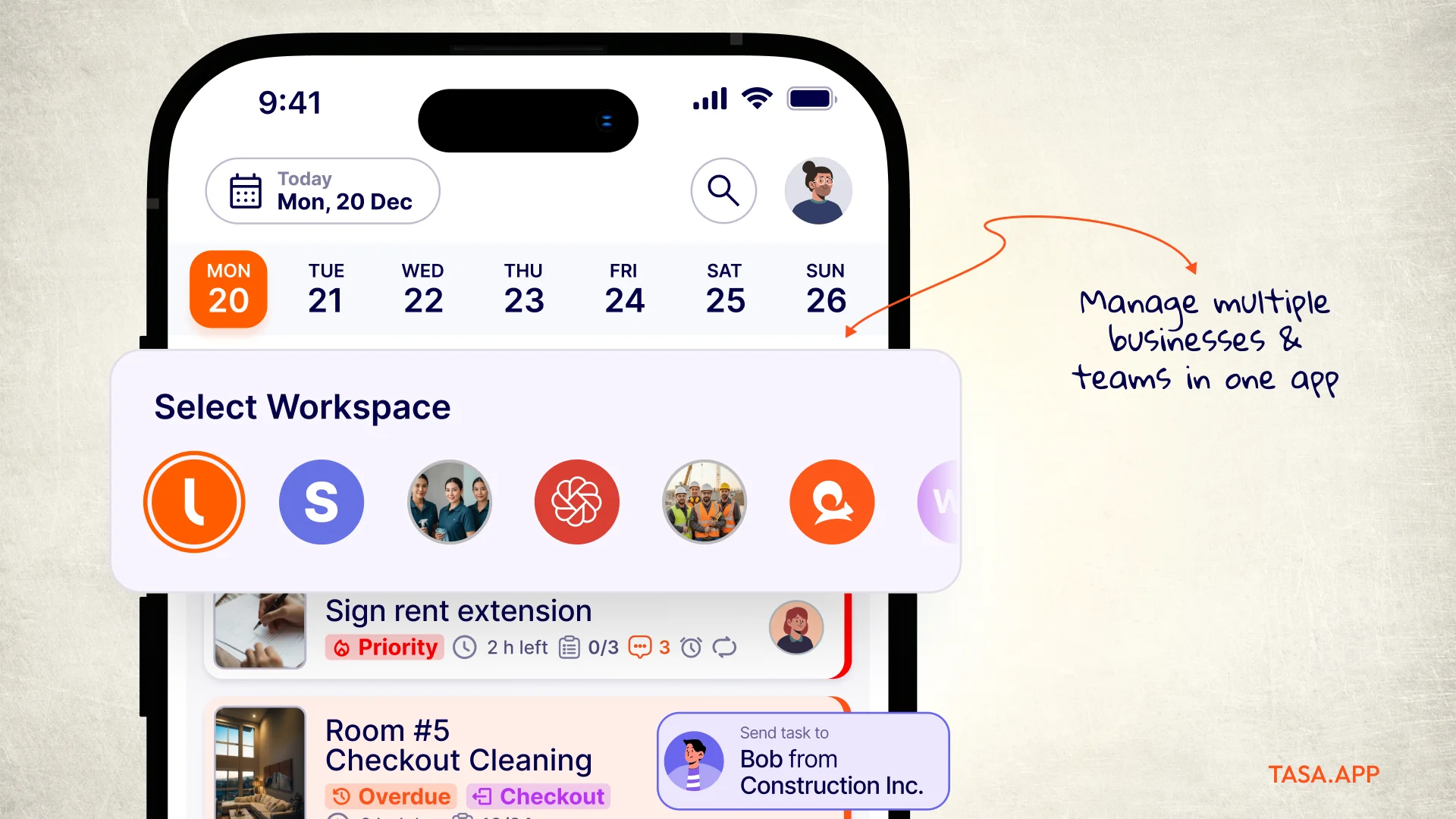
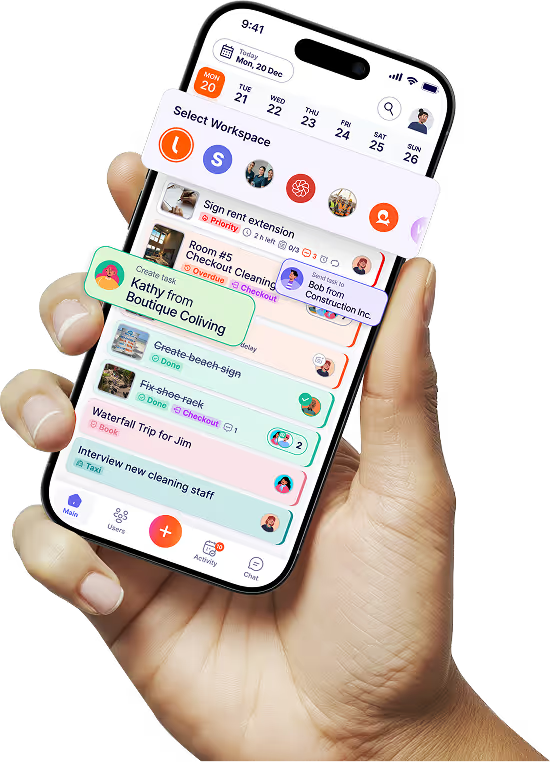
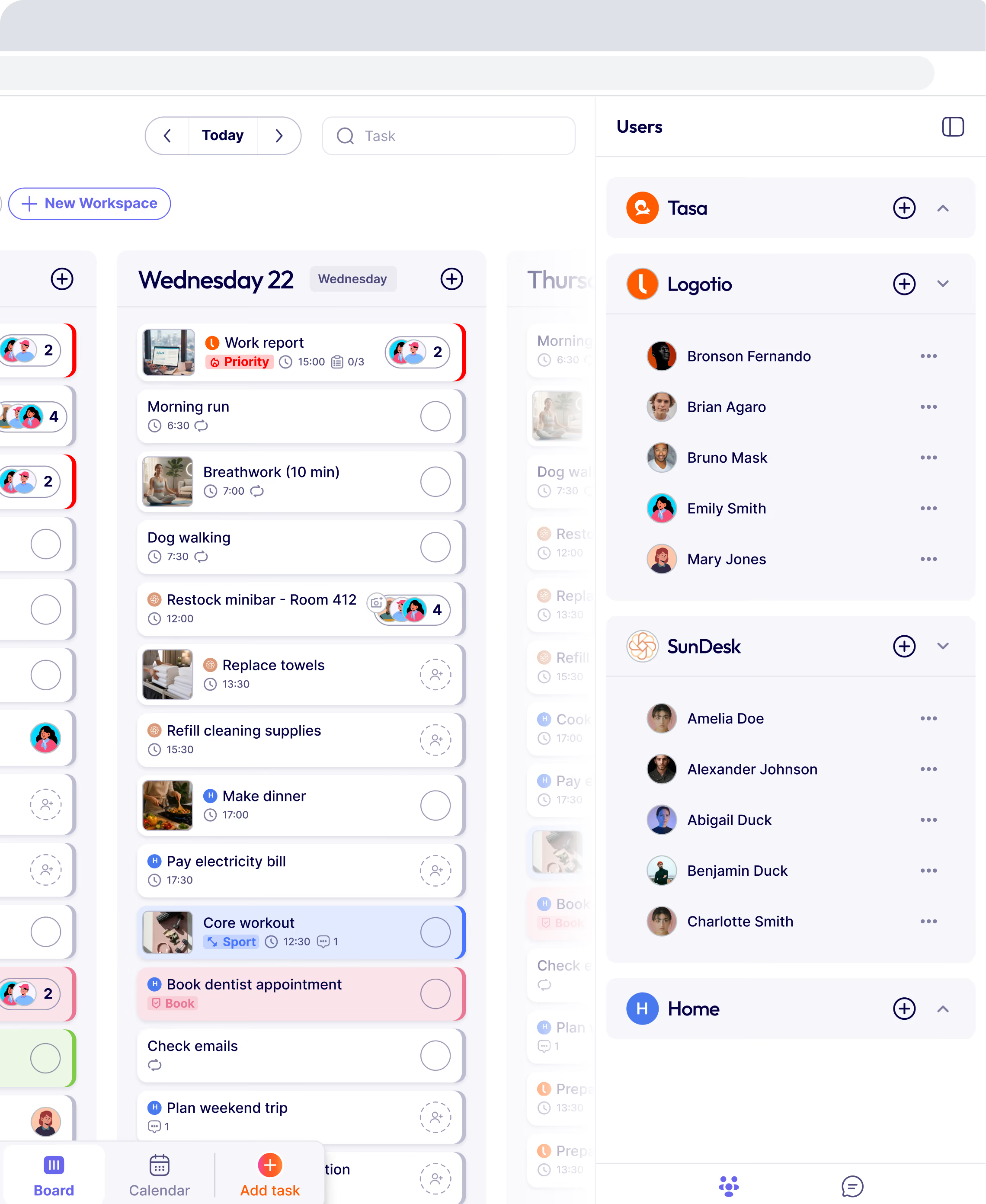
Tasa uses workspaces to keep teams cleanly separated:
- Each team, department, or location gets its own workspace.
- Tasks, templates, and notifications are scoped to that workspace.
- Front line supervisors and owners can switch between workspaces quickly to see each crew’s status.
For example, you might have “Hotel A – Housekeeping”, “Hotel A – Maintenance”, “Supermarket – Deli”, “Supermarket – Produce”
All inside a single Tasa account, but organized so workers only see what’s relevant to them.
Easy access: QR login and a minimal interface
One of the biggest reasons digital tools fail for front line teams is that they’re built like office software: logins, passwords, menus, endless options.
Your workers need an app to see today’s tasks, do the work, take photos for verification.
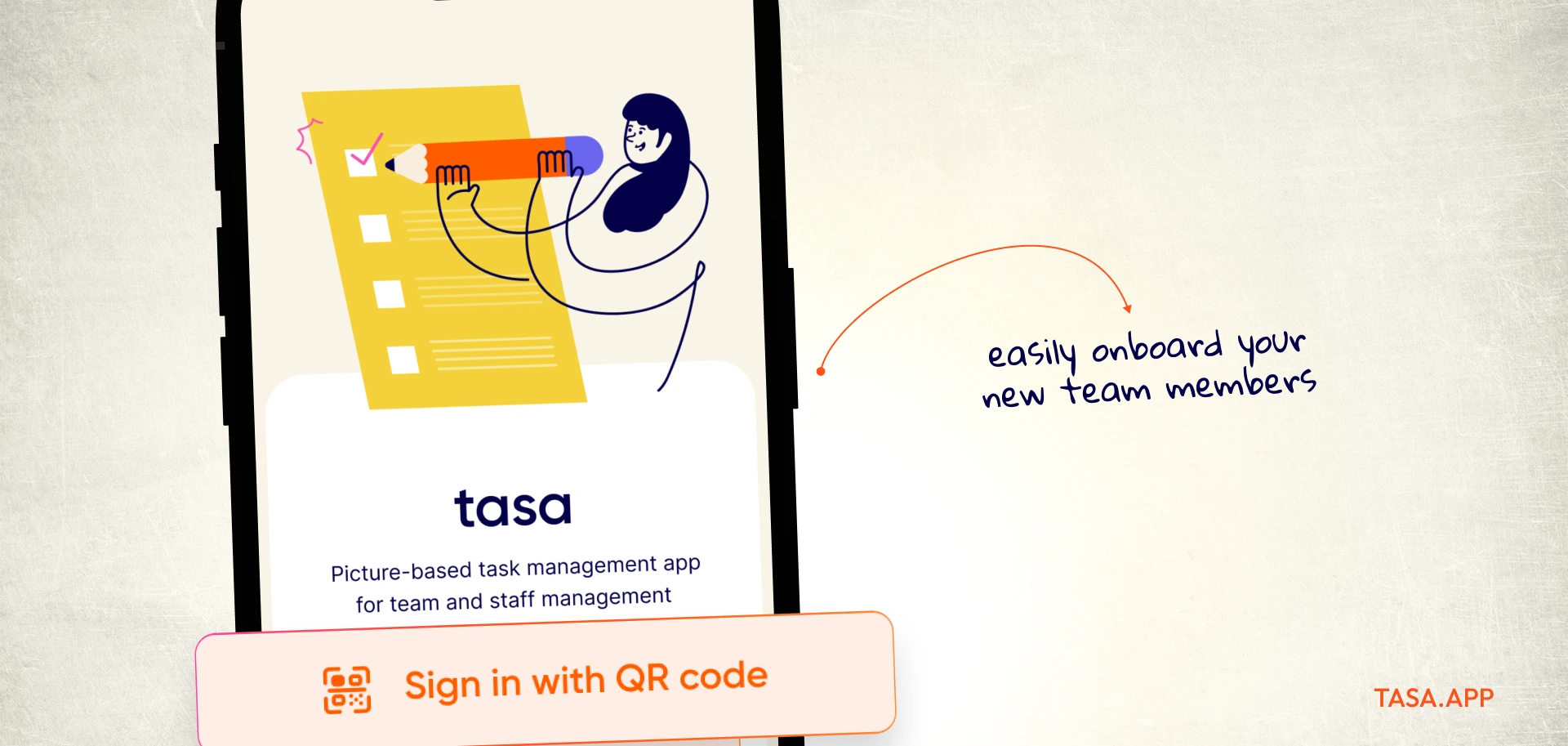
Tasa is designed with that in mind:
- Staff can log in via QR code—zero passwords issues .
- The worker view is stripped down to essentials (tasks and photos)
- Admins and supervisors get the more detailed dashboards, not the whole crew.
This is especially important if your team includes people who are not very comfortable with apps, or who struggle with reading. The app should lower friction, not add another headache.
Overcoming the usual objections to supervisor apps
Most resistance doesn’t come from your crew. It comes from you and other supervisors who are overwhelmed.
Common objections:
“My team isn’t tech-savvy.”
In reality, most frontline workers comfortably use smartphones every day. The problem is not their ability; it’s bad app design. A good front line supervisor app feels like taking a photo and following a simple list, not filling out forms.
“I don’t have time to learn a new system.”
Setting up basic workflows in Tasa can take less time than one chaotic morning briefing. The payoff saving hours of calls and driving each week easily covers the startup time.
Why Tasa is built for front line supervisors
Tasa is on a mission of enabling 1 billion people who struggle with reading and writing, foreign workers and people with a different technological background to the digital world.
Key ways Tasa aligns with your reality:
- Picture-based tasks instead of long text tickets
- Photo verification instead of blind checkboxes
- AI translation built into tasks and comments
- Workspace separation for multiple teams or locations
- QR login and a stripped-down staff view
- Mobile-first experience designed around field usage
You can explore how Tasa benefits your local team in hospitality, construction, cleaning, supermarkets, and farming on the use case overview page
Your next step as a front line supervisor
The shift from chasing or manually managing your offline team to supervising with clarity is simple in theory and practice:
- Make tasks visual
- Make completion verifiable
- Make instructions understandable in any language
- Make the system easy enough that everyone can easily implement
Tasa gives you those pieces in one app.
A field supervisor or expat who is tired of guessing, tired of driving across town to confirm simple jobs, and tired of explaining the same task ten times in two languages, it’s time to try a tool built for your business advantage.
Latest News

Have questions?
.svg)
Team management, simplified.

“It affects my personal life a lot. I can manage my team and my work remotely, so I have more time being a mother.”
